

How to approve Tapper access request in Google Ads?
To approve Tapper Access request in Google Ads:
-
Sign in to your Google Ads manager account.
-
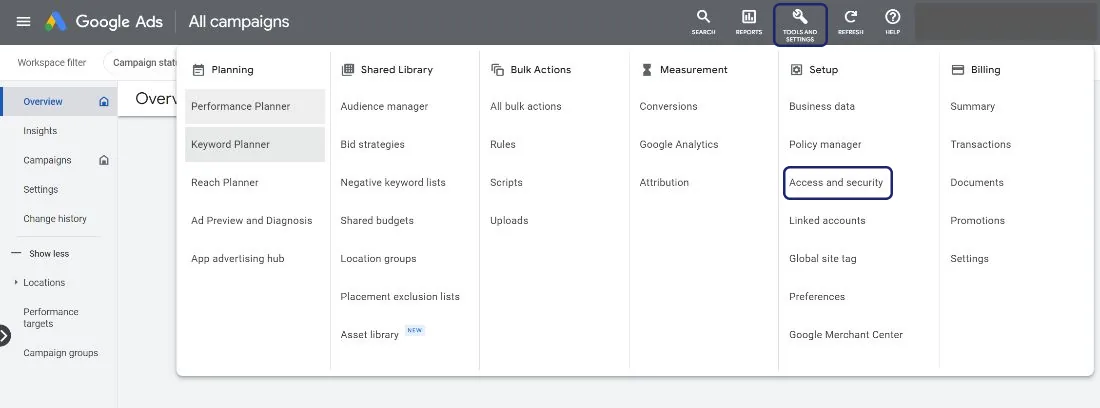
Click the tools icon in the upper right corner of your account - “Tools and Settings”
-
Under "Setup", click Access and security.
- Click on the Managers tab. You'll see Pending invitations, if there are any.
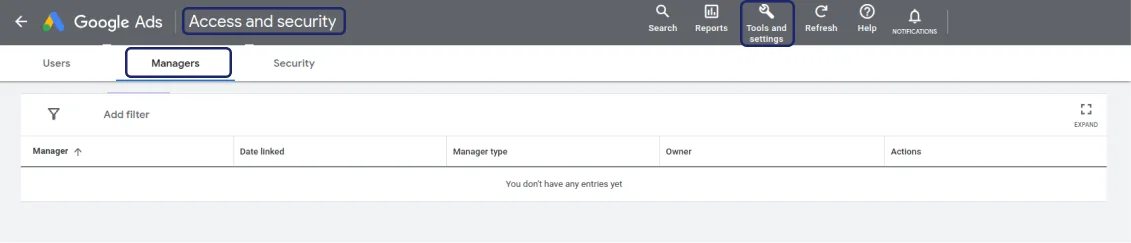
To revoke a pending invitation, click Revoke in the Actions column.
Was this helpful?
Related articles
Still need help?
Chat with our team and mention this article.