

Requesting refunds from Google Ads
Tapper's blocking keeps invalid traffic away from your ads before you pay for it. When questionable clicks are still billed, you can ask Google for a refund. Read Ad refund requests first.
Google reviews requests by hand, a review can take several weeks, and a refund is never guaranteed. Precise, timestamped Tapper evidence gives you the best chance.
Before you begin
Have ready:
- admin or billing access to the Google Ads account
- the names and IDs of the affected campaigns
- the date range of the suspected invalid activity
- your Tapper refund report (CSV)
- screenshots of click spikes, unusual cost patterns or other anomalies
Google's reference pages: Google Ad Traffic Quality and Google Ads Help: invalid click support process.
Submit a refund request
Step 1: Open the Help Center
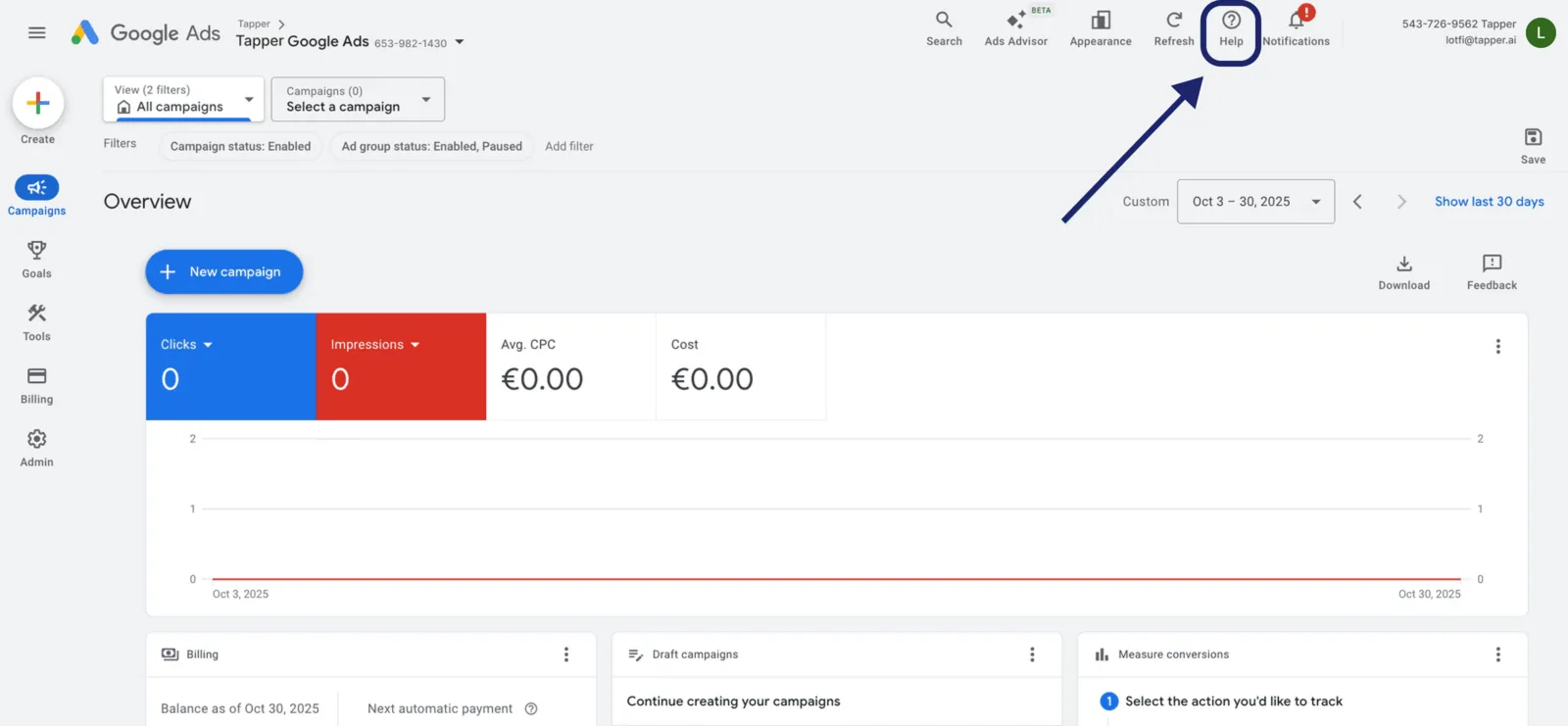
Sign in to your Google Ads Manager account and click the Help (?) icon at the top right. A help panel opens.
Step 2: Navigate to Contact Us
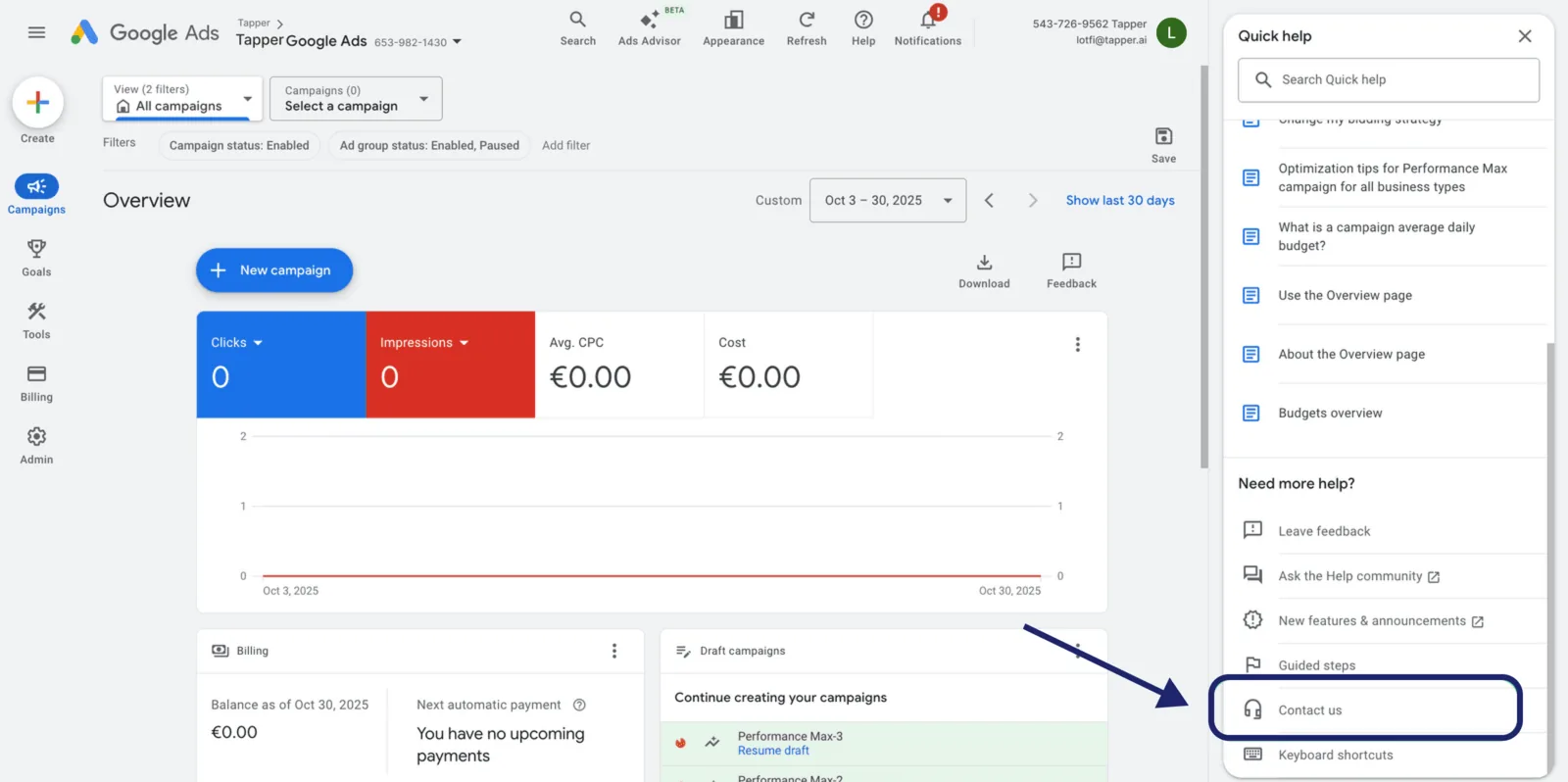
At the bottom of the panel, under Need more help, click Contact Us.
Step 3: Search for Invalid Clicks
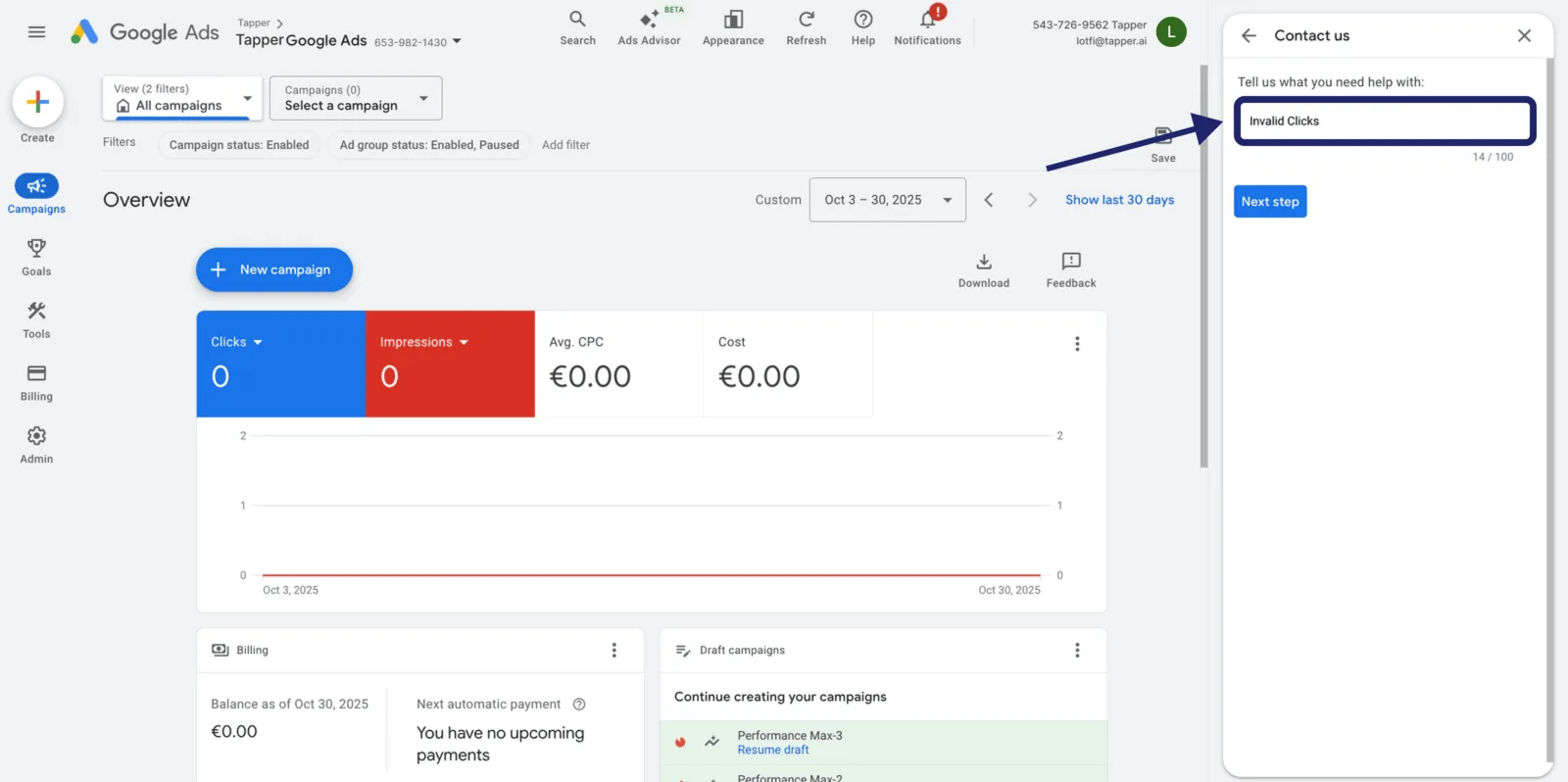
In Tell us what you need help with, type Invalid Clicks, then click Next Step to continue.
Step 4: Choose Other
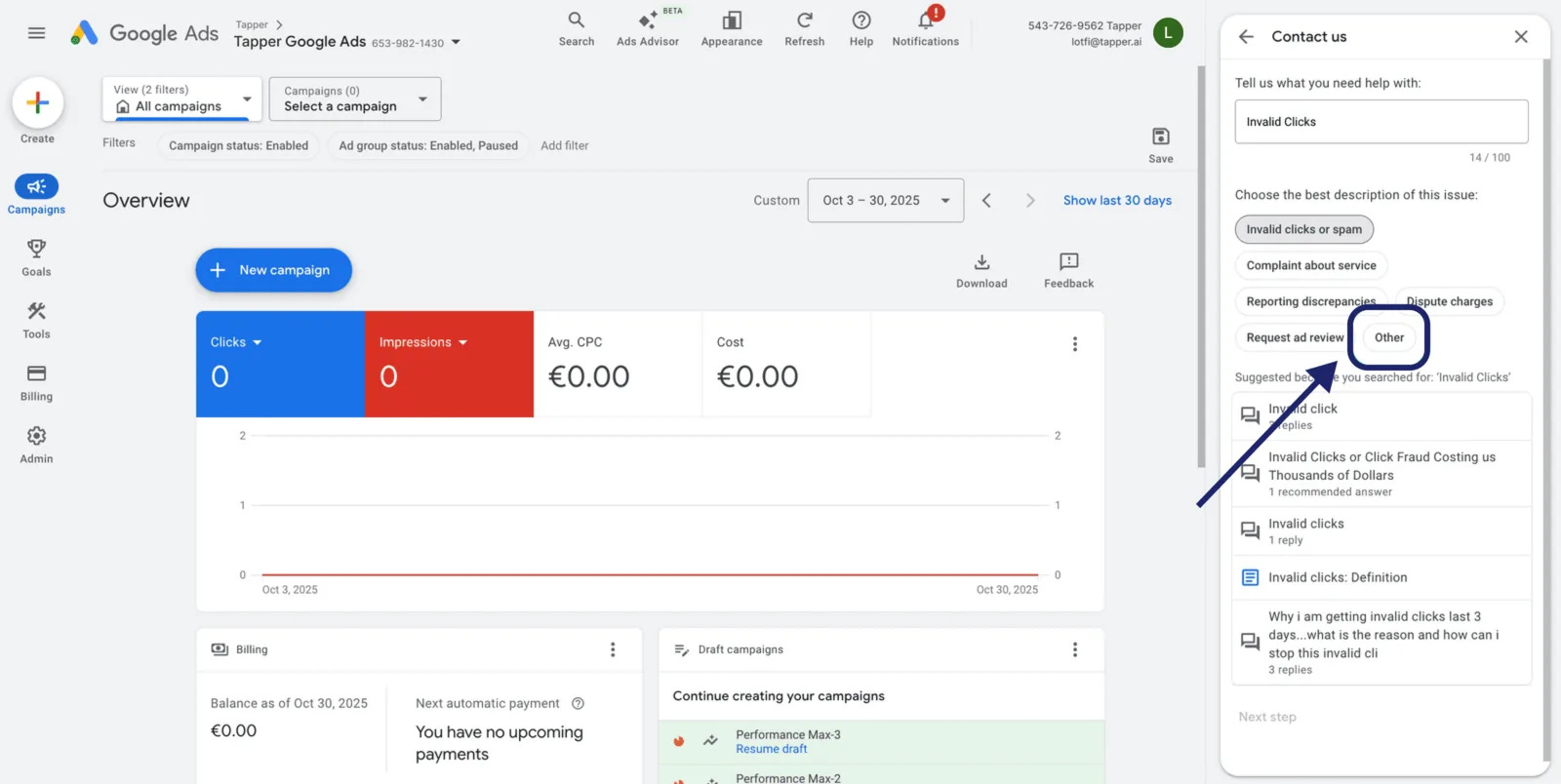
Select Other, then click Next Step again.
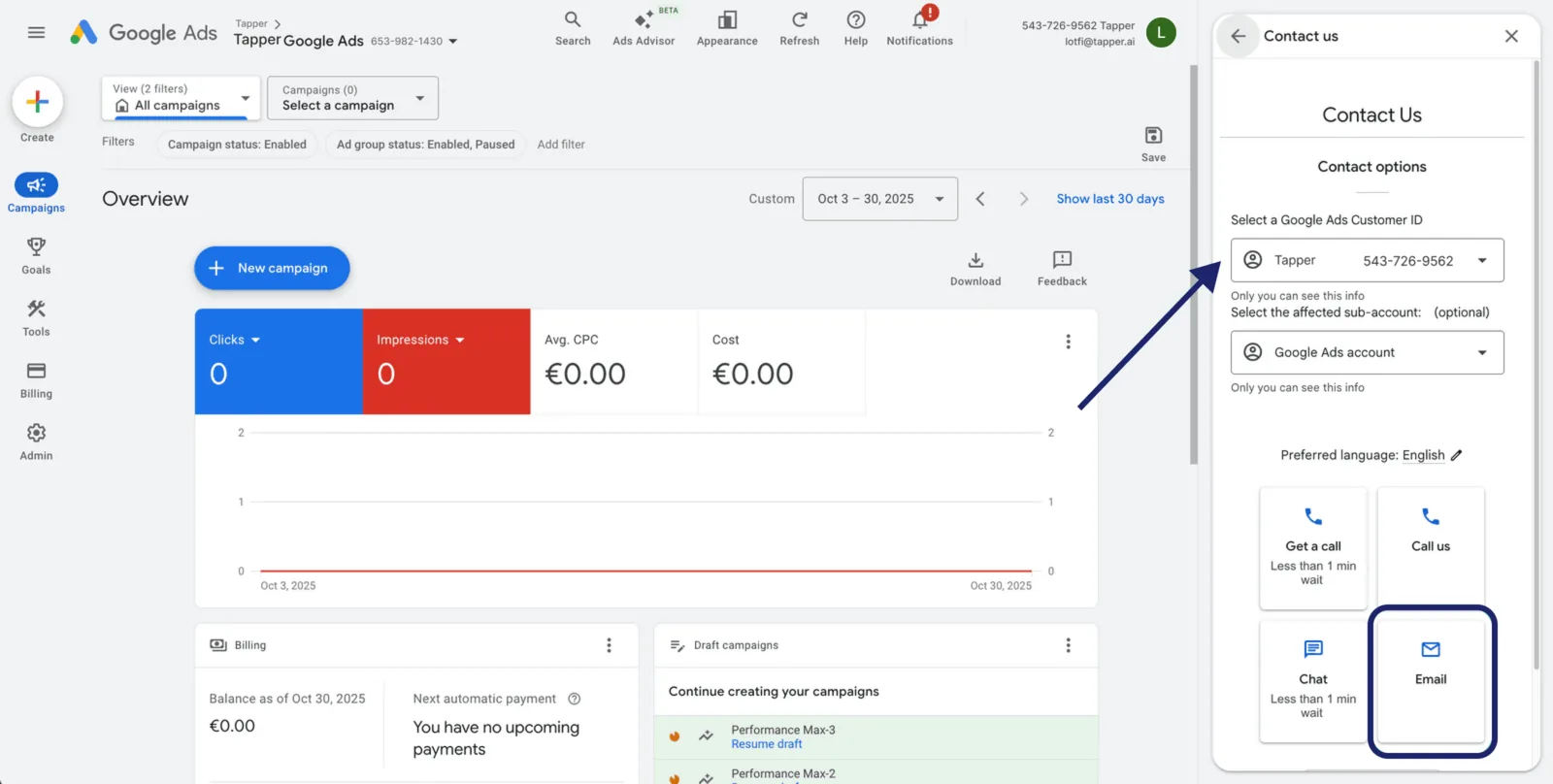
Step 5: Select account and contact method
Choose the ad account, and the sub-account if you work inside an MCC. Under Contact Options, select Email so you can attach your evidence.
Step 6: Fill out the form
Fill in each field from your Tapper report and Google Ads account. Fill in the form says what goes in each one, and What to write has an example summary. Also:
- Preferred Contact Method can be Email me or Either phone or email.
- A screenshot you attach must be uncropped and show Account ID, Date Range, Page URL and the full visible report.
- Enter dates in MM/DD/YYYY format so they match your Tapper report exactly.
Step 7: Submit and follow up
Click Submit. Keep the case number from Google's confirmation email.
What happens next
Google may contact you for more evidence. If it approves the claim, it credits your Google Ads account. If it declines, read its feedback; a new claim still has to cover clicks from the last 60 days.
Tips for a stronger case
- Reference exact campaign IDs and timeframes.
- Make your Tapper exports, GCLIDs, timestamps and screenshots agree.
- Stay factual; avoid speculation.
- Submit promptly: Google investigates a click only up to 60 days after it happened.
Was this helpful?
Related articles
Still need help?
Chat with our team and mention this article.