

Deployment A/B tests: enforced versus logged-only visitors
On this page
A deployment A/B test measures Tapper's blocking by splitting visitors instead of campaigns. In the same campaigns, group A is enforced: Tapper blocks as usual. Group B is logged only: Tapper records what it would have done but blocks nothing. Comparing the two shows what blocking does to your cost per acquisition (CPA). The Tapper team starts and ends these tests; you read the results in the app.
How it works
- Visitors are split, not campaigns. Both groups see the same campaigns at the same time; the only difference is whether Tapper's decisions are enforced.
- Only Tapper starts and ends a test. There is no create or end button. To test an entity, ask your account manager. A test runs until the Tapper team ends it.
- Control means the unprotected group. The groups are named Blocking (A - enforced) and Control (B - not enforced).
The list
In the sidebar, under Block, click Experiments, then open the Deployment A/B tests tab. If your workspace has two or more protected entities, choose one in the switcher under the workspace name. The tab needs a protected entity but no particular ad account, and only Owners and Admins can use it. Lift only workspaces do not have the Experiments page.
| Column | What it shows |
|---|---|
| Name | The test's name |
| Status | Running or Ended |
| Deployments | How many deployments the test covers; hover to see them |
| Started, Ended | Start and end days, in your workspace time zone |
With no test, the tab reads No deployment A/B tests yet.
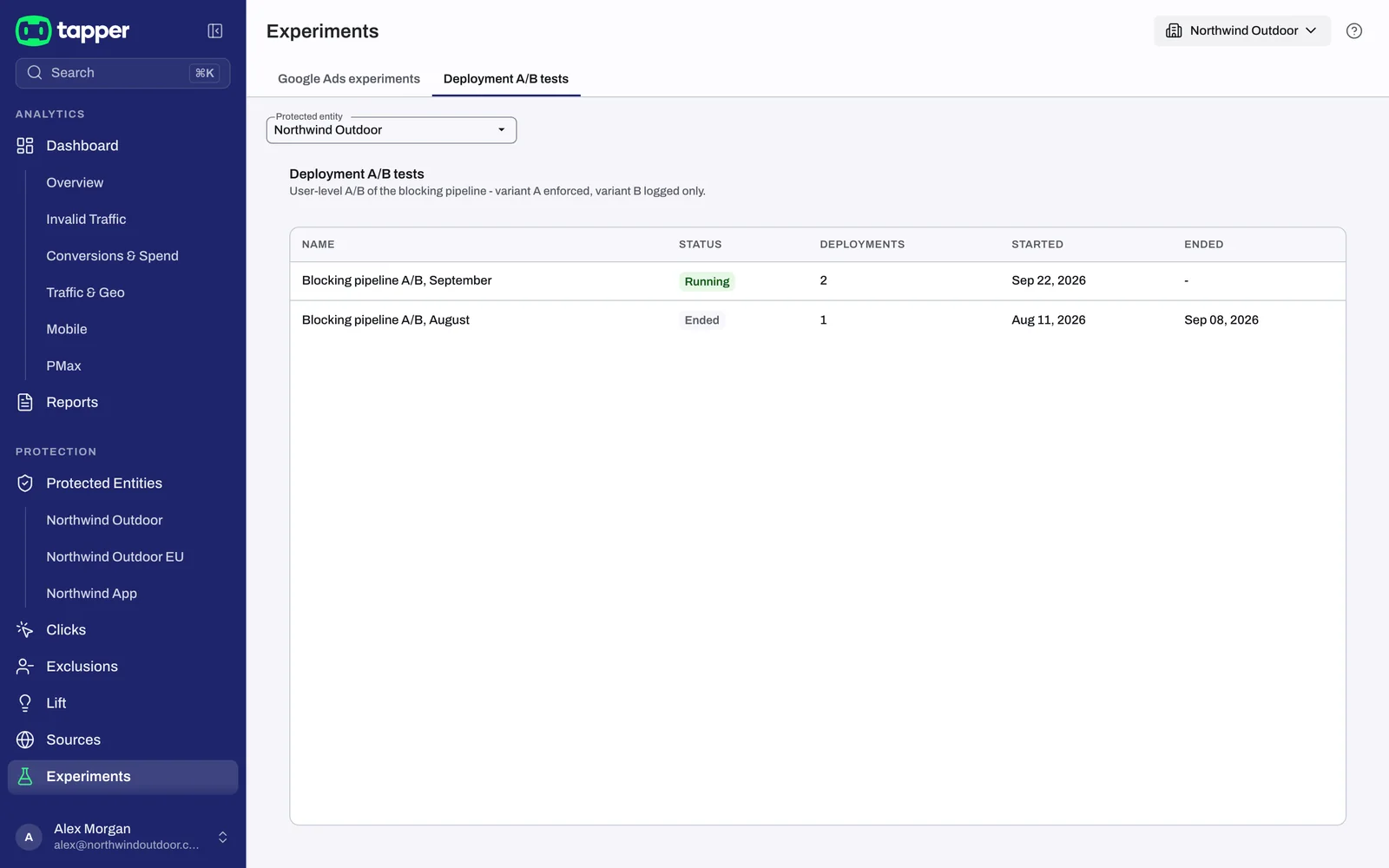
The results page
Click a test to open Deployment A/B test. The header shows the name and status, "Blocking (A - enforced) vs Control (B - not enforced)", the window, the number of deployments and when the report was last updated (for example "updated 14m ago"). The first load can take up to about 30 seconds; then the report refreshes every hour.
The verdict banner sits under the header, above the Results and Experiment Statistics tabs:
| Verdict | When it shows |
|---|---|
| Blocking is winning | CPA is at least 10% lower with blocking on |
| Control is ahead so far | CPA is at least 10% higher with blocking on |
| No clear difference yet | The two CPAs are within 10% of each other |
| Too early to call | Either group has fewer than 100 clicks or fewer than 10 conversions: "Tapper is still collecting data for this experiment." |
If cost data is missing for a group, the verdict compares conversion rates and says so: "Cost data is missing, so this compares conversion rate." If leaving out conversions from people Tapper flagged changes the picture noticeably, the verdict adds the CPA change without them.
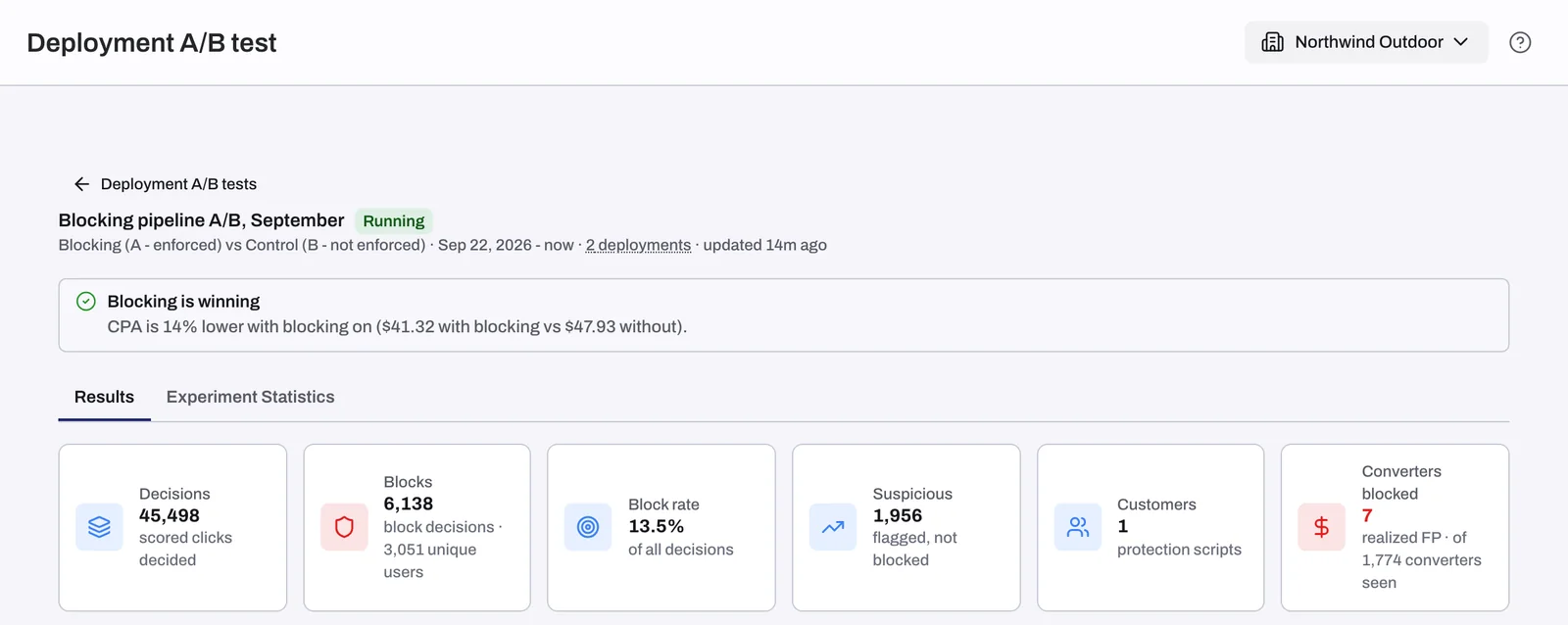
The Results tab
| Tile | What it counts |
|---|---|
| Decisions | Scored clicks Tapper decided on |
| Blocks | Block decisions, with the number of unique users blocked |
| Block rate | Blocks as a share of all decisions |
| Suspicious | Decisions that flagged a click without blocking it |
| Customers | The protected entities in the test |
| Converters blocked | Converters who had been blocked, out of all converters seen. Red when above 0 |
The Experiment Statistics tab
Each tile compares the blocking group with the control group:
| Tile | What to know |
|---|---|
| Clicks | Should be roughly equal. A big gap points to a problem with the split, not to performance |
| Users | Distinct users in each group |
| Conversions, Conversion rate | Conversions in each group |
| Est. spend | "Hourly-average-CPC estimate - not billing data." |
| CPA | Cost per conversion in each group |
| CPA (FP-adj) | CPA with conversions from users Tapper had flagged subtracted from the blocking group |
| FPR | The false positive rate. Real enforcement mistakes in the blocking group; hypothetical in the control group, where nothing was blocked |
Switch between Per campaign and Aggregate, and narrow the campaigns with CPA reduced, Conversions > 0, Blocks > 0 and Top campaigns.
Related
Was this helpful?
Still need help?
Chat with our team and mention this article.