

Fixing: final URL suffix conflicts
Overview
Some Google Ads campaigns use lower-level tracking templates (campaign, ad group, or ad level).
When this happens, the tracking configuration overrides Tapper’s account-level tracking, which prevents Tapper from monitoring clicks correctly.
Tapper detects these conflicts automatically and highlights them in the dashboard.
Why this happens
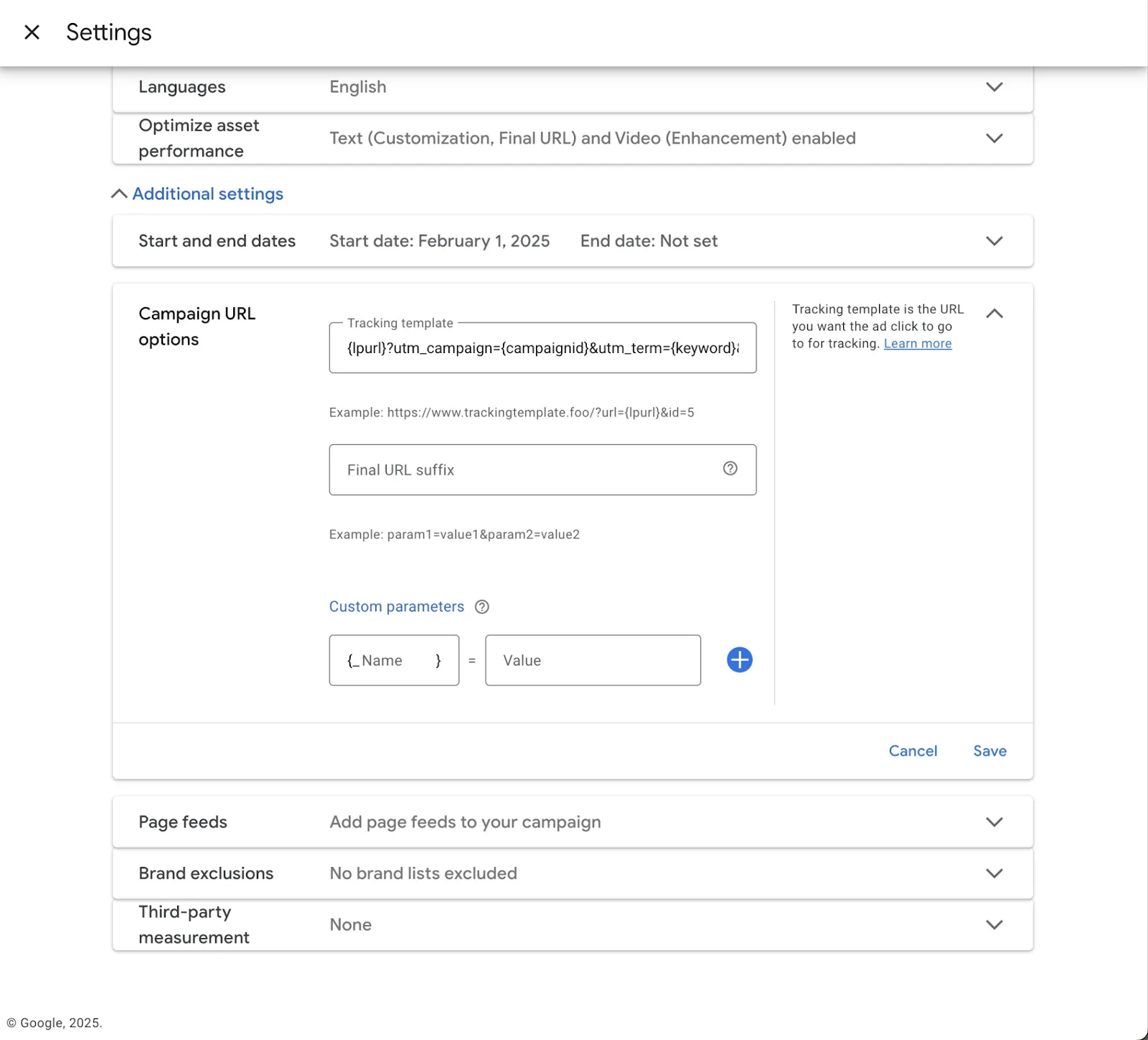
If a campaign uses a tracking template like this: {lpurl}?utm_campaign={campaignid}&utm_term={keyword}&utm_content={adgroupid}&gclid={gclid}&device={device}
the parameters are attached directly to the landing page URL.
This overrides Tapper’s tracking logic.
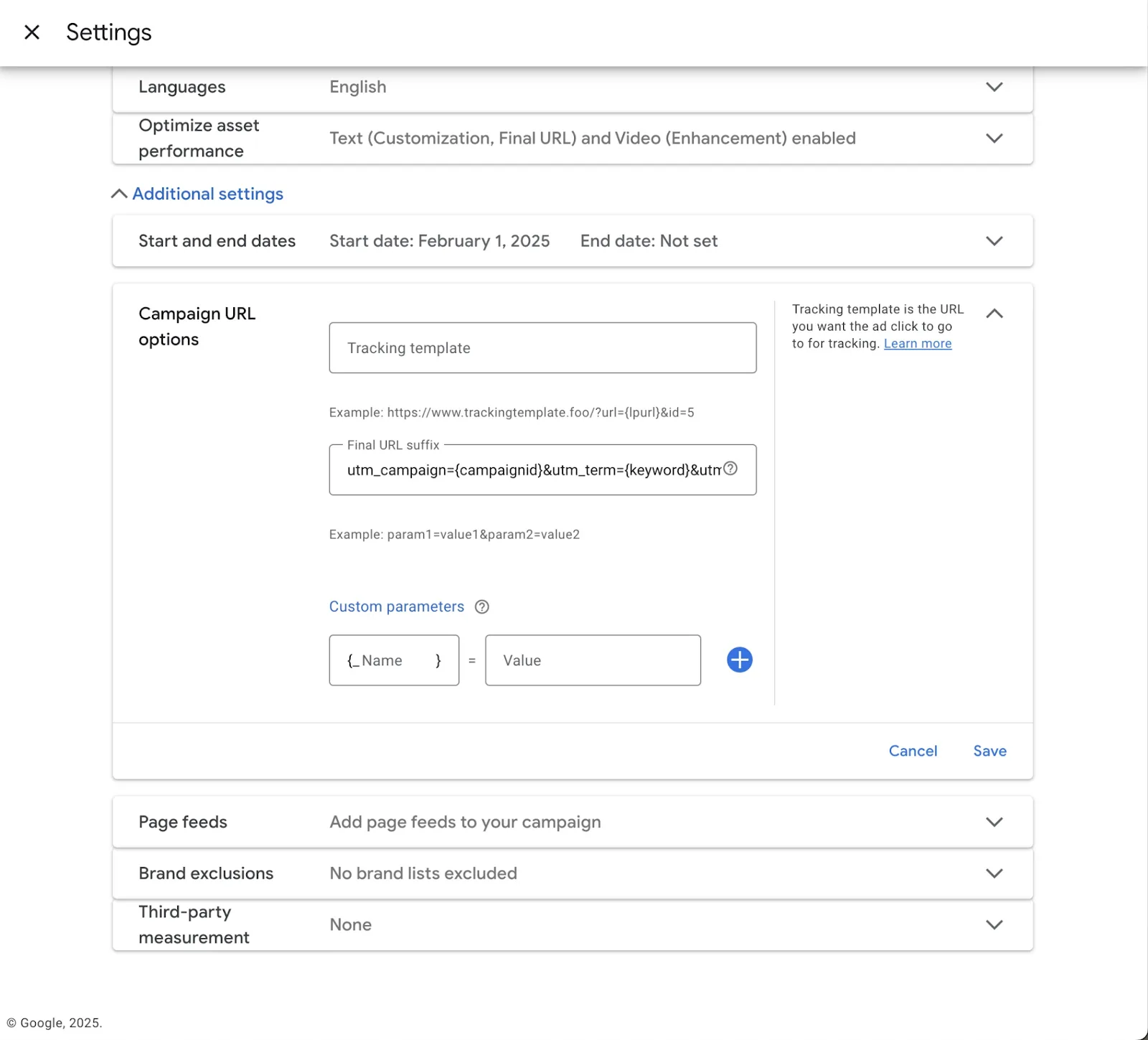
Instead, the parameters should be placed in Final URL Suffix.
Example: utm_campaign={campaignid}&utm_term={keyword}&utm_content={adgroupid}&gclid={gclid}&device={device}
How Tapper fixes this
Tapper moves the parameters after the ? into the Final URL Suffix field automatically.
This preserves your UTM tracking while allowing Tapper to monitor clicks.
How to resolve the issue
- Open the Tapper Dashboard
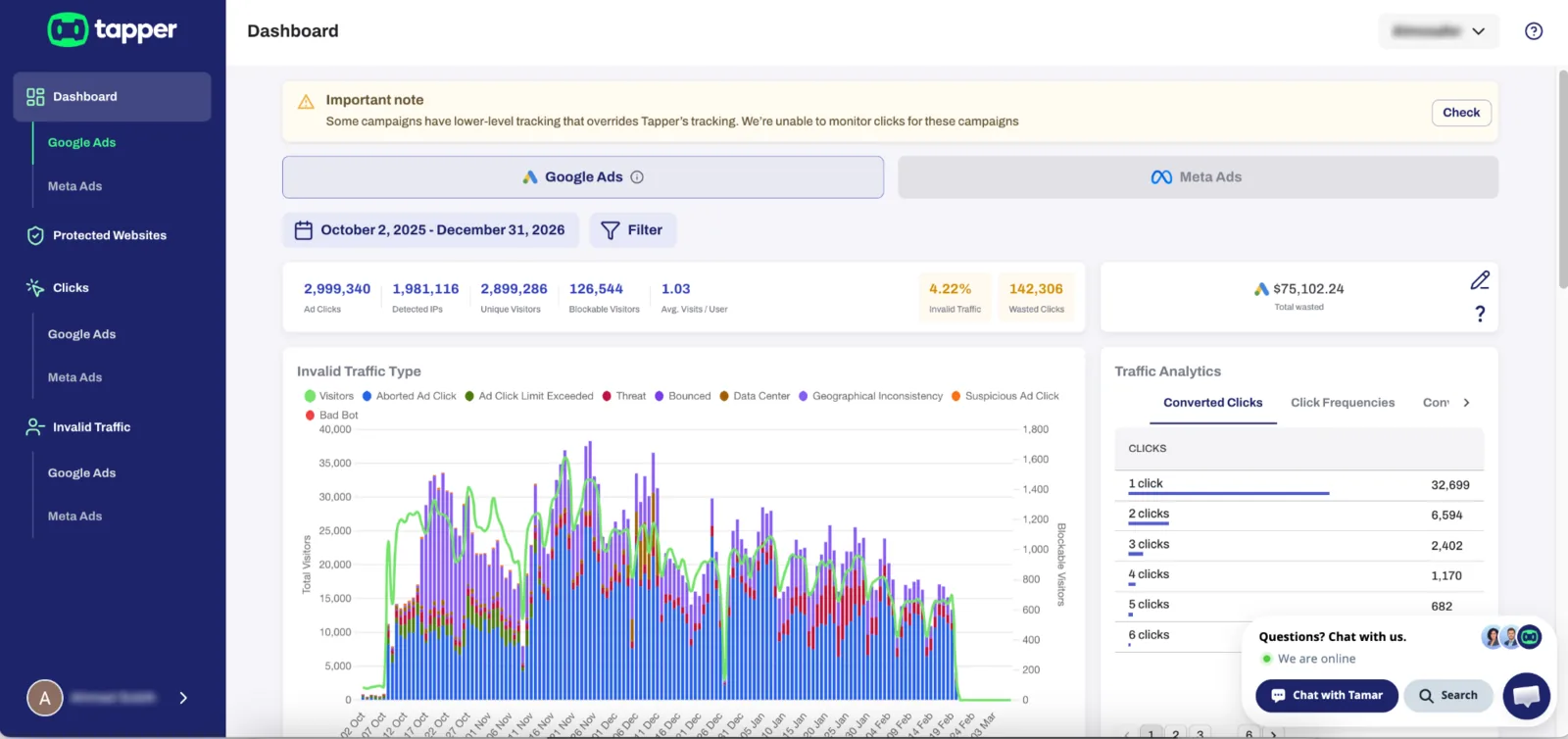
- Click Check on the Lower-Level Tracking warning

- Locate the affected campaigns
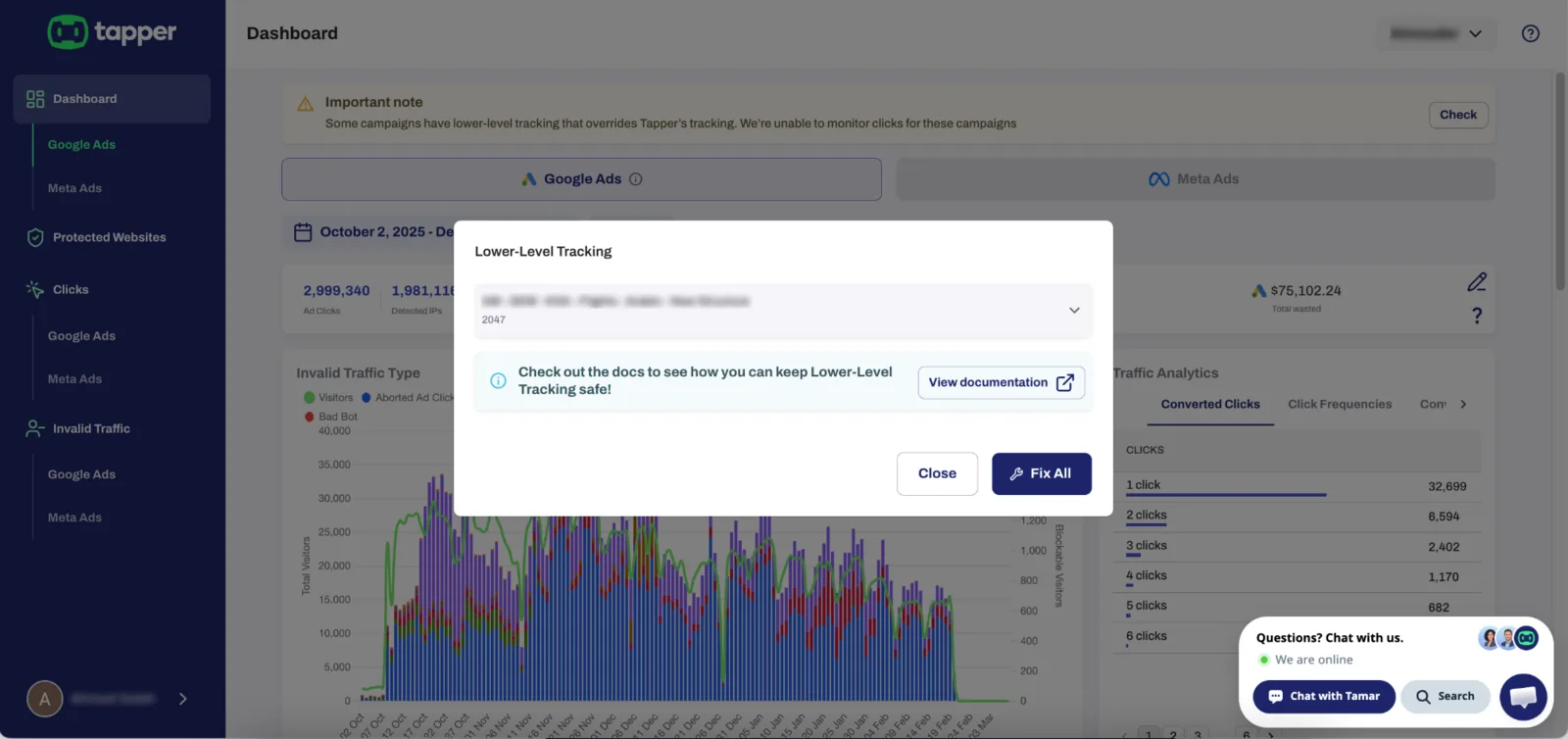
- Click the spanner icon next to the campaign or ad
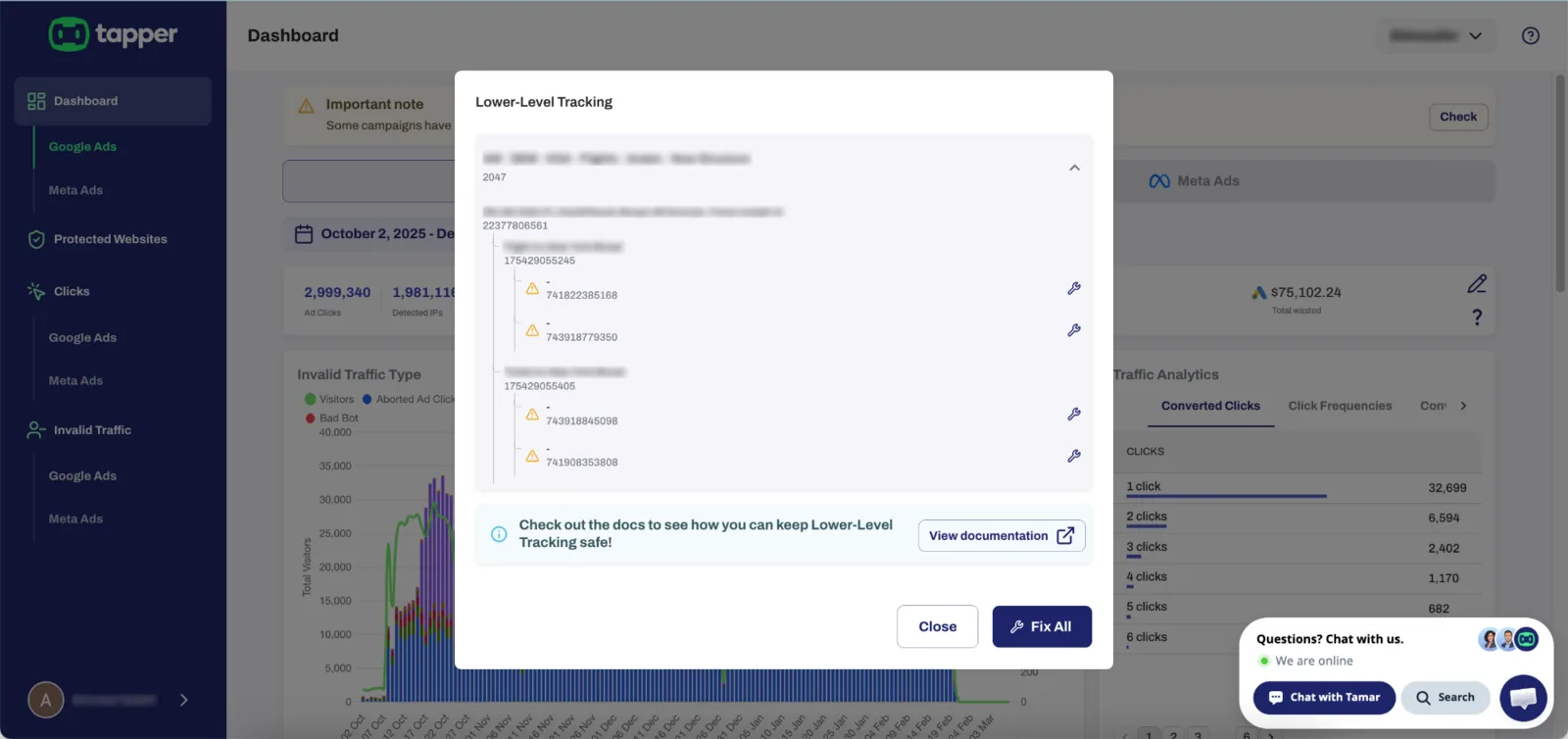
- Tapper will automatically fix the tracking configuration
You can also click Fix All to resolve all detected conflicts at once.
Important
When lower-level tracking is present, Tapper cannot monitor clicks for those campaigns until the conflict is resolved.
The dashboard will show a warning like this: 
Was this helpful?
Related articles
Still need help?
Chat with our team and mention this article.