

Google Ads setup doesn't match your protection rules
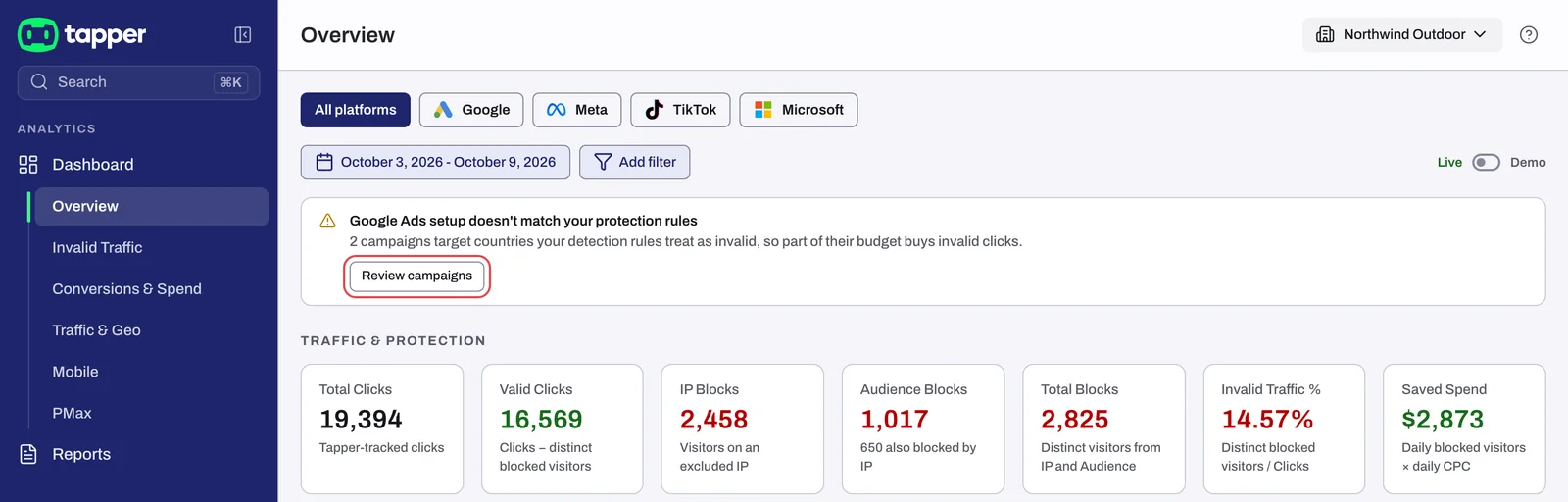
Your dashboard shows the banner Google Ads setup doesn't match your protection rules with a Review campaigns button. The same title heads a panel on the entity's Google protection tab. It means some Google Ads campaigns are paying for clicks from countries that your country rule tells Tapper to treat as invalid.
Why it happens
Two settings decide what happens to a click from a given country:
- In Google Ads, each campaign's location targeting decides where its ads show.
- In Tapper, the Block IPs by country rule on the entity's Web detection rules tab decides which countries' clicks are invalid. See Block or allow clicks by country.
When a campaign targets a country the rule blocks, or does not allow, Google keeps buying clicks there and Tapper treats each one as invalid. Tapper takes a snapshot of your Google Ads campaigns once a day and compares their targeting with the rule set that governs each one. Lift only workspaces have no country rule, so they never see this warning.
Fix it
You need the Owner or Admin role to apply a fix.
- On the dashboard, click Review campaigns, or open the entity and select Google protection.
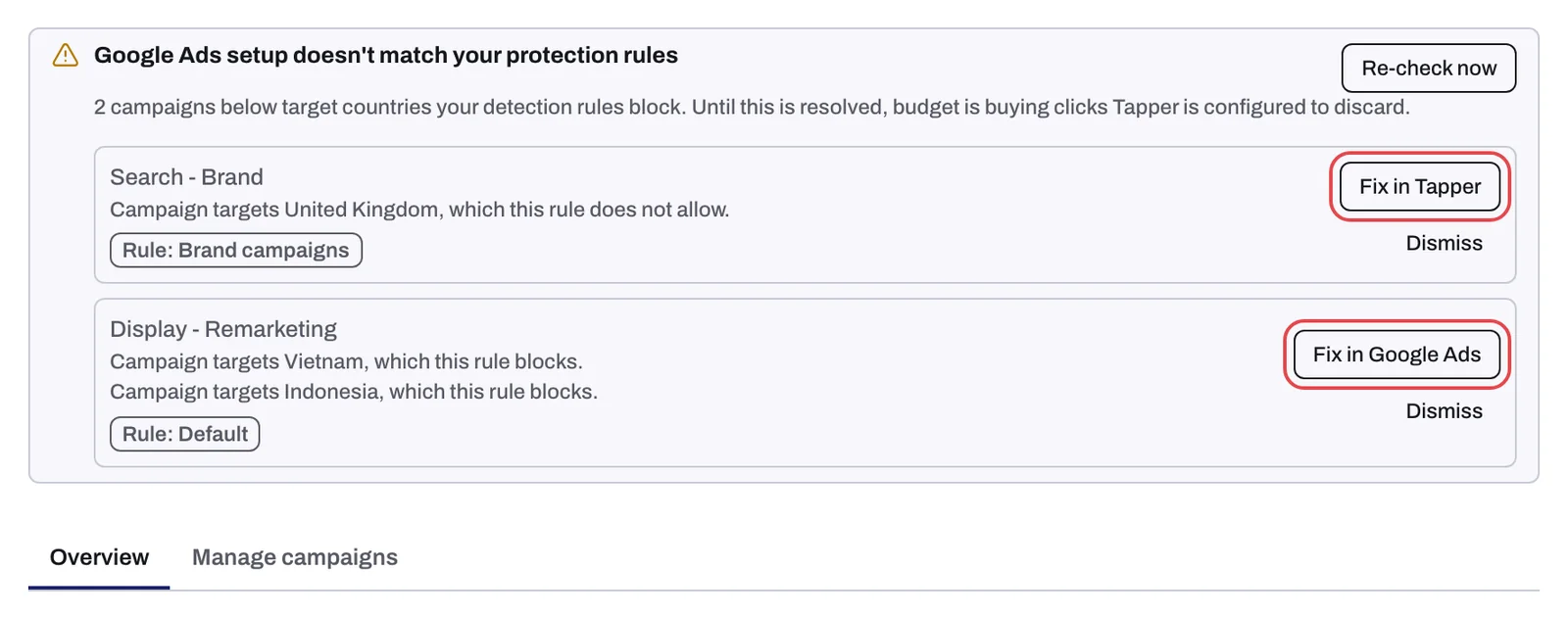
- Read each row in the panel: the campaign name, one line per country that does not match, and a chip Rule: followed by the name of the rule set that governs the campaign.
- Decide which side is right, then use the button the row offers. Each row offers one fix, whichever fits that mismatch.
- After a fix, or after you change a rule or a campaign yourself, click Re-check now. The button reads Re-check requested and the panel updates shortly. Otherwise the next daily check picks up the change.
The campaign is right: Fix in Tapper
Fix in Tapper opens Update your detection rule?. It adds the campaign's countries to the allow list on that rule, so Tapper stops blocking traffic from them. The dialog says "Nothing changes in Google Ads." If the rule governs more than one campaign, the dialog says how many: all of them stop blocking those countries. Confirm with Update rule.
The rule is right: Fix in Google Ads
Fix in Google Ads opens Change your Google Ads campaign? and says exactly what it will do to that campaign: add location exclusions for the countries, set a campaign that has no location targeting to target only the allowed countries, or remove a blocked country from its targeting. Your detection rule is unchanged. Confirm with Apply in Google Ads.
The mismatch is intentional: Dismiss
Dismiss opens Dismiss this mismatch? and asks Why is this intentional? before you can confirm. Nothing changes on either side: Tapper keeps blocking and the campaign keeps targeting. The warning is muted for that mismatch and comes back by itself if the configuration changes again.
Some rows have no fix button. Change the country rule or the campaign's locations yourself, then click Re-check now.
If it still happens
- The row is still there after a fix: click Re-check now and wait for the panel to update.
- Fix in Google Ads shows an error in the dialog: read the sentence it gives. If the Google Ads account card reads Needs reconnect or Not active, reconnect it first; otherwise make the change in Google Ads yourself.
- The banner keeps coming back: a rule set scoped with Applies to may govern the campaign instead of the one you changed. The Rule: chip on the row names it. See Rule sets: apply different rules to platforms, ad accounts or campaigns.
Related
Was this helpful?
Related articles
Still need help?
Chat with our team and mention this article.