

How to reconnect your Google account
If your Google Ads account becomes disconnected, you can easily reconnect it from your Tapper dashboard. Follow the steps below:
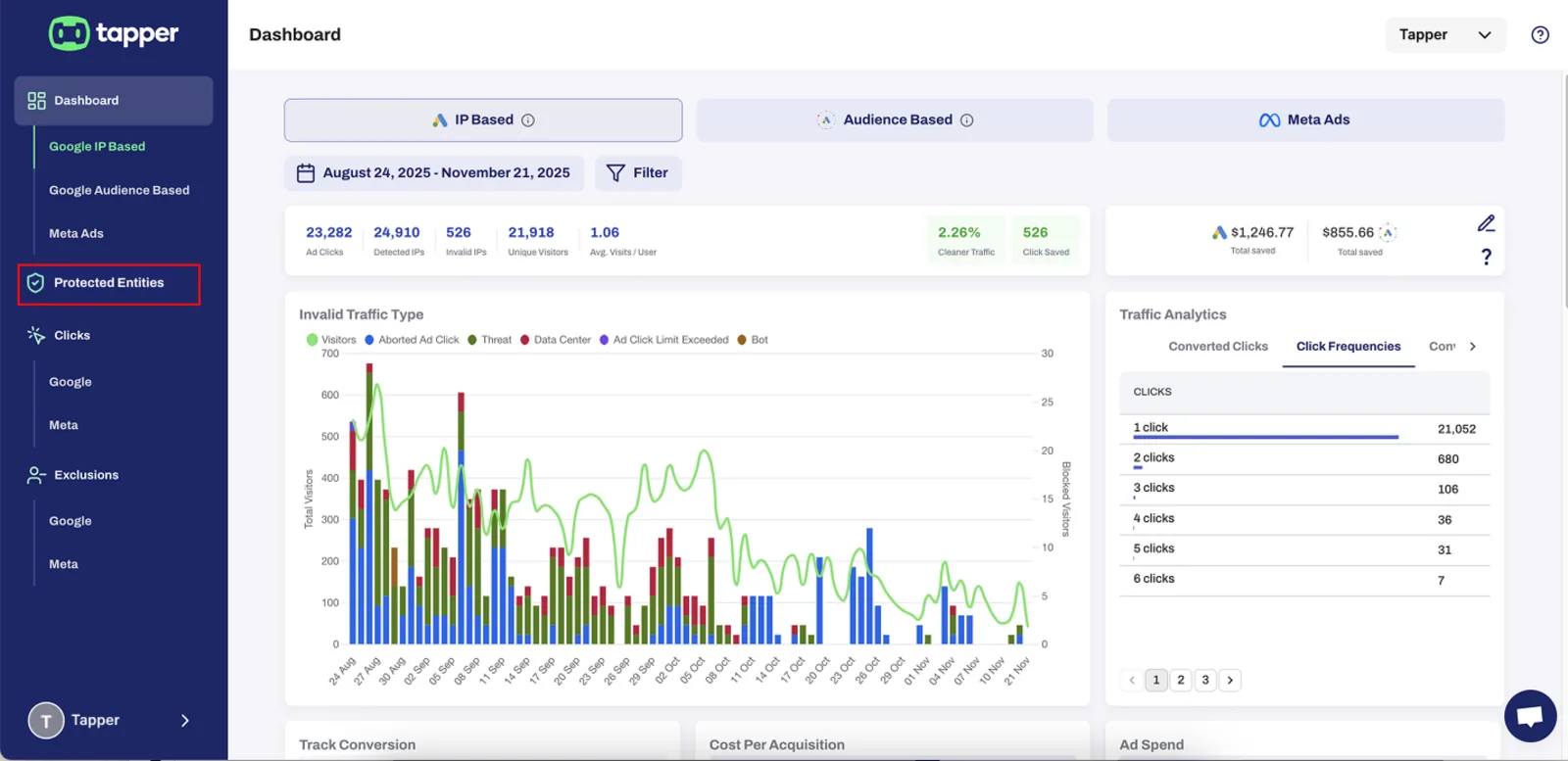
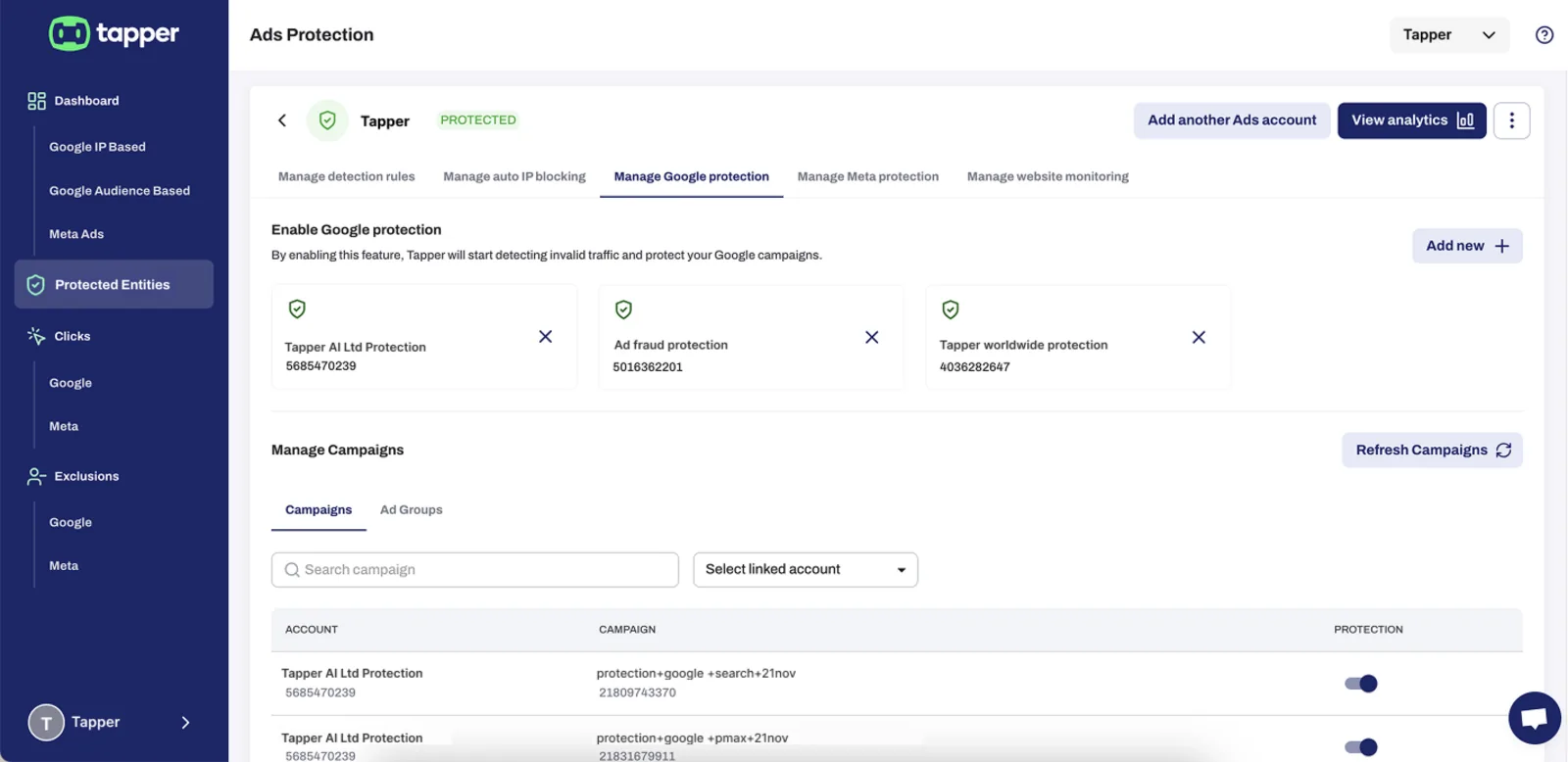
1. Go to “Protected Entities”
From your Tapper dashboard, open the Protected Entities tab in the left-hand menu.
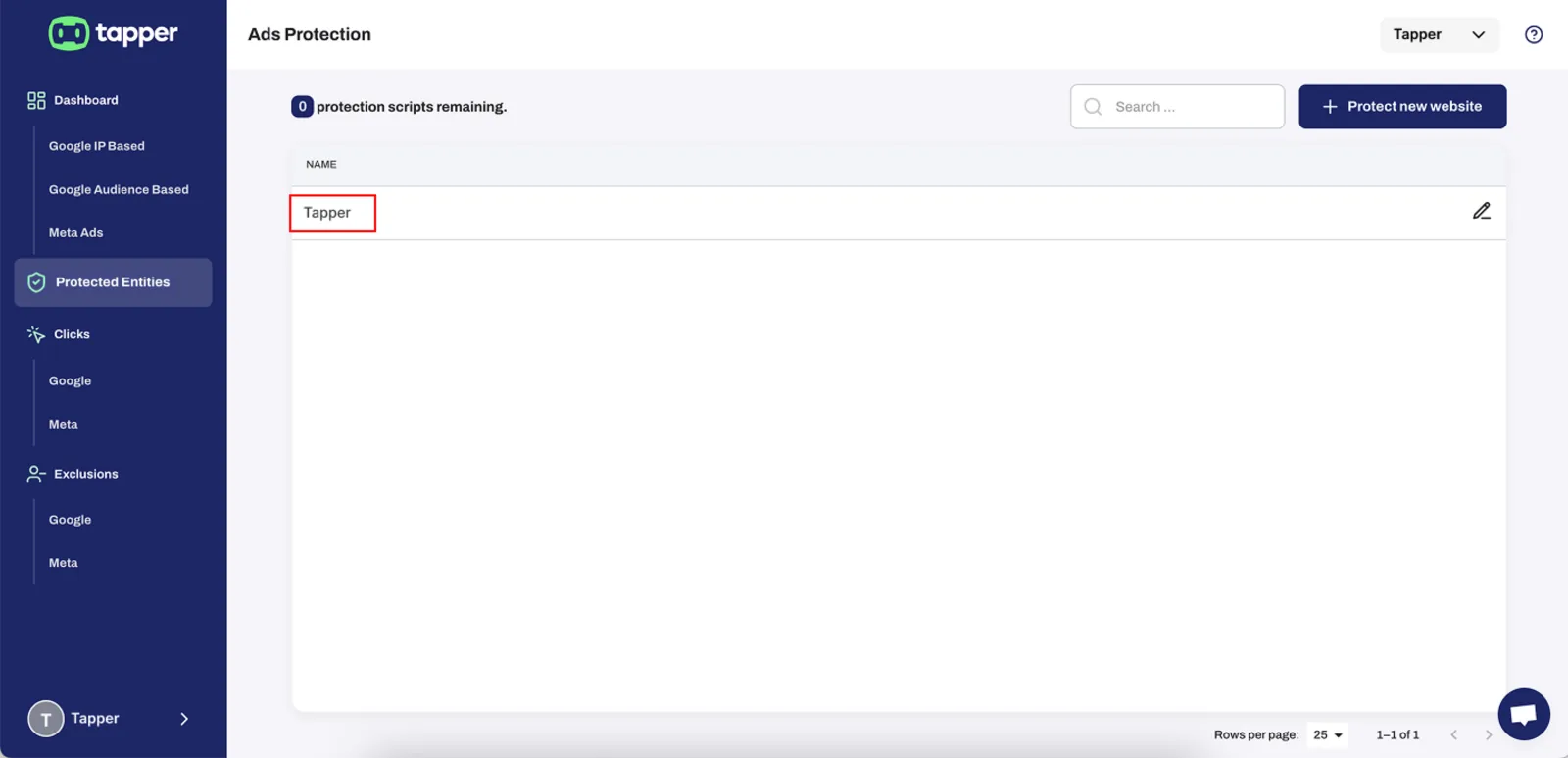
2. Select the entity you are protecting
Click on the entity where Google Ads protection is enabled.
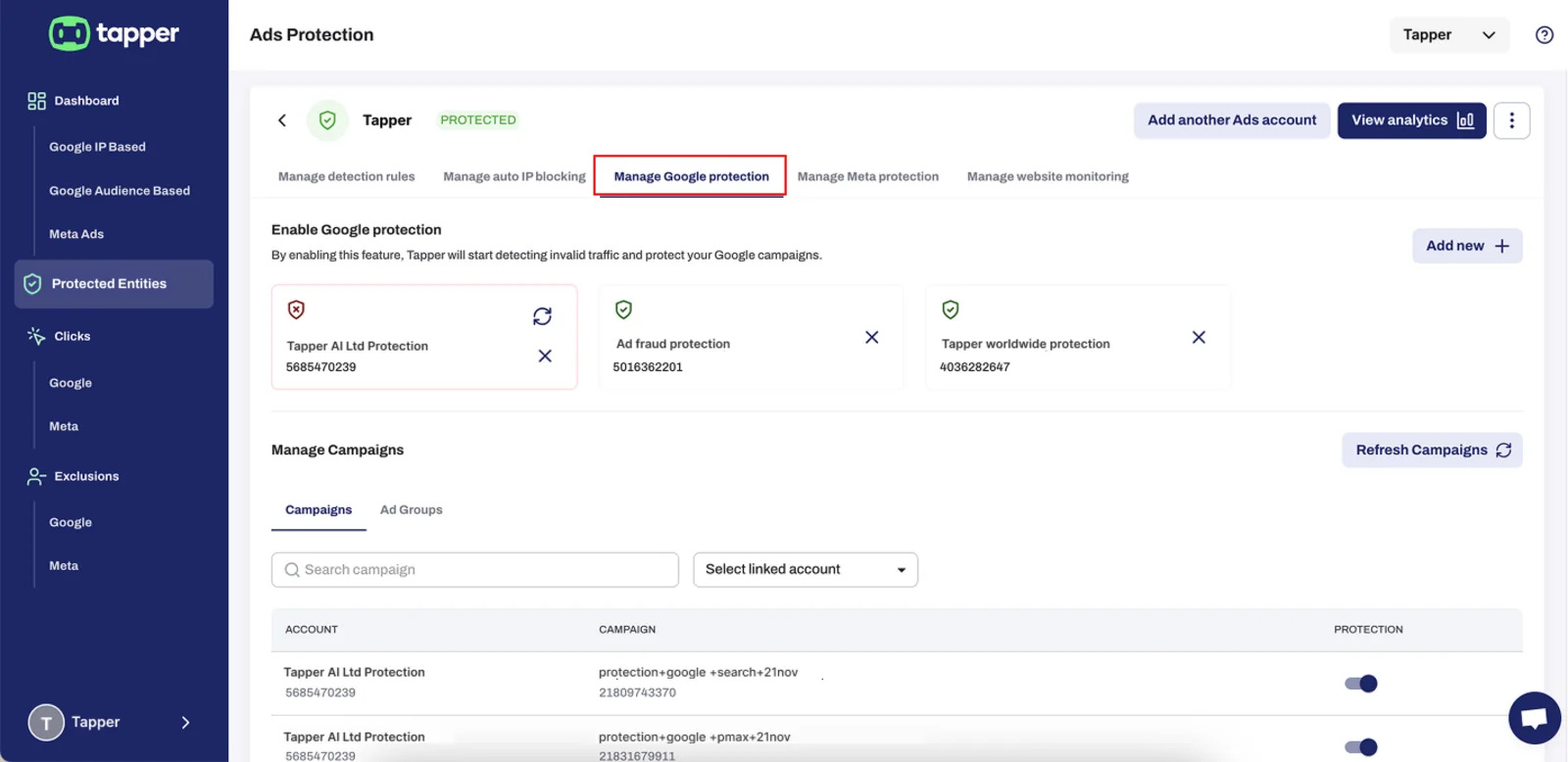
3. Open “Manage Google Protection”
At the top, click the Manage Google protection tab.
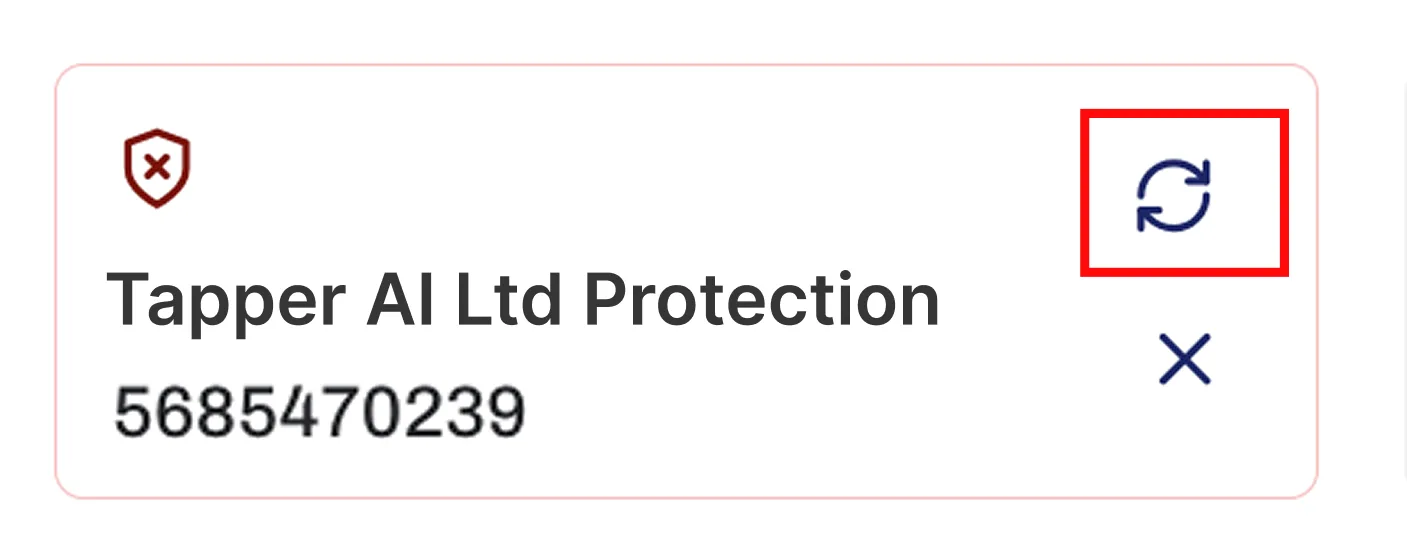
4. Locate the disconnected Google Ads account
You will see the disconnected account marked with:
- A red border
- A shield icon with an X Indicating protection is disabled.
To reconnect it, click the refresh/reconnect icon (the two circular arrows).
5. Your account will reconnect
Tapper will re-authenticate your Google Ads account. Once reconnected, the red border and X icon will disappear, and protection will resume automatically.
Was this helpful?
Related articles
Still need help?
Chat with our team and mention this article.