

Check that the monitoring script is working on your site
Load a landing page with your browser's developer tools open, then look for the signs in Tapper.
Before you start
- Install the script right after the opening
<body>tag or through Google Tag Manager. See The monitoring script: what it does and where to find it. - Have a landing page address your ads use.
- Use a window without ad blockers or privacy extensions, which can block Tapper's script. A private window with extensions off works.
Check in your browser
Open the developer tools
- Chrome: right-click the page and choose Inspect, or press F12 (Windows) or Command + Option + I (Mac). Or use the three dots at the top right, then More tools, then Developer tools.
- Safari: choose Develop, then Show Web Inspector. No Develop menu? Turn it on in Safari's settings under Advanced.
Load a landing page as an ad visitor
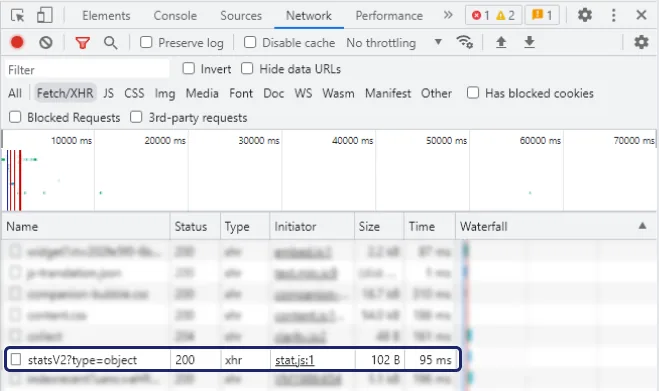
- Open the Network tab.
- Open your landing page with a click ID added, for example
https://yourdomain.com/?gclid=test. Usegclidfor Google Ads,fbclidfor Meta,ttclidfor TikTok andmsclkidfor Microsoft Ads. If the address already has a?, add&gclid=testinstead. - Type
tapperin the filter box. - Look for
bundle.jsfrommonitor.tapper.aiwith status 200, then requests toprotect.tapper.ai. You may also seefingerprint.tapper.ai.
If both appear, the script works on that page. Repeat for each kind of landing page.
Shopify stores
Check connection on the store's Shopify row in Setup > Data sources checks the order connection, not the storefront script, so run the browser check too. See Install Tapper on a Shopify store.
Check in Tapper
- Clicks. Open Clicks in the sidebar and choose Google Ads, Meta Ads, TikTok Ads or Microsoft Ads. Ad clicks appear once visitors land on pages that run the script. Filter by Protection script to see one entity.
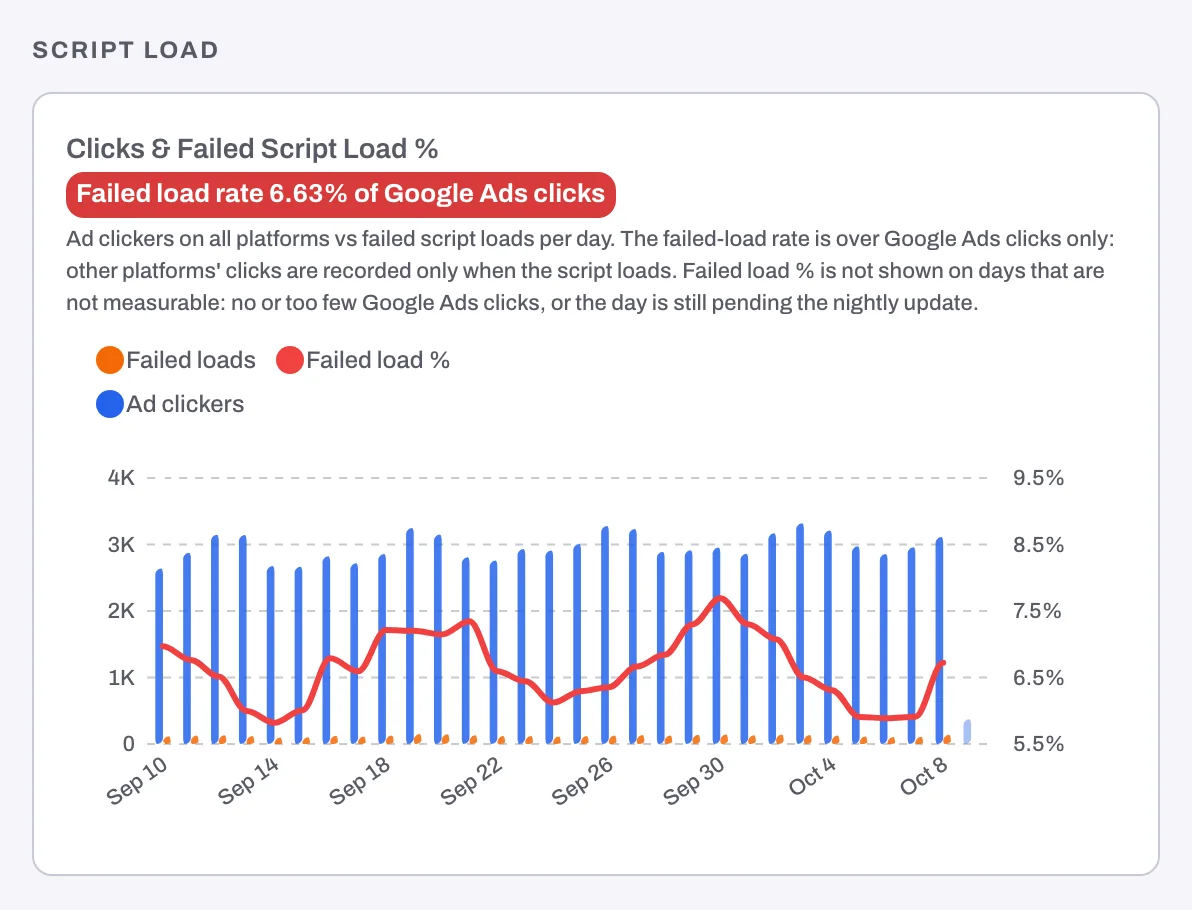
- Clicks & failed script load %. On the dashboard's Overview, under Script load: ad clickers and failed loads per day, with a Failed load rate as a share of Google Ads clicks. A high rate means many clicks reached pages without the script.
- Script initialization time (daily). On the Geography tab, under Engagement. Values for recent days mean the script is running.
Dashboard numbers update every few hours, so a new install takes a while to show.
If nothing shows up
- No
bundle.jsrequest. The script is not on this page. Paste it right after the opening<body>tag, or check that your Google Tag Manager tag fires on All Pages and the container is published. bundle.jsis blocked, often with a Console message about Content Security Policy. See Allow Tapper in your Content Security Policy.- Your cookie policy is Consent first. Tapper stores no cookie or identifier on a visitor's device until your site calls
window.tapper.consent("GRANTED");. Make sure your banner passes each visitor's answer withwindow.tapper.consent("GRANTED");orwindow.tapper.consent("DENIED");, then accept your own banner, reload and check again. See Cookie policy, consent snippets and recognizing visitors without cookies. - The domain is not listed. The script runs only on the domains under Protected domains, in Setup > Website > Domains. Check the spelling and add every domain your ads land on.
- The dashboard never changes. Demo data may be on. Look for the Demo data banner and press Turn off demo data.
Still nothing? Write to support@tapper.ai with the landing page address and a screenshot of the Network tab.
Related
Was this helpful?
Still need help?
Chat with our team and mention this article.