

Tracking links for networks that cannot tag your landing page
A tracking link is a Tapper URL you use as an ad's click destination. The click reaches Tapper, is recorded, and goes on to your landing page. Use one only for a source that cannot add its own click id to your landing page: a native network, an email or SMS campaign, a QR code, or a DSP that asks for a click URL. Build them in Setup > Website > Click tracking.
Before you start
- Your workspace has Block.
- The landing page is on one of the entity's protected domains. Add it under Protected domains, in Setup > Website > Domains.
Build and save a link
- With more than one protected entity, pick the entity in the switcher at the top of the sidebar.
- Under Setup, click Website, then Click tracking.
- Under Tracking link builder, pick the Network type: Other network (affiliate / native / email / QR / DSP click URL) or Bidease (DSP). Bidease fills in its own macros.
- Under Parameters, click Add parameter for each value your network fills in per click, then type a Parameter name from the table below and the network's Value or macro.
- In Destination URL, enter the
https://address of your landing page on a protected domain. - Type a Link name, then click Save in the Unsaved changes bar at the bottom of the page.
- Copy the link from Saved tracking links and paste it into your network as the click URL.
| Field | What it holds |
|---|---|
campaign_id | Ad campaign ID |
ad_segment_id | Ad group / ad set ID |
ad_id | Ad / creative ID |
creative_id | Creative variant ID |
publisher_id | Publisher / placement ID |
sub_publisher_id | Sub-publisher ID |
network | Traffic network |
keyword | Search keyword |
match_type | Keyword match type |
clid | External click ID (from the network) |
Only these fields are recorded. Other parameters on the URL are ignored.
Saved tracking links
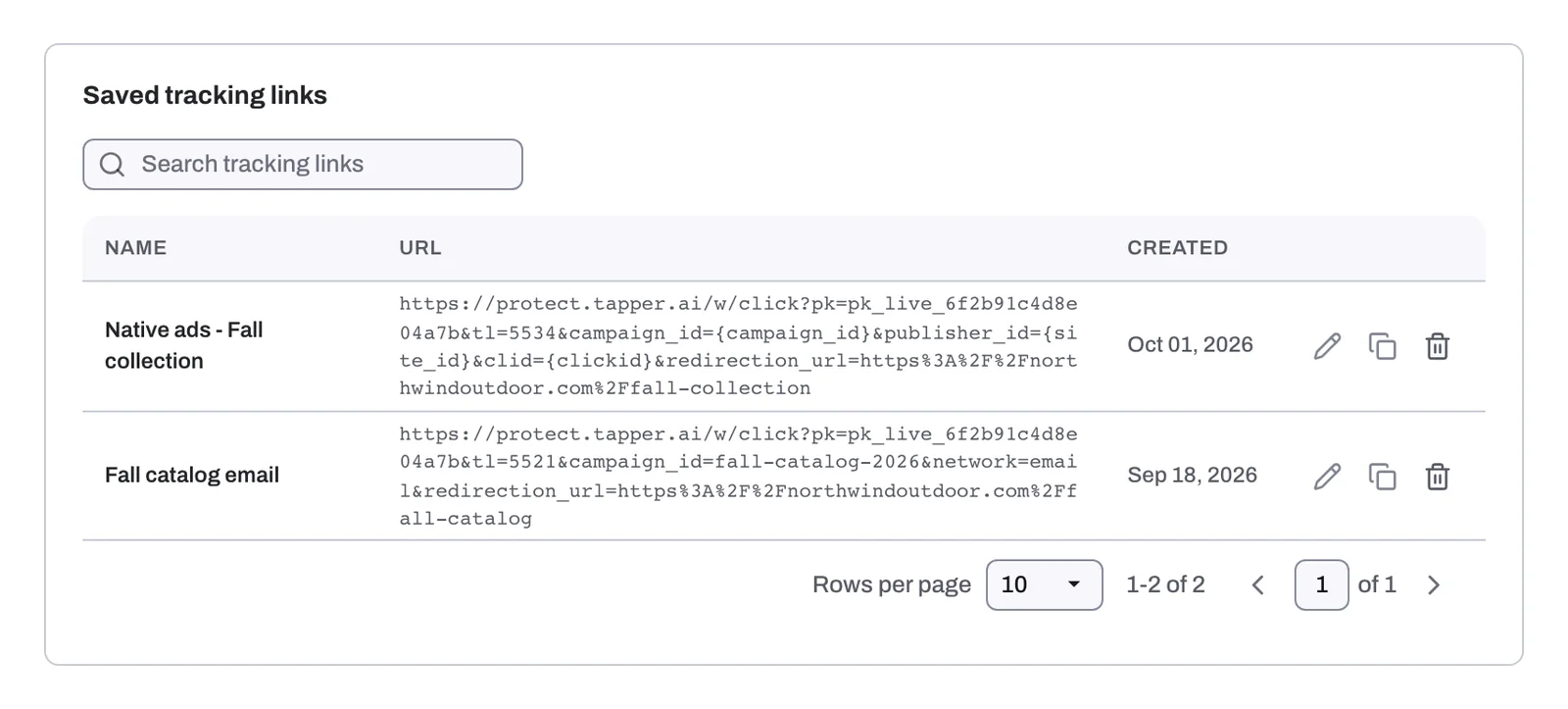
Saved tracking links lists every link with Name, URL and Created, plus a Search tracking links box. From a row you can copy, edit or delete the link.
- The destination is fixed. A saved link only redirects to this website. To change the website, edit the link, then replace it in your network with its new URL.
- Deleting turns the link off.
- Legacy links. An older link may show "Legacy - platform no longer supported". You can still copy or delete it. For ad platforms, use the platform's own tagging.
The guide is also on docs.tapper.ai: Web Click Tracking Links.
Related
Was this helpful?
Still need help?
Chat with our team and mention this article.