

Cookie policy, consent snippets and recognizing visitors without cookies
If your website asks visitors for cookie consent, three things on the entity's Website monitoring tab decide what the monitoring script does: the Cookie policy, the Recognise visitors without cookies switch, and two consent snippets your site calls with the visitor's answer.
How it works
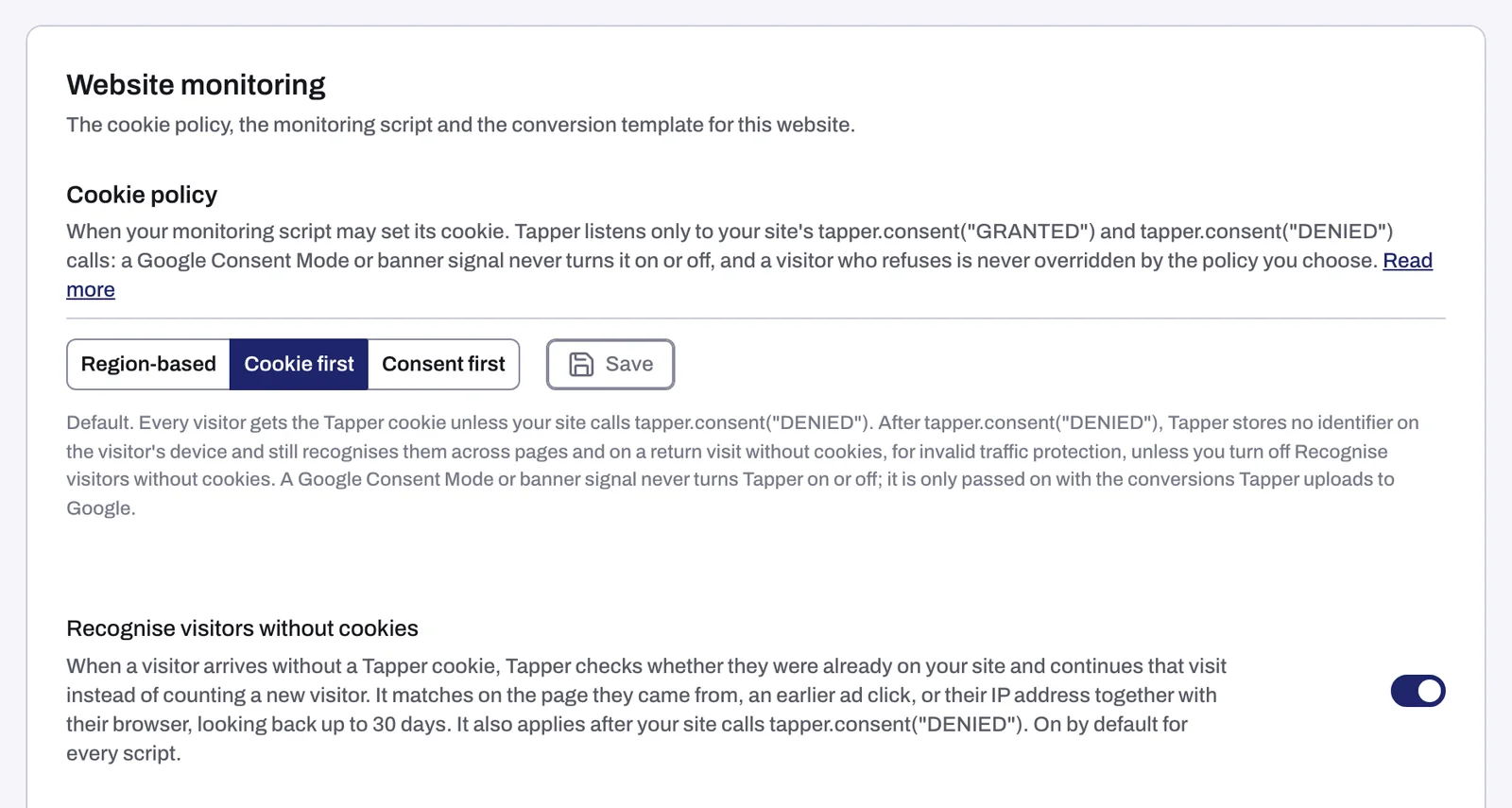
Tapper listens to exactly two calls from your site: window.tapper.consent("GRANTED") and window.tapper.consent("DENIED"). Nothing else switches it. As the tab puts it, "a Google Consent Mode or banner signal never turns it on or off, and a visitor who refuses is never overridden by the policy you choose."
- The Cookie policy decides what happens before your site makes either call.
- A call from your site always wins over the policy, for that visitor.
- When Tapper may not set its cookie, it can still recognize a returning visitor for invalid traffic protection, unless you turn off Recognise visitors without cookies.
Google Consent Mode answers are still used, but only for what Tapper hands to ad platforms: the conversions Tapper uploads to Google carry the visitor's ad_user_data and ad_personalization answers.
The cookie policy
The three choices, with what the tab says about each:
| Policy | What it does |
|---|---|
| Region-based | Visitors in the EEA and the UK get no Tapper cookie or storage until your site calls tapper.consent("GRANTED"). Everyone else gets the cookie unless your site calls tapper.consent("DENIED"). |
| Cookie first | Every visitor gets the Tapper cookie unless your site calls tapper.consent("DENIED"). After that call, Tapper stores no identifier on the visitor's device. |
| Consent first | No visitor gets a Tapper cookie or storage until your site calls tapper.consent("GRANTED"). |
A new entity starts on Cookie first. Nothing changes until you click Save.
Change the policy
- In the sidebar, under Protection, click Protected Entities and open the entity.
- In the left rail, under Website, click Monitoring. Cookie policy is the first section on the tab.
- Click Region-based, Cookie first or Consent first, and read the line underneath.
- Click Save.
Your script uses the new policy from the next visit. Only workspace Owners and Admins can change the policy.
Recognizing visitors without cookies
The Recognise visitors without cookies switch sits right under the cookie policy and is on by default. When a visitor arrives without a Tapper cookie, Tapper checks whether they were already on your site and continues that visit instead of counting a new visitor. It matches on the page they came from, an earlier ad click, or their IP address together with their browser, looking back up to 30 days. It also applies after your site calls tapper.consent("DENIED").
Turn it off only if you do not want Tapper to link visits without a cookie at all. Only Owners and Admins can change it.
The consent snippets
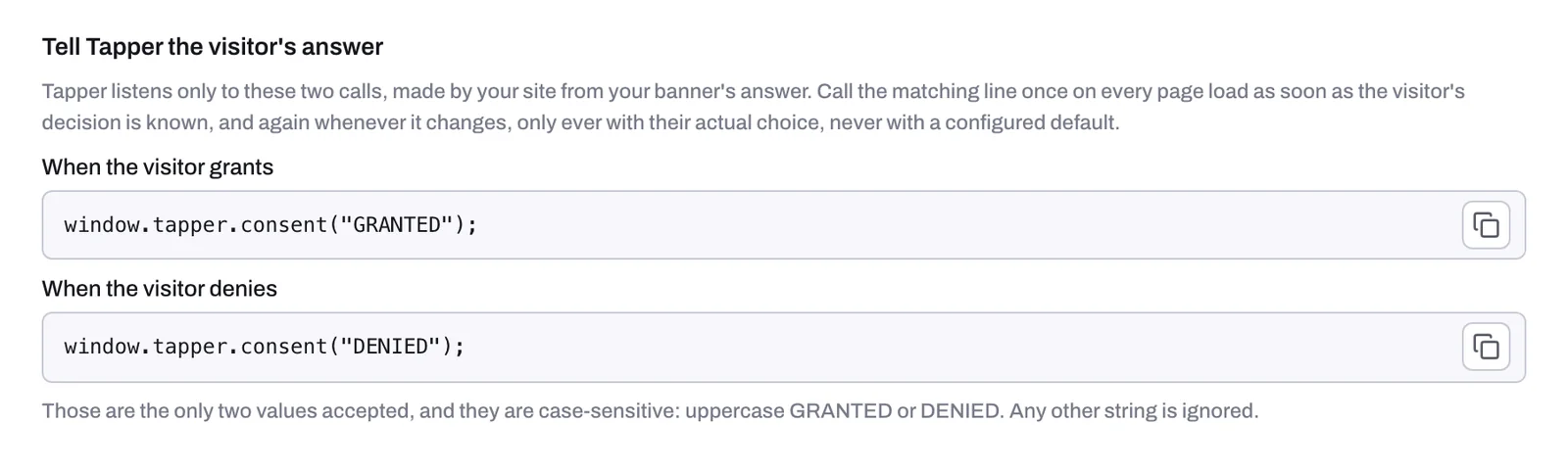
Below the monitoring script, the tab has a section called Tell Tapper the visitor's answer with one line for each answer:
window.tapper.consent("GRANTED");
window.tapper.consent("DENIED");
Each has its own copy button. Hand them to whoever manages your consent banner:
- Call the line that matches the visitor's answer on every page load, as soon as the answer is known.
- Call it again whenever the visitor changes their answer.
- Only ever pass the visitor's actual choice, never a default you configured.
Your monitoring script and conversion script stay exactly as they are. The consent calls work alongside them.
How you classify Tapper under your privacy rules, and which consent you collect, remain your decisions. The full reference, with what the script stores in each case, is the Consent and Cookies guide on docs.tapper.ai: Consent and Cookies.
Related
Was this helpful?
Related articles
Still need help?
Chat with our team and mention this article.