

Allow Tapper in your Content Security Policy
You installed the monitoring script, Google Tag Manager even shows the tag firing, and yet Tapper shows no visits or a high failed script load rate. One common cause is your website's Content Security Policy (CSP).
Why it happens
A Content Security Policy is a list your site sends to the browser naming the places scripts, images and connections may come from. Anything not on the list is refused. If Tapper's hosts are not on it, every visitor's browser refuses the monitoring script. The tag can still fire in Google Tag Manager, so everything looks installed, but Tapper never receives the visit.
Confirm it is the policy
- Open your website in Chrome.
- Open DevTools (right-click the page and choose Inspect).
- On the Console tab, look for a message that starts "Refused to load the script", names
https://monitor.tapper.ai/bundle.jsand says it "violates the following Content Security Policy directive". If your policy refuses the monitoring script's inline code itself, the message starts "Refused to execute inline script" instead. - On the Network tab, type
tapperin the filter and reload the page. A blockedbundle.jsrequest frommonitor.tapper.aipoints to the policy.
If you see either, the fix is a change to your policy, not to the Tapper install.
Fix it
The sources to allow are on the entity's Website monitoring tab, in the Content Security Policy box under the monitoring script, with a copy button so your developer gets the exact list.
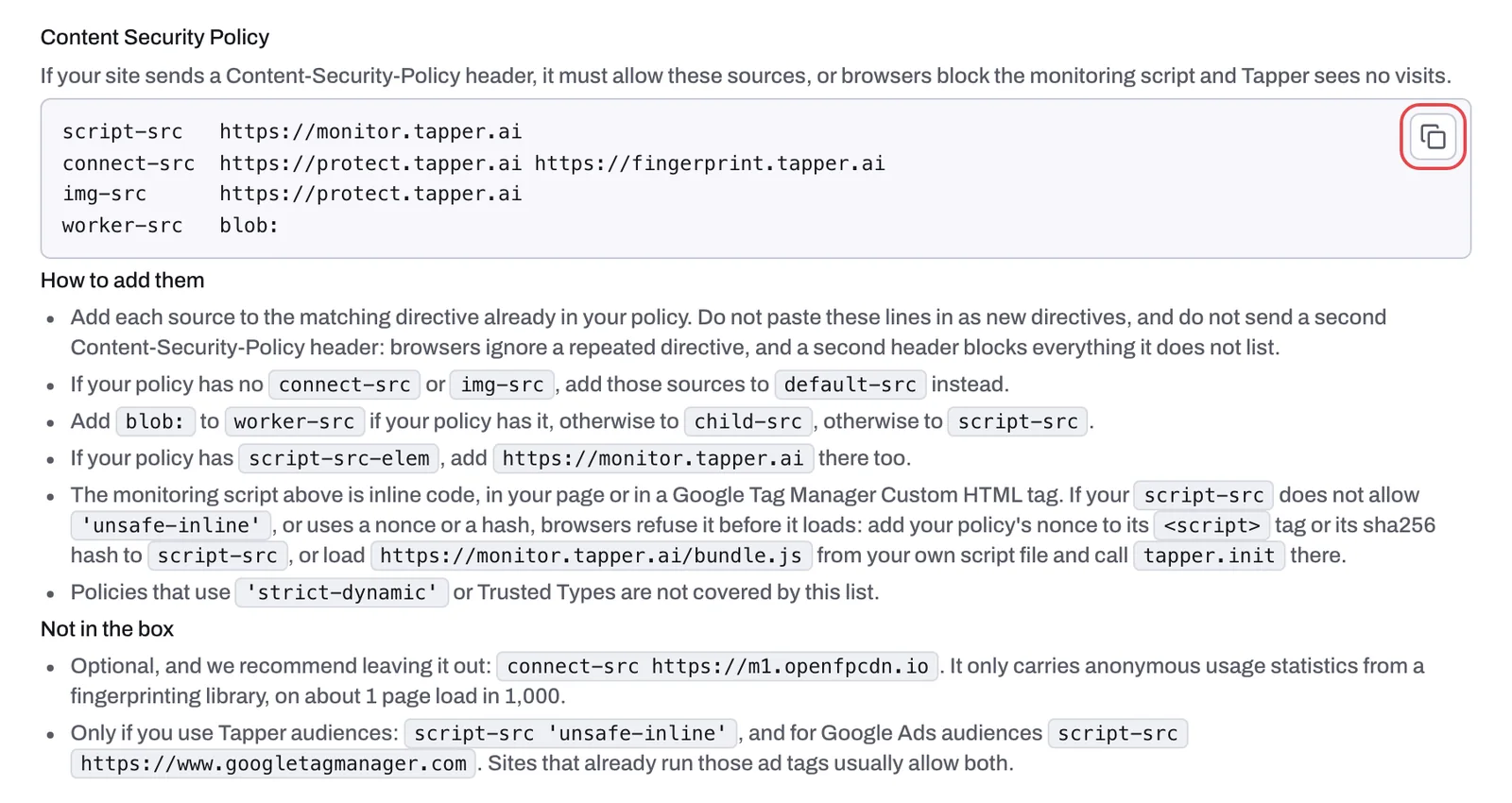
The box holds the sources every site with a policy needs, one directive per line:
script-src   https://monitor.tapper.ai
connect-src  https://protect.tapper.ai https://fingerprint.tapper.ai
img-src      https://protect.tapper.ai
worker-src   blob:
These are sources to merge into your existing policy, not a policy to paste:
- Add each source to the matching directive already in your policy. Do not paste these lines in as new directives, and do not send a second Content-Security-Policy header: browsers ignore a repeated directive, and a second header blocks everything it does not list.
- If your policy has no
connect-srcorimg-src, add those sources todefault-srcinstead. - Add
blob:toworker-srcif your policy has it, otherwise tochild-src, otherwise toscript-src. - If your policy has
script-src-elem, addhttps://monitor.tapper.aithere too. - The monitoring script is inline code, in your page or in a Google Tag Manager Custom HTML tag. If your
script-srcdoes not allow'unsafe-inline', or uses a nonce or a hash, browsers refuse it before it loads. Add your policy's nonce to its<script>tag or its sha256 hash toscript-src, or loadhttps://monitor.tapper.ai/bundle.jsfrom your own script file and calltapper.initthere. - Policies that use
'strict-dynamic'or Trusted Types are not covered by this list.
Not in the box
connect-src https://m1.openfpcdn.iois optional, and the app recommends leaving it out. It only carries anonymous usage statistics from a fingerprinting library, on about 1 page load in 1,000.- Only if you use Tapper audiences:
script-src 'unsafe-inline', and for Google Ads audiencesscript-src https://www.googletagmanager.com. Sites that already run those ad tags usually allow both.
If it still happens
- Reload your site after the policy change and check the Console again. A new message starting "Refused to" names the directive that still needs a source.
- Then confirm visits are arriving: see Check that the monitoring script is working on your site.
- If you are not sure where your policy is set or do not have access, forward this article to your developer or security team. You can also write to support@tapper.ai.
Related
Was this helpful?
Related articles
Still need help?
Chat with our team and mention this article.