

Tracking links for networks that cannot tag your landing page
A tracking link is a Tapper URL you use as the click destination of an ad. The click reaches Tapper first, is recorded, and is then sent on to your landing page. It exists for one situation: an ad source that cannot add its own click id to your landing page, such as a native network, an email or SMS campaign, a QR code, or a DSP that gives you a click URL to fill in. You build these links on the entity's Web click tracking tab.
When not to use a tracking link
Before you start
- Your workspace must be Block + Lift. Lift only workspaces do not have this tab.
- The landing page must be on one of the entity's protected domains. Add the domain under Protected domains on the Web detection rules tab.
Build and save a link
- In the sidebar, under Protection, click Protected Entities and open the entity.
- In the left rail, under Website, click Click tracking. The tab is titled Web click tracking.
- Under Tracking link builder, pick the network type: Other network (affiliate / native / email / QR / DSP click URL) or Bidease (DSP). Bidease fills in its own macros for you.
- Add the values your network fills in for each click. Click Add parameter for each row, then type a Parameter name from the supported fields below and the network's Value or macro.
- In the
redirection_urlrow, enter thehttps://address of your landing page on a protected domain. - Click Save link, type a Tracking link name and click Save.
- Copy the link from Saved tracking links and paste it into your network as the click URL.
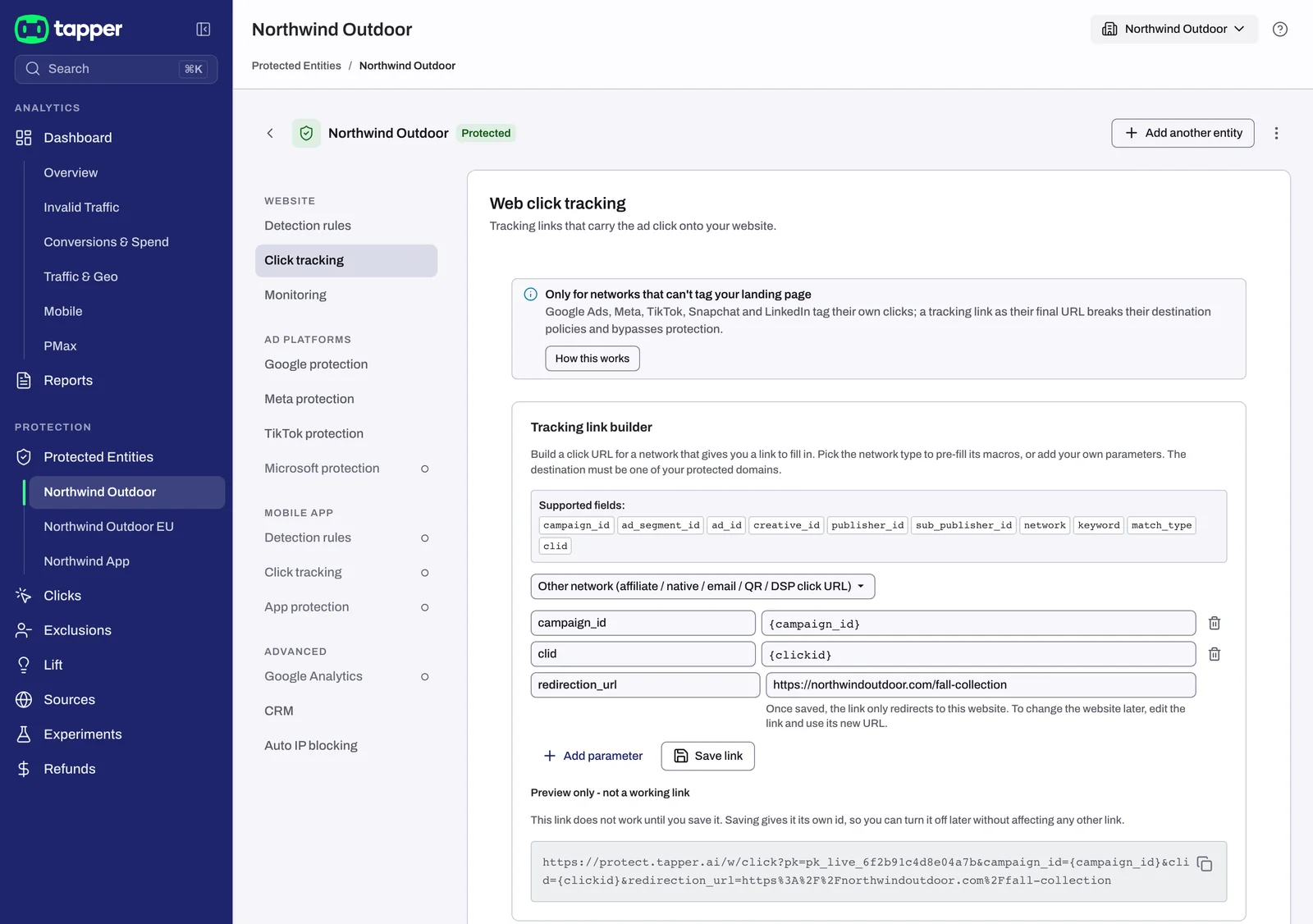
The supported fields, with the descriptions the builder shows:
| Field | What it holds |
|---|---|
campaign_id | Ad campaign ID |
ad_segment_id | Ad group / ad set ID |
ad_id | Ad / creative ID |
creative_id | Creative variant ID |
publisher_id | Publisher / placement ID |
sub_publisher_id | Sub-publisher ID |
network | Traffic network |
keyword | Search keyword |
match_type | Keyword match type |
clid | External click ID (from the network) |
Only these fields are recorded. Other parameters on the URL are ignored.
Saved tracking links
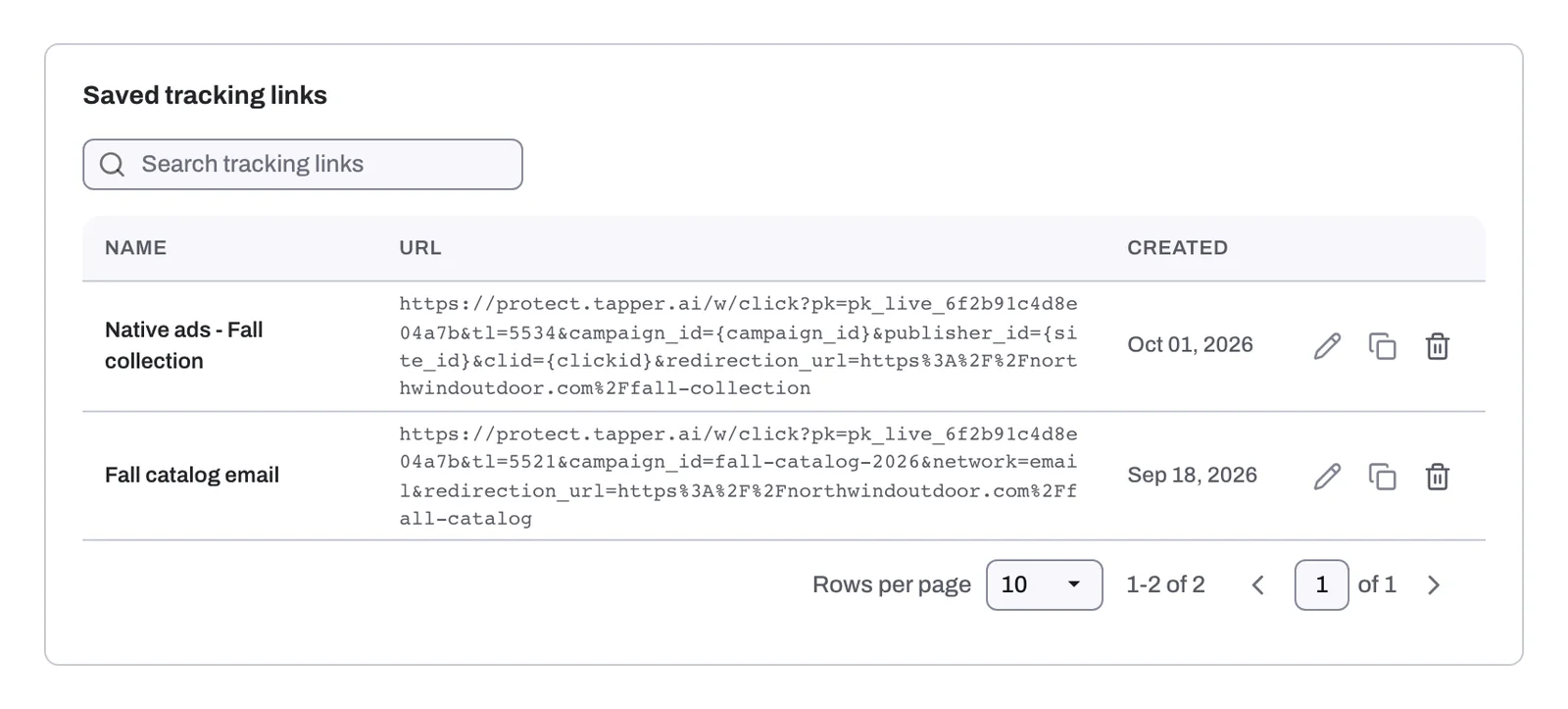
Every saved link is listed under Saved tracking links, with the columns Name, URL and Created, and a Search tracking links box. From a row you can copy the link, edit it or delete it.
- The destination is fixed. Once saved, the link only redirects to this website. To change the website later, edit the link and use its new URL, then replace the link in your network.
- Deleting turns the link off.
- Legacy links. A link saved earlier for Google Ads, Meta, TikTok, Snapchat or LinkedIn shows "Legacy - platform no longer supported". It stays listed so you can copy or delete it. Move those campaigns to the platform's own tagging.
The step-by-step guide is also on docs.tapper.ai: Web Click Tracking Links.
Related
Was this helpful?
Related articles
Still need help?
Chat with our team and mention this article.