

Billing: your plan, renewal, seats and invoices
On this page
Open Settings and choose Billing.
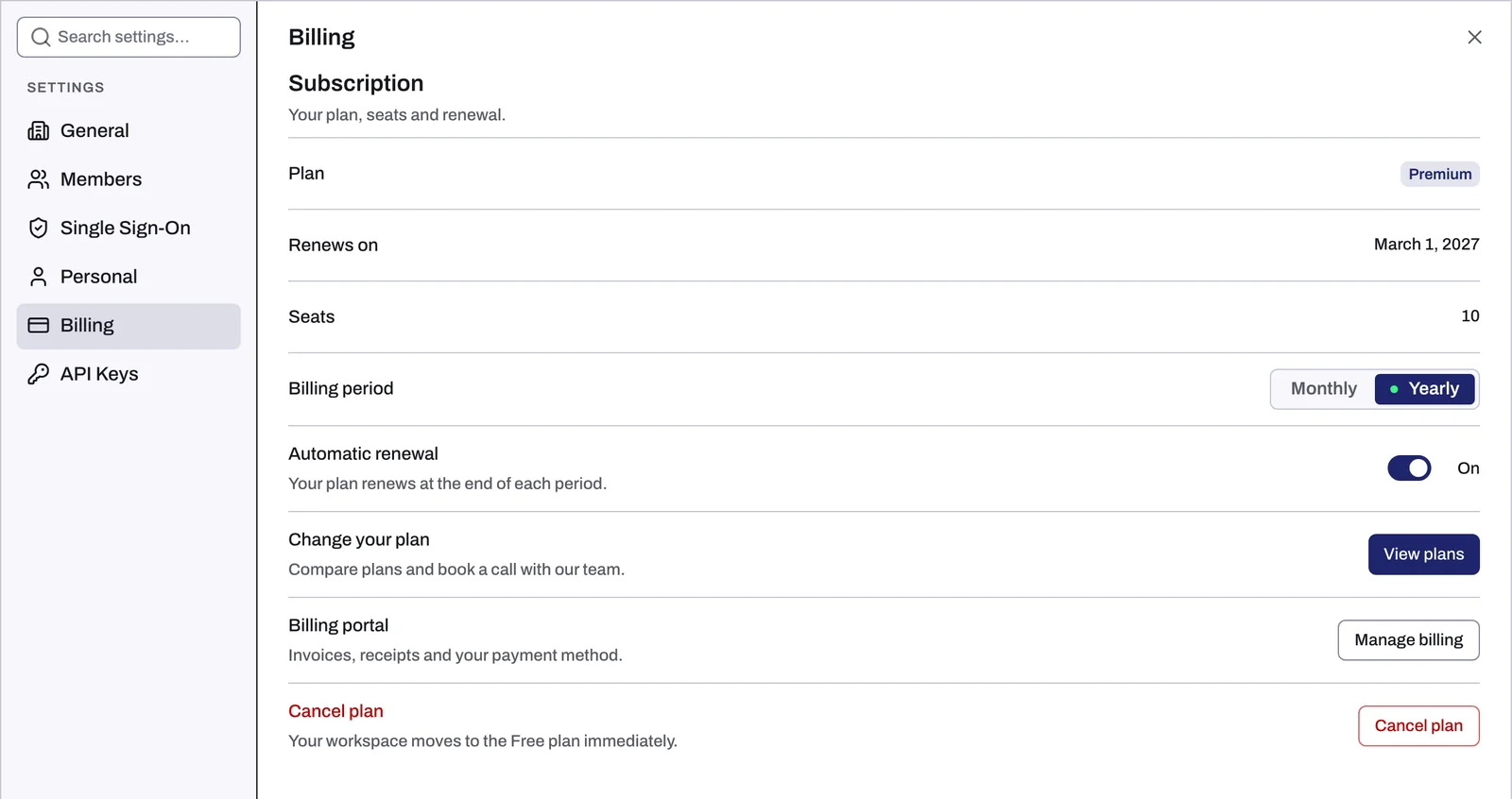
Which plan you see
A workspace runs on its owner's plan, and so does every other workspace that owner has. Billing shows the plan of the workspace you are in.
- The owner sees every row and button below.
- A member sees the plan, its date and its seats, plus a Paid by row naming the owner and an Email button.
- A workspace a partner pays for shows Billed by your partner.
What each row shows
| Row | What it shows |
|---|---|
| Plan | Your plan's name, with ", trial" during the free trial. A Payment failed chip appears when a charge did not go through. |
| Trial ends, Renews on or Active until | Trial ends: the day the trial ends. Renews on: the next renewal date, when the plan renews automatically. Active until: the date the plan runs until, when it does not. |
| Seats | Seats the plan includes, or Unlimited. Members and pending invitations use seats, and the owner counts as one. Members shows how many are used. |
| Billing period | Paid plans only: Monthly or Yearly. |
| Automatic renewal | Paid plans only: On or Off. |
A plan Tapper invoices directly has no billing period or renewal switch. Its row reads "Tapper invoices this plan directly. To change the billing period, renewal or payment details, contact support."
Tapper's plans
| Plan | What it gives you | Includes |
|---|---|---|
| Lift | Less waste: see where your ad budget leaks, and fix it in one click. | Lift |
| Block | Lower CPA: stop paying for invalid traffic. | Lift, Block and Relay |
| Vantage | Higher ROAS: bid for the customers worth the most. | Vantage, Lift, Block, Screen, Relay, Reach and Truth |
| Enterprise | Built for global brands running many markets. | Vantage, Lift, Block, Screen, Relay, Reach and Truth |
Compare them on tapper.ai/pricing.
Change your plan
Click Talk to sales (free trial) or View plans (paid plan). The Plans page opens; Book a call books time with Tapper's team.
An upgrade starts at once, and you pay only the difference for the rest of the period you already paid for. A downgrade starts when that period ends. Nothing is refunded.
Invoices and payment method
On a paid plan, the Billing portal row has Manage billing. It opens Tapper's billing portal, run by Stripe, at pay.tapper.ai, with your invoices, receipts and payment method.
Cancel your plan
- On the Cancellation row, click Cancel plan.
- The Cancel the plan dialog confirms the plan will not renew and nothing is refunded. Click Cancel the plan, or Keep my plan to back out.
You keep the plan until the end of the period you paid for. A plan with no end date ends at once. Your data is kept.
If a payment fails
The Plan row shows Payment failed and your plan stays active. Update your payment method through Manage billing.
When a plan ends (canceled, or a charge never went through), every workspace on it has no active plan and the app shows the Your plan page: see Your free trial has ended or a payment failed.
Related
Was this helpful?
Still need help?
Chat with our team and mention this article.