

Sign in to Tapper: password, Google or SSO
On this page
Sign in at https://app.tapper.ai/log-in with your email and password, with Google, or with your company's single sign-on (SSO).
No account yet? Click Start a free trial next to "New to Tapper?", or see Create your Tapper account. Invited by a colleague? Open the link in the invitation email: see Accept a workspace invitation.
Email and password
- Type your Email and Password. The eye icon in the Password field shows what you typed.
- Click Log in.
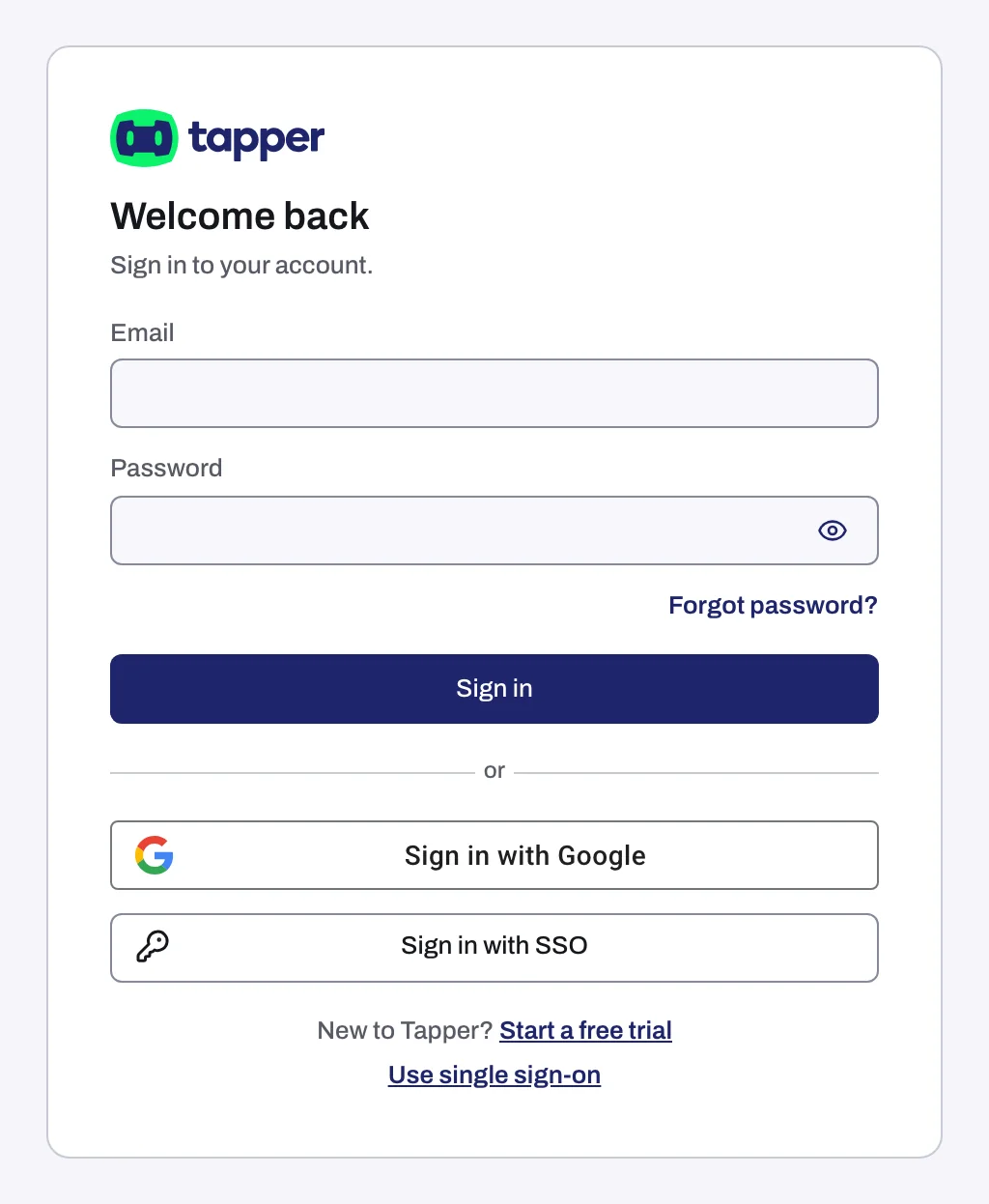
Forgot it? Click Forgot password? and follow Reset a forgotten password.
- Click Sign in with Google.
- Choose the Google account with the same email address as your Tapper login.
Signing in and signing up with Google are the same step. If the address has no Tapper account, Tapper creates one on the spot instead of showing an error.
An account created with Google has no password. To add one, use Set password in Settings, Profile, Login: see Change your password.
SSO
SSO works once an owner or admin has set it up for your email domain: see Set up single sign-on (SSO) for your workspace.
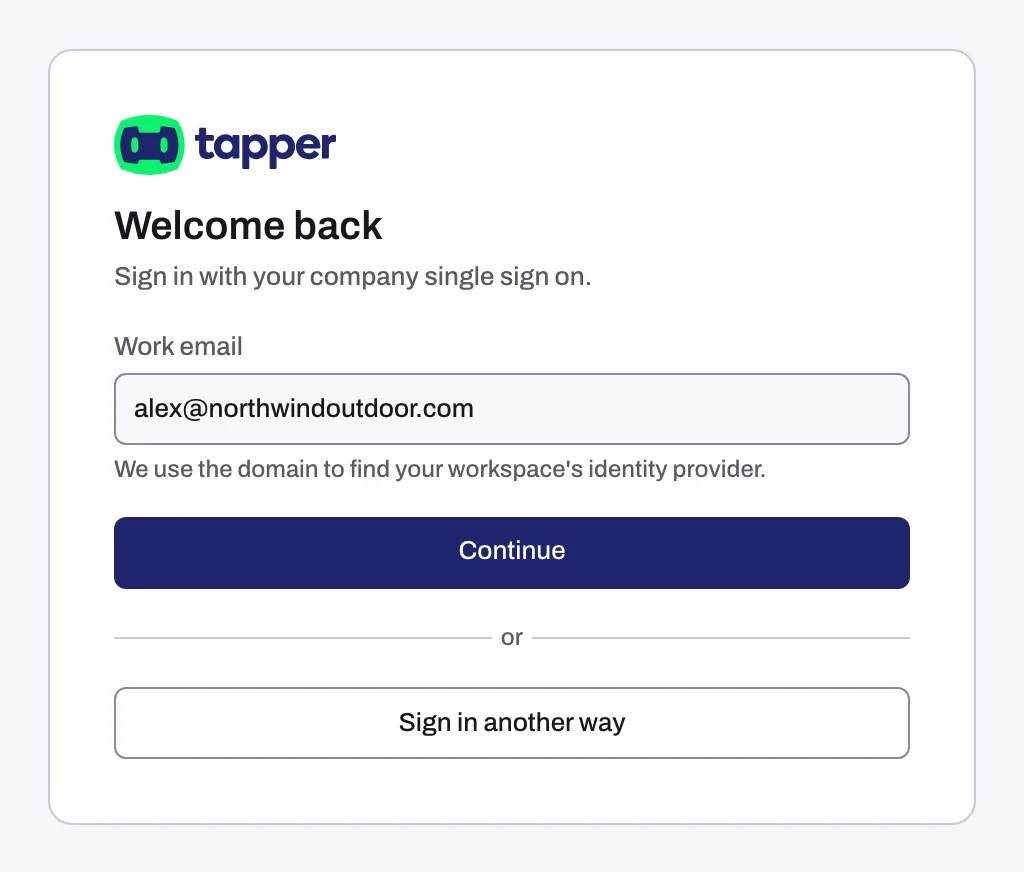
- Click Log in with single sign-on.
- Type your Work email. Tapper only needs the domain.
- Click Continue, then sign in on your company's login page.
Log in another way takes you back to the password form and Google.
You can also start from a Tapper tile in your company's app portal, such as Okta or Microsoft Entra: see Configure your identity provider for Tapper SSO. If your company requires SSO and you got in another way, Tapper shows Log in with single sign-on: see Can't sign in.
Your two-factor code
With two-factor authentication on, every sign-in (password, Google or SSO) is followed by Authentication code: type the 6-digit code from your authenticator app and click Continue. Lost the device? Click Contact support next to Lost your device?. There are no backup codes. See Turn on two-factor authentication (2FA).
How long you stay signed in
Until 30 days pass without you using Tapper in that browser. Each visit restarts the 30 days. To sign out, click Log out in the account menu at the bottom of the sidebar or at the bottom of the Settings window.
If you cannot sign in
We could not log you in. Check your email and password. and every other sign-in problem are covered in Can't sign in: wrong password, lost authenticator, SSO not found.
Related
Was this helpful?
Still need help?
Chat with our team and mention this article.