

Get started with Vantage
On this page
Higher ROAS from predicted value. Tapper Vantage predicts what each new customer or lead is worth and sends that value to your ad platforms, so their bidding follows revenue instead of counting every conversion the same. Vantage comes with Vantage + Block + Lift, and Tapper can enable it for a Lift only workspace.
Where Vantage is in the app
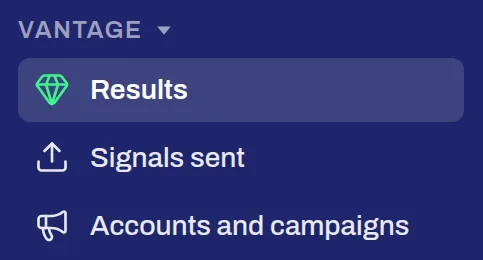
Vantage has its own section in the sidebar, with three pages:
- Results: how Vantage is doing for your workspace.
- Signals sent: what Vantage sends to your ad platforms.
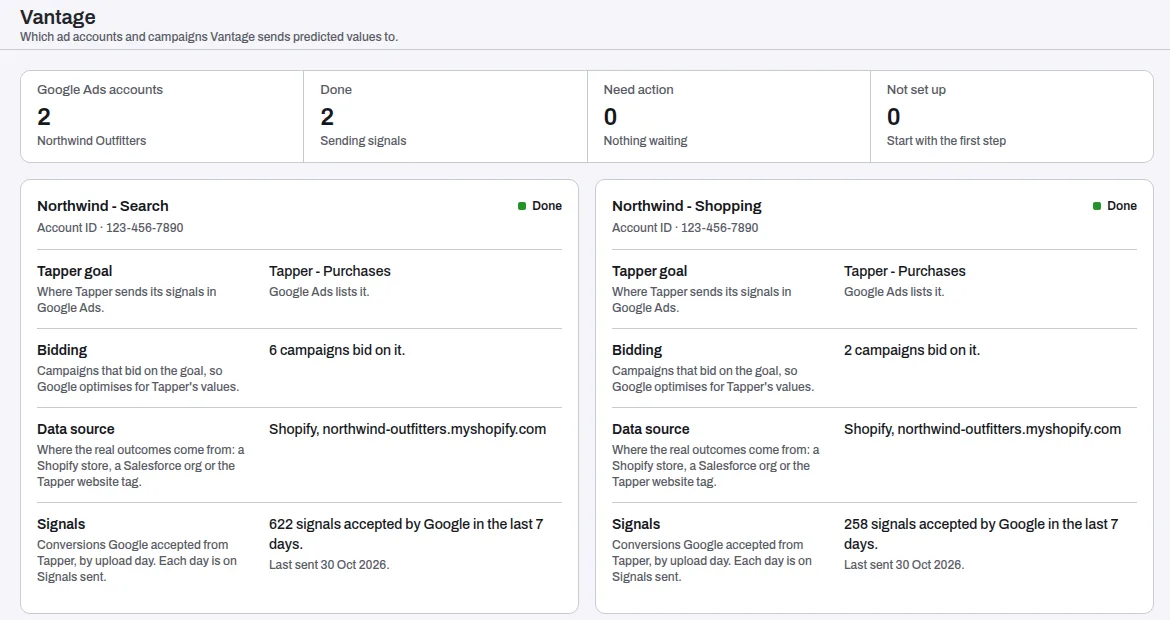
- Accounts and campaigns: each Google Ads account's Vantage setup, one card per account, with the step still missing.
Step 1: connect a data source
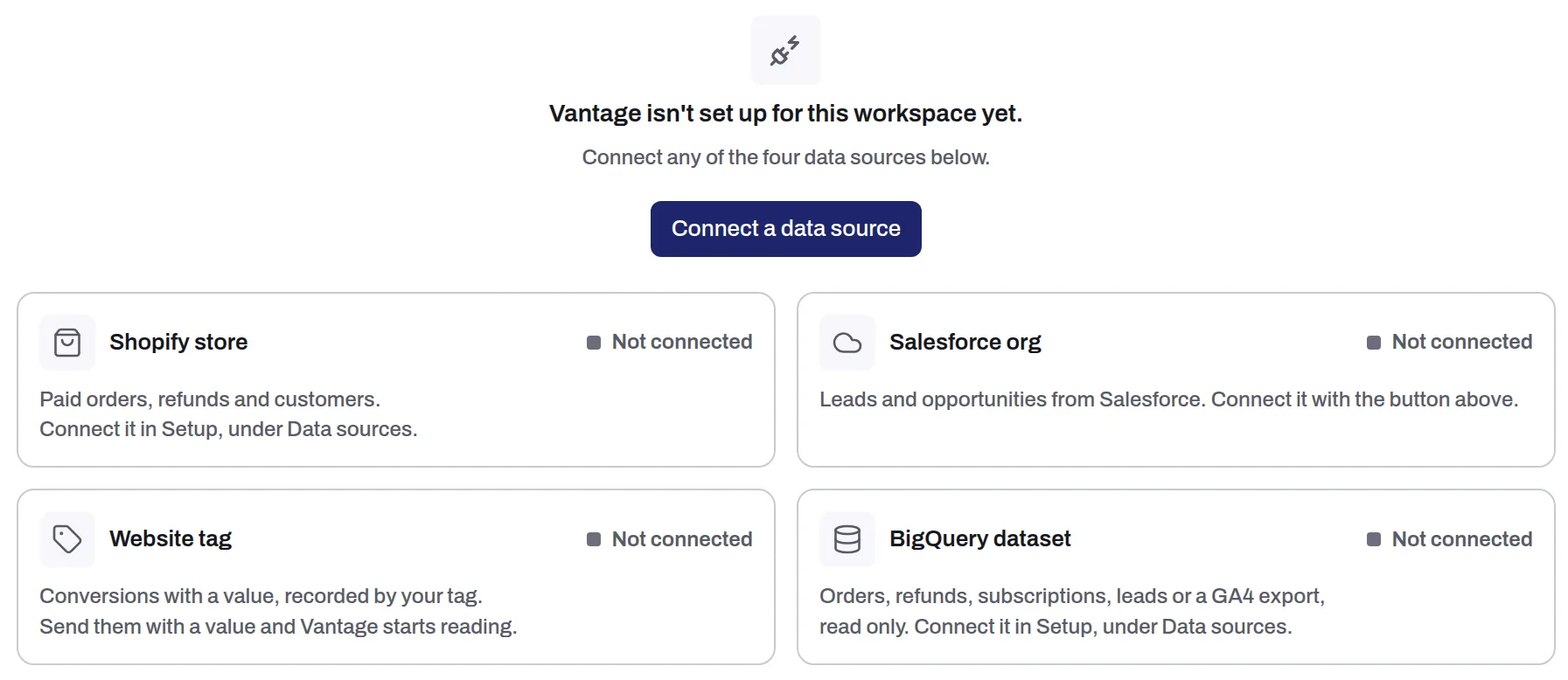
Vantage learns from your real sales. Until it has one source of them, Results reads Vantage isn't set up for this workspace yet and lists the four sources it can read. Connect any one:
| Source | What Vantage reads | Where you connect it |
|---|---|---|
| Shopify store | Paid orders, refunds and customers | Setup > Data sources. See Install Tapper on a Shopify store |
| Salesforce org | Leads and opportunities, read-only | Connect a data source on Results, or Setup > Data sources. See Connect Salesforce (read-only) |
| Website tag | Conversions with a value, recorded by your tag | Send your conversions with a value. See Install the conversion script |
| BigQuery dataset | Orders, refunds, subscriptions, leads or a GA4 export, read-only | Setup > Data sources. See Connect BigQuery |
With Salesforce, add the Click ID field to your leads so each lead is matched to the ad click it came from: Add the Click ID field to Salesforce leads.
Step 2: let Google Ads bid on predicted value
In Google Ads, Vantage works through a Tapper goal. On the Google Ads page of Setup > Ad accounts, open the Tapper goals tab, press New Tapper goal, choose Predicted conversion value and the campaigns that feed it. Tapper creates the conversion action and the custom goal in your Google Ads account, and switches the goal on after a short setup review. Tapper goals: let Google bid on predicted conversion value walks through each step.
Step 3: read what Vantage sends
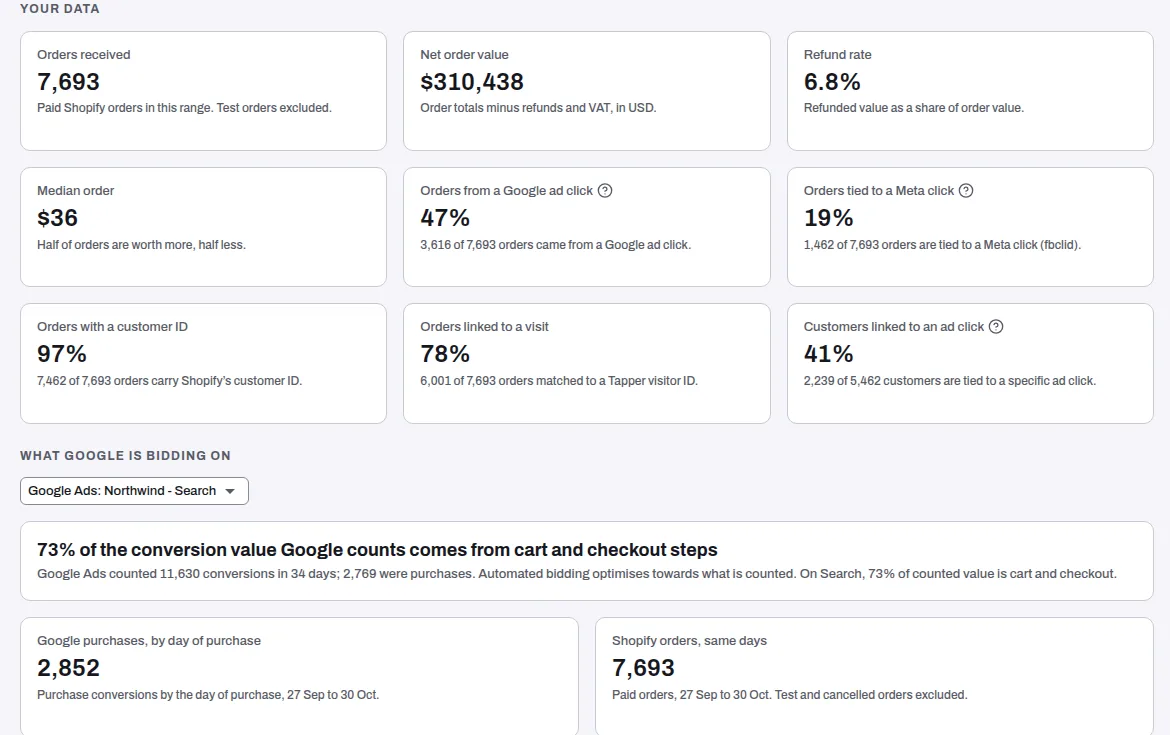
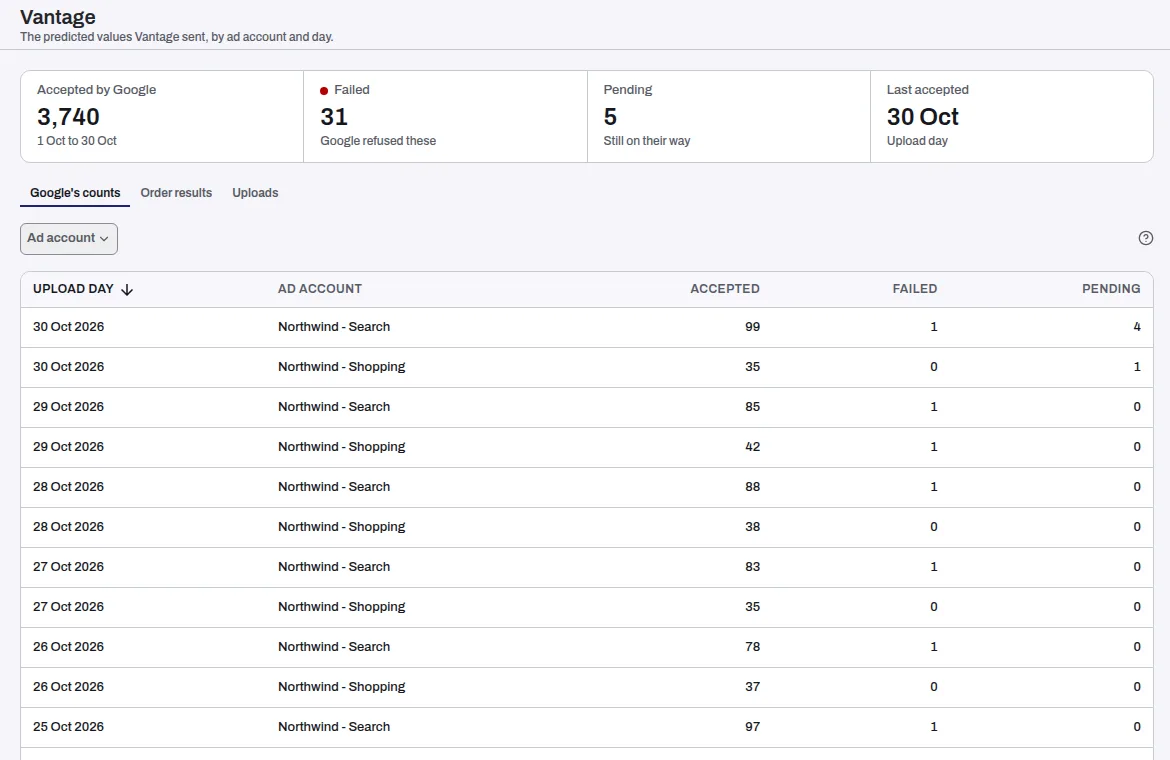
Once a source is connected and a goal is on, Results shows how Vantage is doing and Signals sent lists each value it sent. Accounts and campaigns names any step a Google Ads account still needs.
Tapper's team sets the rest up with you, such as mapping your Salesforce lead statuses to outcomes. Questions? Write to support@tapper.ai.
Reach, part of Vantage
Reach builds audiences from your own customers, with Vantage's predicted value as one of its inputs, and keeps them up to date in your ad platforms every day. See Reach, part of Tapper Vantage.
Related
Was this helpful?
Related articles
Still need help?
Chat with our team and mention this article.