

Read what Vantage sends to Google
On this page
Two Vantage pages show what reaches Google: Signals sent for the values, Accounts and campaigns for the setup behind them.
Signals sent
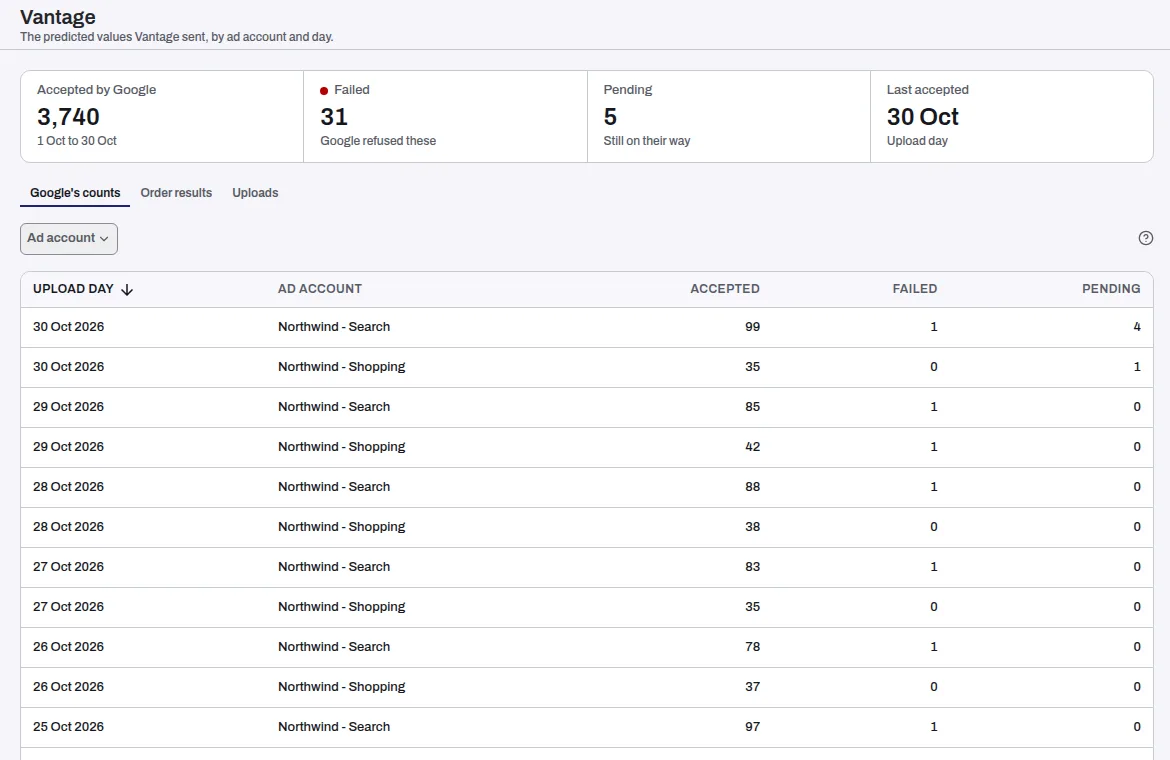
The page has three views. The tiles above them say which days they cover.
- Google's counts: what Google accepted, failed and has pending, by upload day and ad account. Its tiles are Accepted by Google, Failed (Google refused these), Pending (still on their way) and Last accepted (the upload day).
- Order results: what happened to your orders, with the value sent.
- Uploads: what Tapper queued for Google. Withheld counts values Tapper's consent and identity checks held back before Google.
An order is Not sent for one of these reasons:
- No Google ad click is tied to the order.
- The ad click is under 6 hours old, so Tapper waits.
- The order was cancelled or fully refunded.
- The ad click came more than 90 days before the order.
- Google already holds the order, and its value has not changed.
Not decided means the order waits for the next daily upload.
Accounts and campaigns
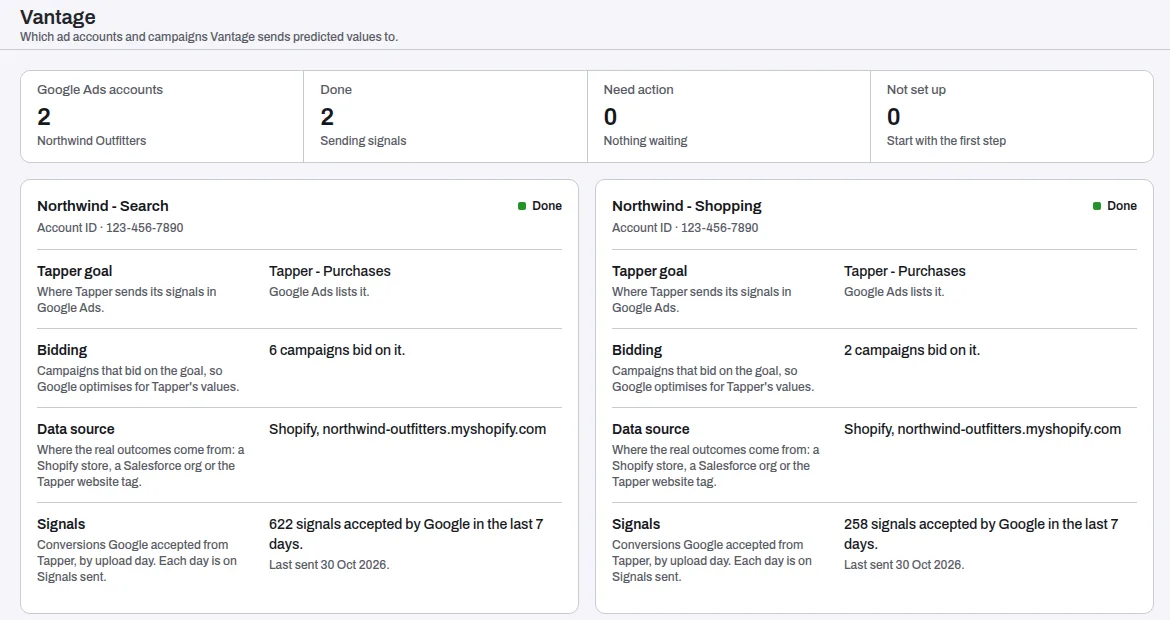
One card per Google Ads account, with four steps. Each reads Done, Needs action or Not set up:
| Step | What it covers |
|---|---|
| Tapper goal | Where Tapper sends its signals in Google Ads. |
| Bidding | The campaigns that bid on the goal. |
| Data source | Where the real outcomes come from: a Shopify store, a Salesforce org or the website tag. |
| Signals | Conversions Google accepted from Tapper in the last 7 days. |
A step that needs you carries one button, such as Create Tapper goal or Choose campaigns. With a Meta or TikTok value connection, the page also shows its diagnostics: events counted, match keys and deduplication.
Related
Was this helpful?
Related articles
Still need help?
Chat with our team and mention this article.