

Fixing: final URL suffix conflicts
Tapper sets its tracking template at the account level of your Google Ads account. A template on a campaign, ad group or ad overrides it, so Tapper cannot monitor that item's clicks. Tapper finds these overrides and shows Some ads skip Tapper's tracking on your dashboard.
Why this happens
A template like this attaches parameters straight to the landing page URL, replacing Tapper's template:
{lpurl}?utm_campaign={campaignid}&utm_term={keyword}&utm_content={adgroupid}&gclid={gclid}&device={device}
The same parameters belong in the Final URL suffix field, without {lpurl}?:
utm_campaign={campaignid}&utm_term={keyword}&utm_content={adgroupid}&gclid={gclid}&device={device}
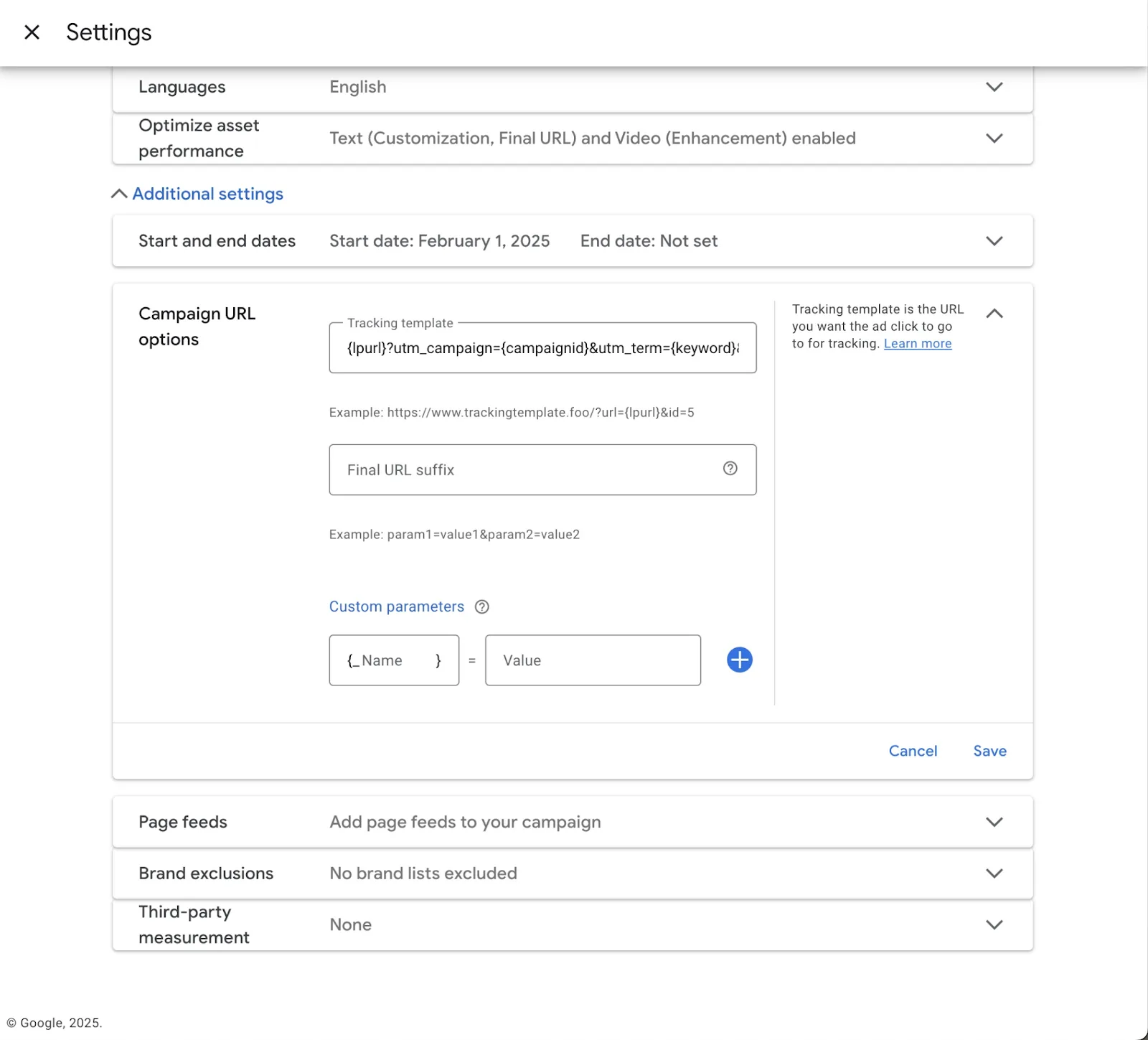
How Tapper fixes this
Tapper moves the parameters after the ? into Final URL suffix and clears the template. Your UTM tracking keeps working, and Tapper sees the clicks.
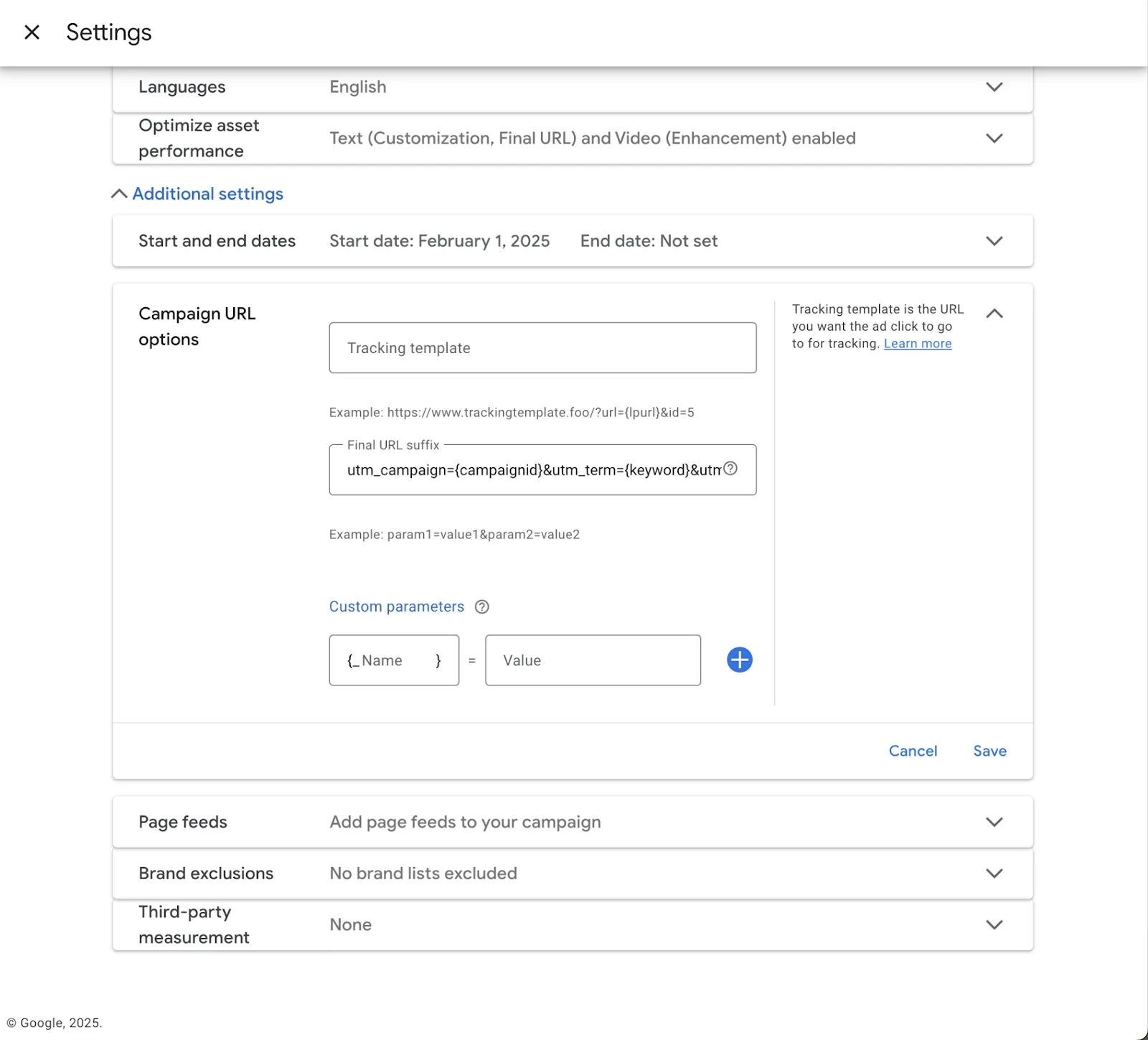
How to resolve the issue
You need to be a workspace Owner or Admin.
- On your dashboard, click Fix tracking on the Some ads skip Tapper's tracking banner. Fix ad-level tracking opens.
- Expand an account to see the campaigns, ad groups and ads with their own template.
- Click the wrench button on a row to fix that item, or Fix all to fix every item.
Until then, Tapper cannot monitor clicks on those campaigns. Every case, including accounts managed in Search Ads 360, is in Fix campaigns, ad groups or ads that override Tapper's tracking.
Was this helpful?
Related articles
Still need help?
Chat with our team and mention this article.