

No Lift recommendations yet
On this page
Lift's Recommendations list is empty, or one platform's tab reads 0. What you see tells you why.
Why it happens
| What you see | What it means |
|---|---|
| Connect an ad account to start Lift | The selected protected entity has no connected ad account. |
| No protected entities yet | The workspace has no protected entity yet. |
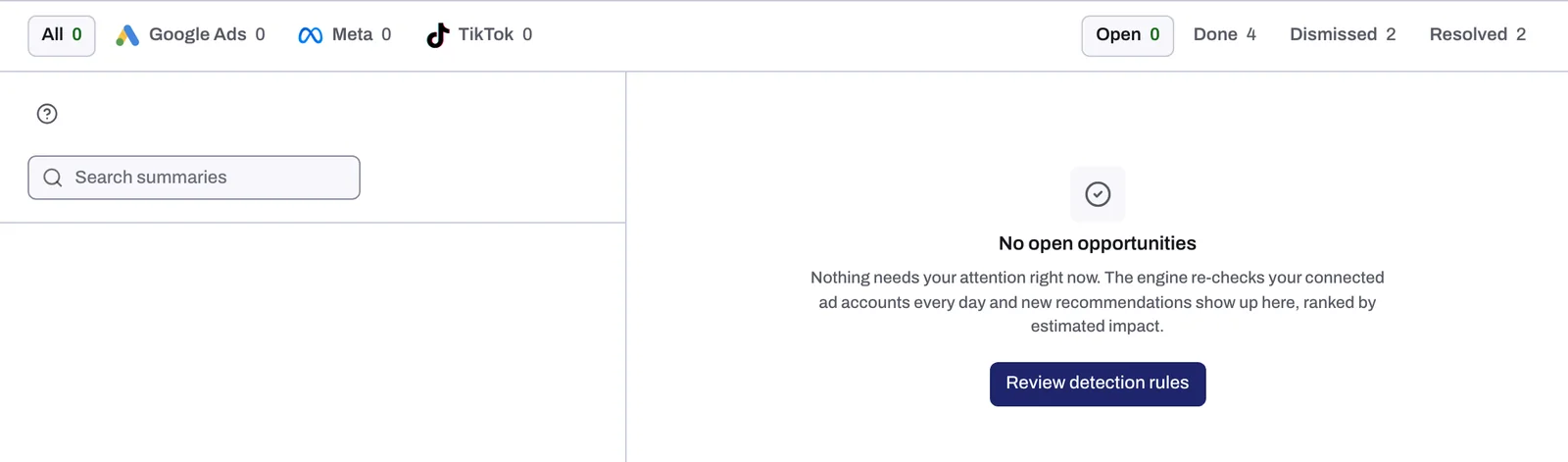
| No open recommendations | No card is open on the entity, for one of the reasons below. |
| "Nothing in Open matches the current filters." (or Done, Dismissed or Resolved in place of Open) | A tab, the search or a filter chip hides the cards, or the platform tab you picked has no open card. |
| Blurred rows, beside a panel with an Unlock recommendations button | Lift has found these recommendations. They open when your agreement with Tapper starts. Unlock recommendations asks your Tapper contact for full access. |
| Couldn't load your opportunities, "You do not have the required role on this workspace." | Lift is for Owners, Admins and Managers. Members with the Viewer role cannot see its recommendations: see Invite members and set their roles. |
The button under No open recommendations does not bring cards back: with Block, Review detection rules opens Setup; on a Lift only workspace, Review setup opens Lift's Business details.
With every open card showing, an empty list or a 0 tab means one of these, and Lift does not tell them apart: the workspace is not set up for Lift, the first check has not run, the day's figures have not fully arrived, the account needs reconnecting, or Lift found nothing to flag.
Fix it
1. Check the entity and its accounts
With several protected entities, pick the right one in the switcher under the workspace name. Under Connect an ad account to start Lift, press Connect an ad account: see Connect or reconnect Google Ads for Lift, Connect Meta Ads for Lift or Connect TikTok Ads for Lift. Under Nothing is connected yet (or Nothing is set up yet), press Get started and add a protected entity first (Protected entities: what they are and how to add one). A platform with no account shows as a dashed tab above the list: press it to add one.
2. Show every open card
Pick the Open status tab and the All platform tab, empty Search summaries, and press Clear to remove any Status, Check or Ad account chip. A platform tab still at 0 has no open card.
Handled or closed cards are under Done, Dismissed and Resolved. On Google Ads and Meta Ads, dismissing a card with Not for this account also stops its check on that ad account. On Google Ads, switch it back on in Lift's Business details, under Google Ads > Checks switched off; on Meta Ads, write to support@tapper.ai. See Fix, mark as done, dismiss and revert.
3. Give the first check time
| Account | First recommendations |
|---|---|
| Google Ads, on Lift only | A first check about 45 minutes after you connect, otherwise the next daily check. |
| Google Ads, with Block | The next daily check. |
| Meta Ads | The first daily check, usually the day after you connect. |
| TikTok Ads | The first daily check after you connect. |
4. Reconnect an account that stopped working
On the Google Ads, Meta Ads or TikTok Ads page of Setup > Ad accounts, an account showing Needs reconnecting, Not active or Needs attention gets no check and no new card until reconnected. Press Reconnect and sign in again. For Not active, reactivate the account in Google Ads first; for Needs attention, check it in Meta Business settings first. See Reconnect an ad account that stopped working.
5. Wait a day if cards went away
Lift checks each account once a day. If the day's figures have not fully arrived, or Tapper's spend for the account does not match the platform's own figure, Lift adds no card and takes its open cards off the list, with no notice. They return with a later check, or close if the problem is gone. If they stay away day after day, write to support@tapper.ai.
If it still happens
If all that checks out and Open and All still show No open recommendations, Lift found nothing worth flagging, or nothing it can judge yet:
- On Google Ads, most checks raise no card on a campaign, or anything in it, until it has 14 days of spend since it started or restarted, and none once it has gone 7 days without spend.
- On Meta Ads and TikTok Ads, most checks skip an ad set or ad group in its learning phase, with spend on fewer than 7 of the last 28 days, or in a campaign with no spend in the last 3 days.
- On every platform, a wasted-spend card worth less than 1 a day, in the account's currency, is not shown.
If no card comes after several daily checks, write to support@tapper.ai with your workspace name, the entity and the Account ID on the ad account's row. See How to get help from Tapper.
Related
Was this helpful?
Still need help?
Chat with our team and mention this article.