

How to fix lower level tracking
Tapper sets its tracking template at the account level of your Google Ads account. To keep custom parameters you passed through a template, put them in the Final URL suffix field, just below the tracking template field. This is Google Ads' own way to pass parameters to the final URL, and it leaves Tapper's template untouched.
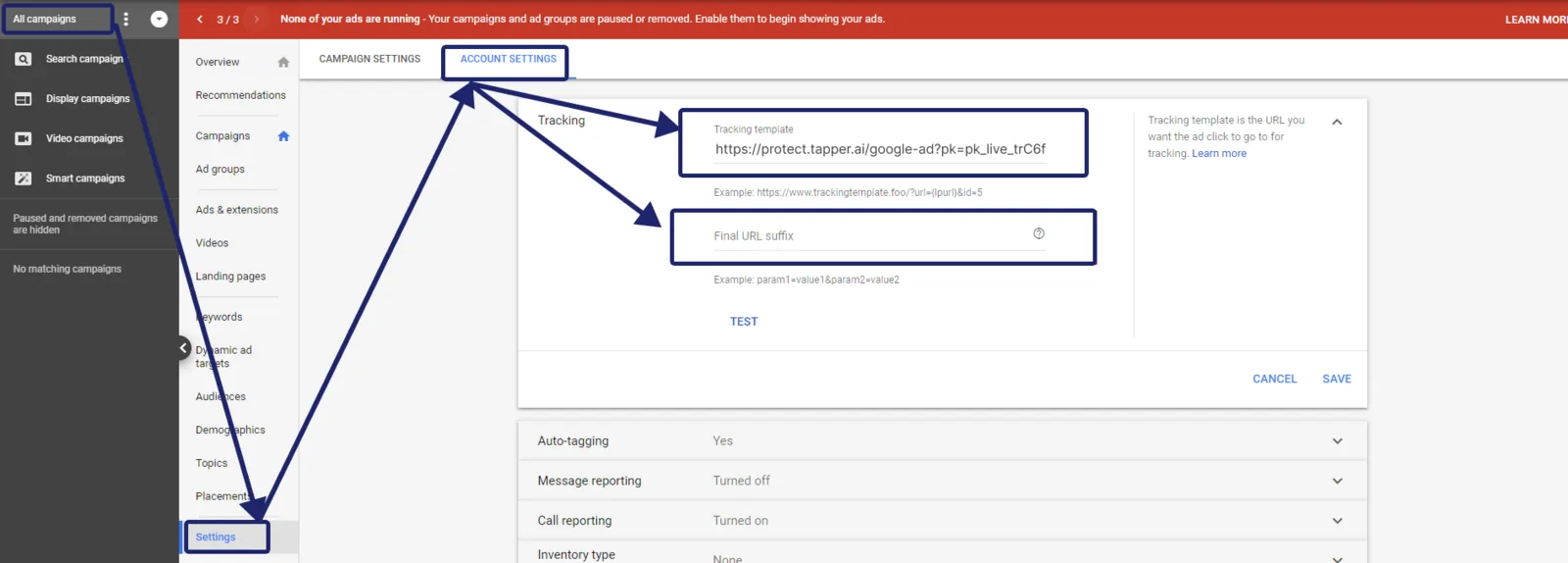
Do not add your parameters to the end of Tapper's template. Everything after redirection_url={lpurl} belongs to Tapper's address, not your landing page.
Example
If your template is {lpurl}?p1=abc&p2=123:
- Drop
{lpurl}?, which leavesp1=abc&p2=123. - Paste
p1=abc&p2=123in Final URL suffix. - Clear the template field.
Visitors reach http://yourdomain.com?p1=abc&p2=123.
See Google's About tracking in Google Ads and Add a Final URL suffix, and Fix campaigns, ad groups or ads that override Tapper's tracking.
Was this helpful?
Related articles
Still need help?
Chat with our team and mention this article.