

Installing the tracking template at campaign level in Google Ads
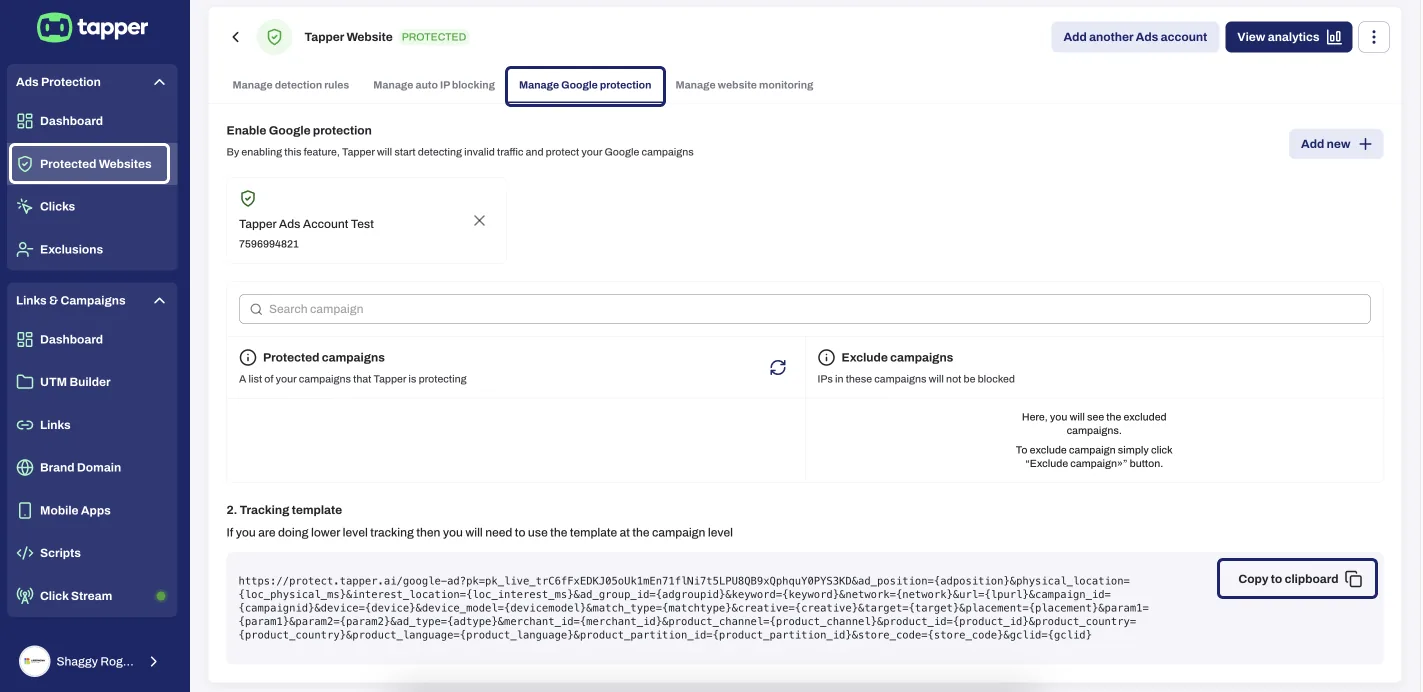
Tapper sets its tracking template at the account level of your Google Ads account. If that account runs ads for several websites set up as separate entities, the account-level template belongs to only one of them. Put each website's template at the campaign level instead, assuming each website has its own campaigns.
For example, Website A and Website B are separate entities using the same Google Ads account (12345). Campaign A serves Website A, and Campaign B serves Website B.
- In Tapper, pick Website A's entity in the switcher at the top of the sidebar.
- Under Setup, click Ad accounts, then Google Ads > Tracking template, and click Copy the tracking template.
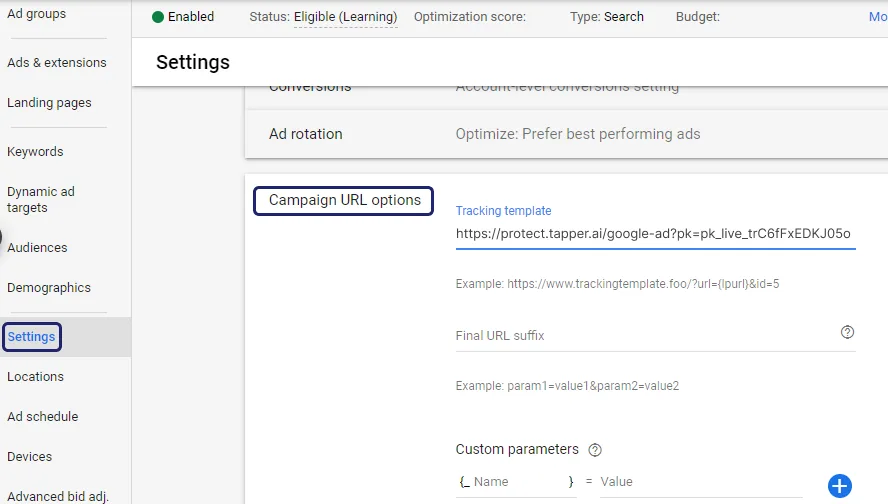
- In Google Ads (account 12345), open Campaign A, then Settings > Additional settings > Campaign URL options.
- Paste the template into the tracking template field and click Save.
- Repeat for Website B and Campaign B.
Full steps: Use the tracking template at campaign level when one Google Ads account serves several entities.
Was this helpful?
Related articles
Still need help?
Chat with our team and mention this article.