

Create your Tapper account
You need a name, an email address and a password, or your Google or company login. Sign-up creates your first workspace and starts a free trial with no credit card.
Invited by a colleague? Use the link in your invitation email instead: Accept a workspace invitation. Already have an account? Sign in to Tapper.
Steps
Sign up with an email address and password
- Open
https://app.tapper.ai/register. - Fill in First Name, Last Name, Email and Password (8 to 320 characters).
- Click Sign up. The card reads By creating an account you agree to our terms of service.
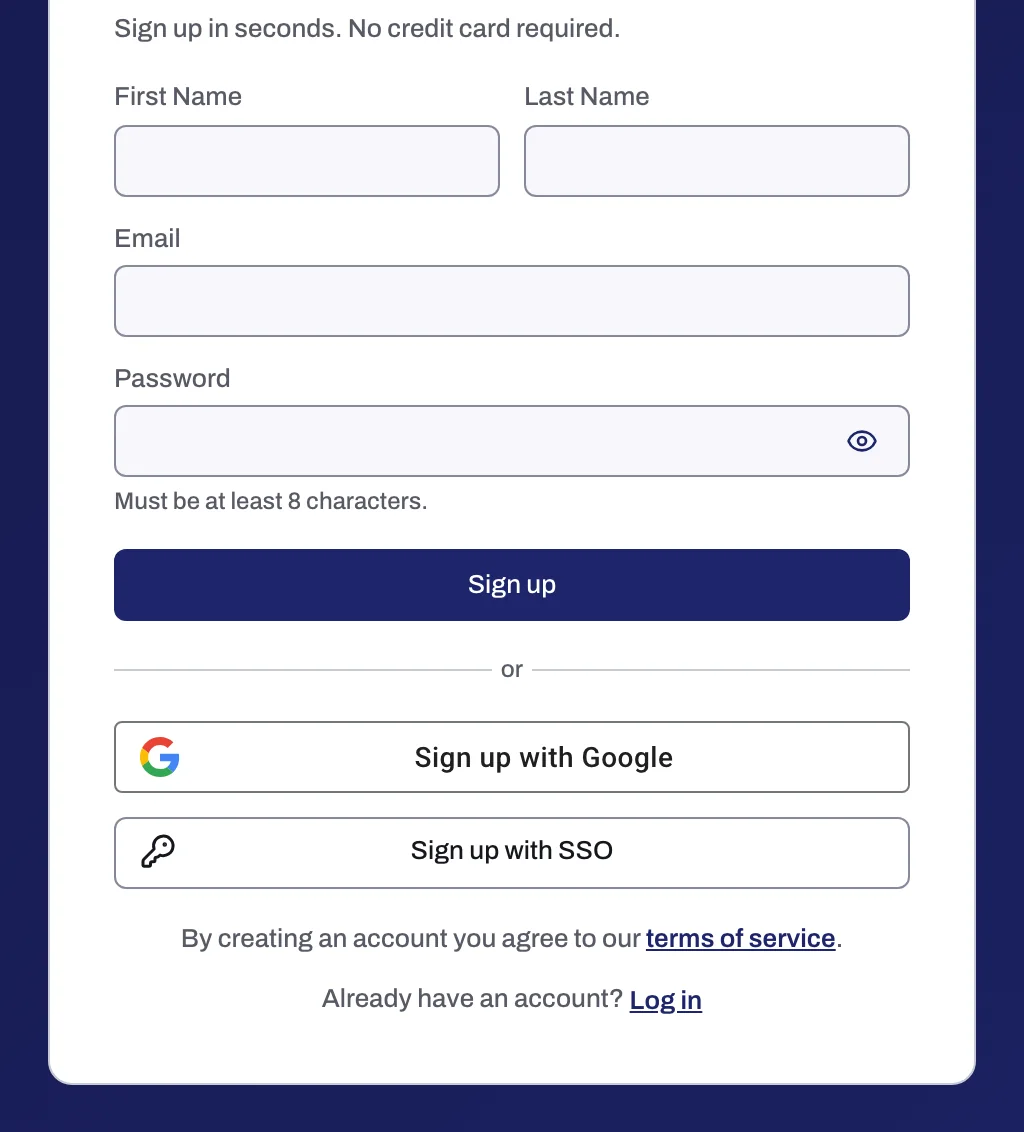
Sign up with Google
Click Sign up with Google and choose your Google account. There is no password to set.
Sign up with single sign-on
For companies that sign in to Tapper through their identity provider.
- Click Sign up with single sign-on.
- Enter your Work email and click Continue. Tapper finds your company's identity provider from the domain, and you sign in there.
- Sign up another way returns to the email form or Google.
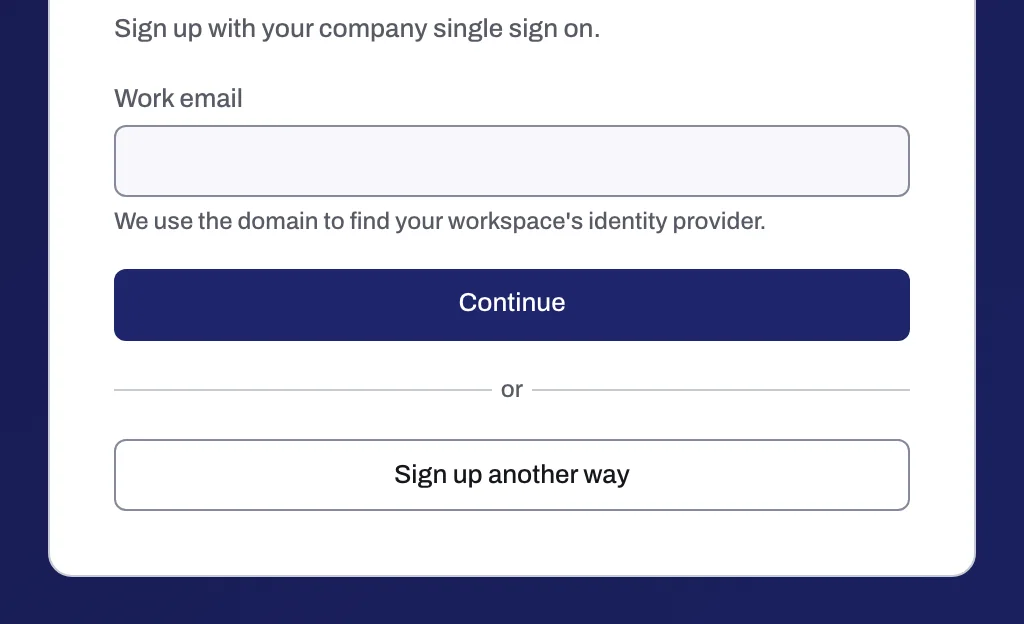
A workspace owner or admin must first set up SSO for your email domain: see Set up single sign-on (SSO) for your workspace.
What happens next
- Tapper creates a workspace named Default with you as Owner. You rename it in the wizard: Name your workspace.
- Your free trial starts, with nothing charged. The Terms of Service at
https://tapper.ai/terms-of-serviceset its length. See Your free trial. - The trial runs in monitor-only: invalid clicks are recorded, not blocked. Switching blocking on answers Blocking is on paid plans. Upgrade to turn it on. See Monitor-only.
- The setup wizard opens on Choose your products: Choose your products. Full setup: Start here: set up Tapper in five steps, or Get started with Lift for Lift only.
If something goes wrong
| Message | What to do |
|---|---|
| That does not look like an email address. | Check the address for a typo, for example a missing @ or a space. |
| Must be at least 8 characters. (under Password) | Choose a password of 8 to 320 characters. |
| An account with this email already exists. Log in instead | You already signed up with this address. Click the link to sign in, or use Reset a forgotten password if you do not remember the password. |
| No single sign-on is set up for this email domain. Sign up with your password, or ask your workspace owner. | Your company has no SSO connection in Tapper for that domain. Sign up with the form or Google, or ask whoever runs Tapper at your company. |
| Your account was not created. Try again. | Click Sign up once more. If it repeats, write to support@tapper.ai with the email address you used. |
Related
Was this helpful?
Still need help?
Chat with our team and mention this article.