

Tapper Lift for Meta
What Meta Lift does
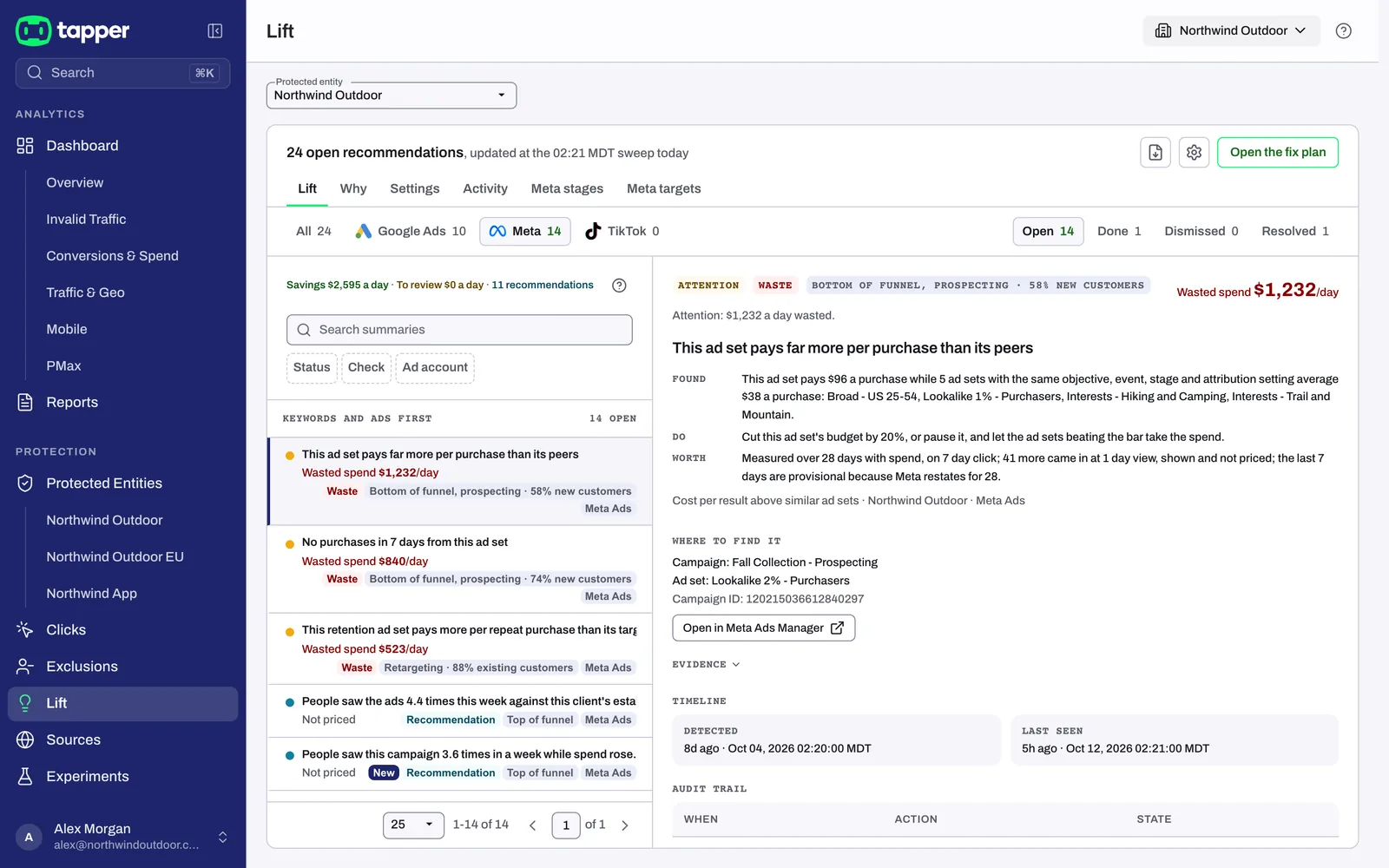
Meta Lift reviews your Meta ad accounts (Facebook and Instagram) every day and tells you, in plain words, where money is being spent without results, where settings are working against you, and where your ads are wearing out. Each finding is a card. Every card says what was found and what to do about it, with the evidence underneath so you can check the numbers yourself.
Meta Lift judges each ad set by what it is for. An awareness ad set is judged on reach and frequency, a traffic or lead ad set on what happens after the click, and a sales ad set on what each result costs. It never compares an ad with the other ads beside it, and it never recommends spending more.
Meta Lift reads your account through Meta's own reporting. It does not need a tag on your website.
How fixes are made. Meta Lift recommends; you decide. Make the change in Meta Ads Manager (each card links to the exact campaign, ad set or ad), then mark the card as done. Tapper does not change anything in your Meta account.
Which accounts are checked. Meta Lift is being switched on account by account. If a connected Meta ad account shows no Meta cards yet, ask your Tapper contact.
Funnel stages
Every ad set is placed in a funnel stage before anything is judged, because the right question depends on what the ad set is for:
- Top of funnel: awareness, reach, video views and brand engagement.
- Middle of funnel: traffic, landing page views, leads, messages, and ads shown again to people who watched or engaged.
- Bottom of funnel: sales and other conversions, catalog ads, and ads shown to people who visited your site or app.
- Retargeting: ad sets aimed only at your customer lists or past buyers.
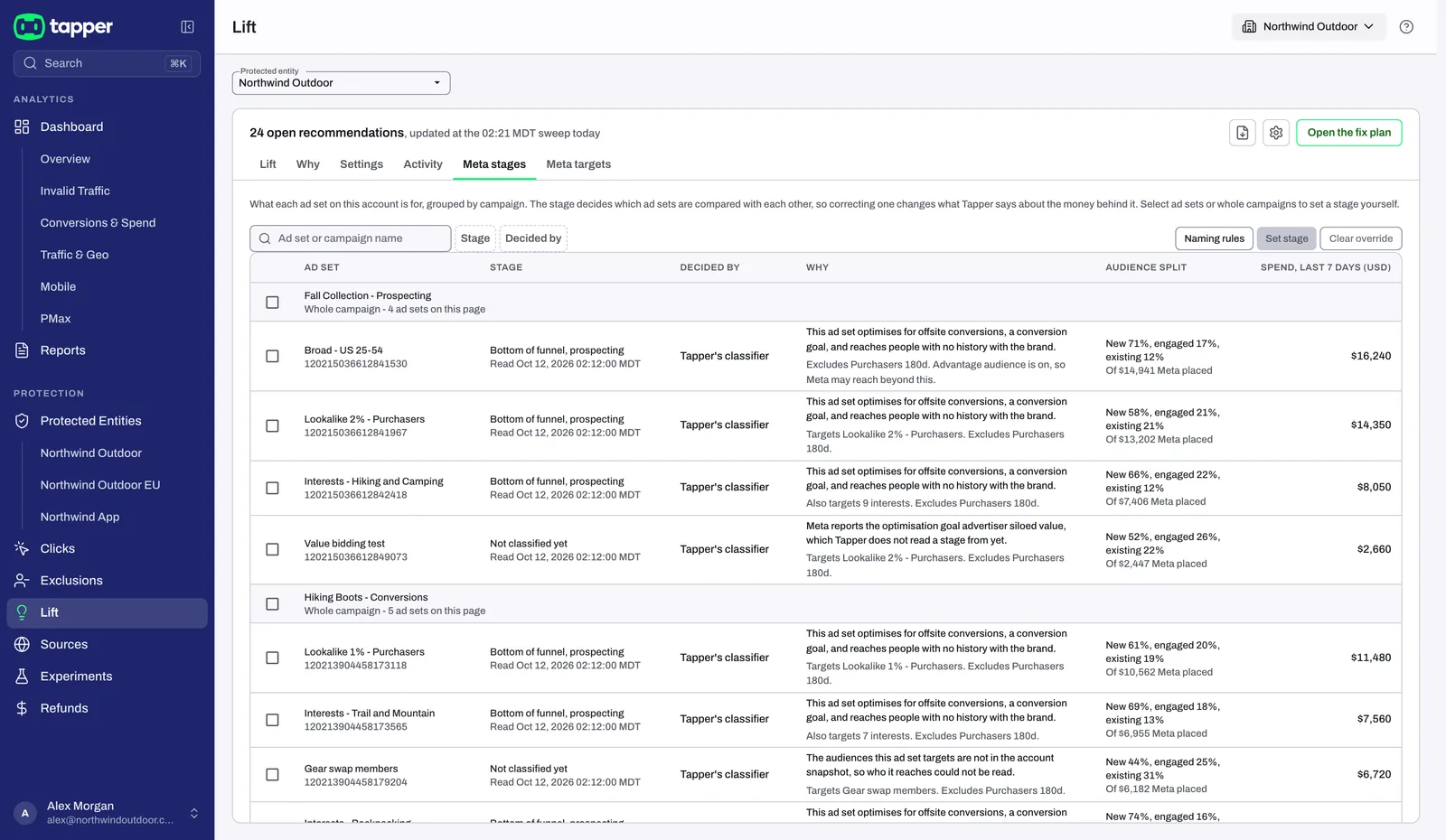
Lift places each ad set from its optimization goal and the audiences it targets. An ad set it cannot place reads Not classified yet, and only the checks that apply to every stage run on it until you set its stage.
Meta stages (a tab on the Lift page) lists every ad set with its stage, how the stage was decided, its spend over the last 7 days, and where the spend really went (new, engaged and existing customers, where Meta reports it).
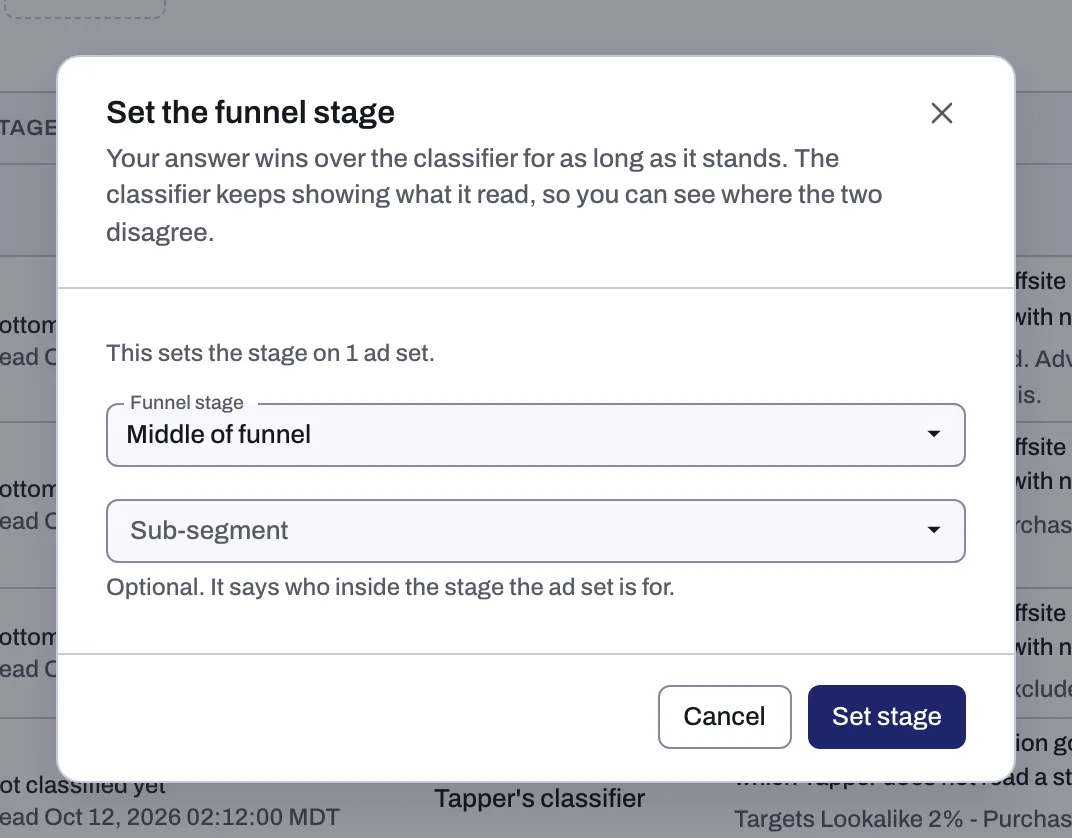
- Set the funnel stage: if a stage is wrong, select the ad set or the whole campaign and set it. Your answer wins over Lift's for as long as it stands, and Lift keeps showing what it read so you can see where the two disagree.
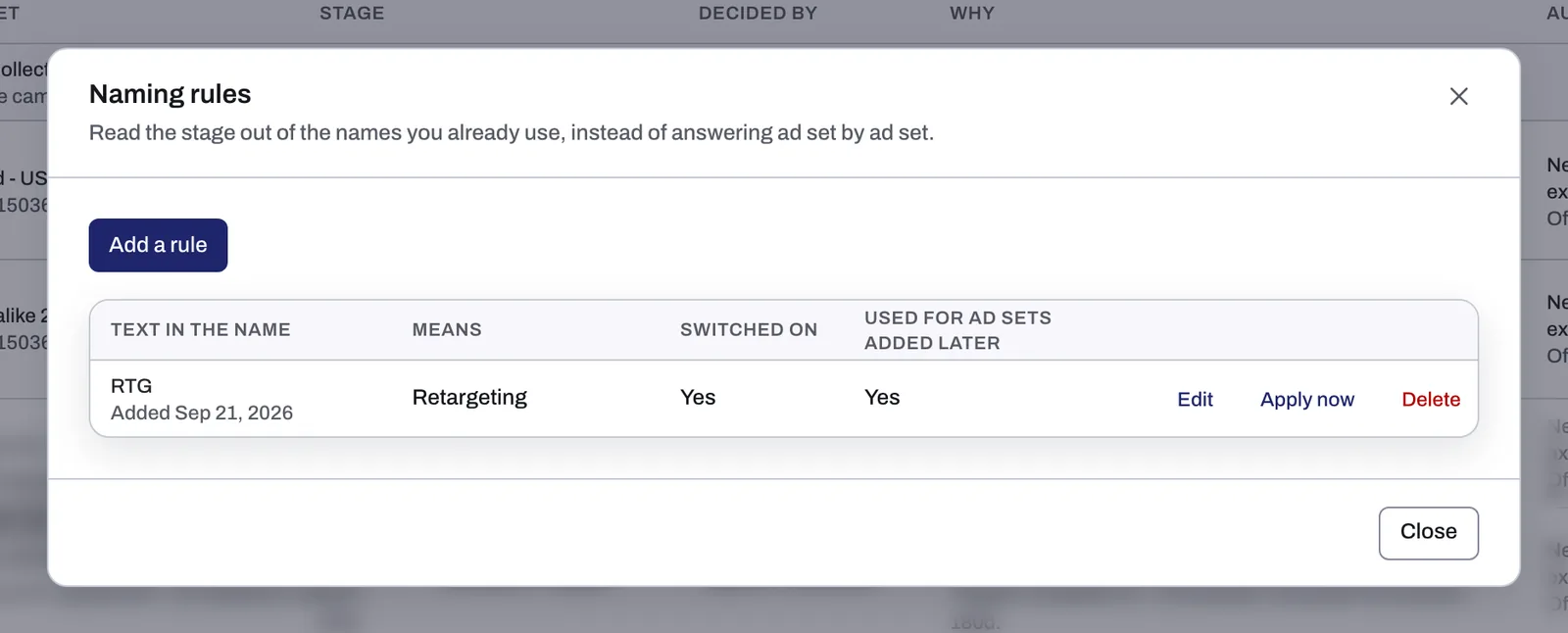
- Naming rules: if your campaign names carry the stage (for example "PROSP"), add a naming rule. Lift then uses the text in the name to set the stage, including for ad sets added later, once the rule is switched on.
Your targets
Meta targets (a tab on the Lift page) is where you tell Lift what good looks like for each Meta ad account. Until you save targets, every check judges your ad sets against similar ad sets on the same account. Once saved, the cards are scored again at the next daily review.
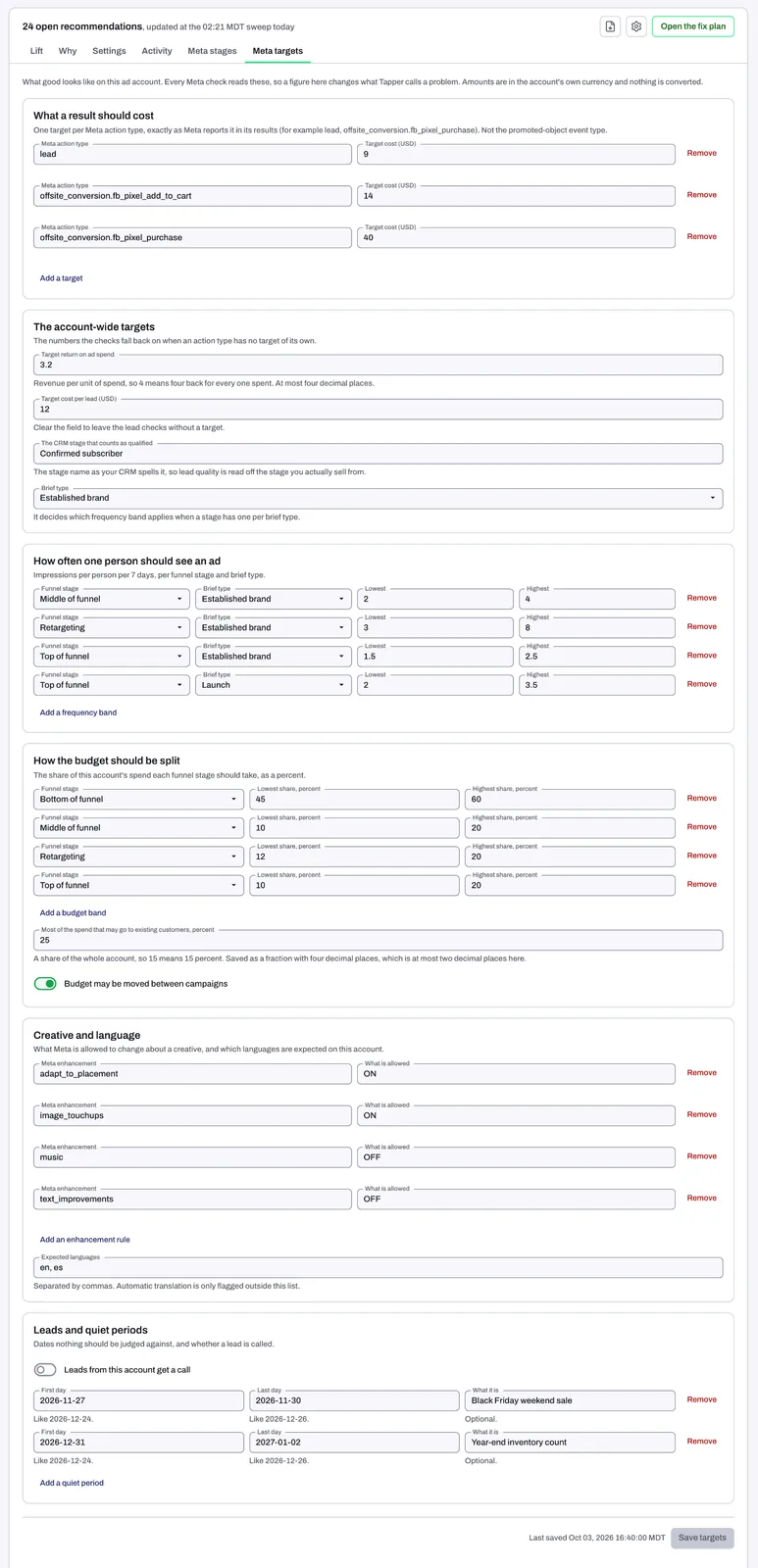
- What a result should cost: a target per Meta action type, exactly as Meta names it in your results, a target cost per lead, and a target return on ad spend.
- How often one person should see an ad: impressions per person per 7 days, per funnel stage.
- How the budget should be split: the lowest and highest share of spend for each funnel stage, whether budget may be moved between campaigns, and the most of the spend that may go to existing customers.
- Creative and language: what Meta is allowed to change about a creative, and the languages expected on the account. Automatic translation is only flagged for languages outside this list.
- Leads and quiet periods: the stage in your CRM that counts as a qualified lead, whether leads get a call, and dates the checks should not judge against, such as a sale or a holiday.
What Meta Lift looks for
Cost and results
- No results after real spend
- Cost per result above similar ad sets
- Cost per lead above similar ad sets
- Return on ad spend under target over 3 days and 7 days
- Bid cap or ROAS goal looser than the target
- Retention ad set missing its target
Customers and audiences
- Prospecting spend going to existing customers
- Audience segments not set up in Ads Manager
- Retargeting ad set spending outside its warm audience
- Warm audience seeing the ads too often as clicks fall
After the click
- Buying link clicks where landing page views are measured
- Landing page view rate below its own baseline
- Ad set losing people at one step
- Clicks arriving with no landing page views recorded
Reach and frequency
- People seeing the ads more often than planned
- Weekly frequency too low to build recall
- Extra spend buying repeat views, not new people
- Cost per person reached rising while CPM holds
- Low visibility placement absorbing the reach
Creative
- Ad wearing out
- Hook rate falling against the ad's first week
Structure and placements
- Campaign funds more than one funnel stage
- Funnel stage getting more or less budget than planned
- Overlapping ad sets worth merging
- Ad set learning limited while it spends
- Much of the account's spend is learning limited
- Ad set still in learning after a week
- Placement costing more than the rest of the ad set
- Legacy Advantage+ shopping campaign Meta will pause
Account health
- Spending limit or balance close to stopping delivery
- Ad account disabled or flagged by Meta
- Ad sets in one campaign use different attribution settings
- Breakdown reporting not switched on for the account
How Meta Lift judges
Like with like. An ad set is compared only with similar ad sets on the same account: the same objective, the same optimization event, the same funnel stage, the same attribution setting, and the same country and language. An ad is judged only against its own history.
Results as Meta counts them. Results are read from Meta's reporting on the 7-day click attribution window. One-day view results are shown on the card but not used to price it.
Quiet periods are left alone. Lift does not advise changes to an ad set that is still in Meta's learning phase, an ad set with less than a week of spend, or a campaign that has not spent in the last 3 days. The exception is the learning checks themselves. They never ask you to change the learning ad set, only the others around it.
Never spend more. Meta Lift never recommends raising a budget or loosening a cap. Where it suggests moving budget, the account's total stays the same.
How to read a card
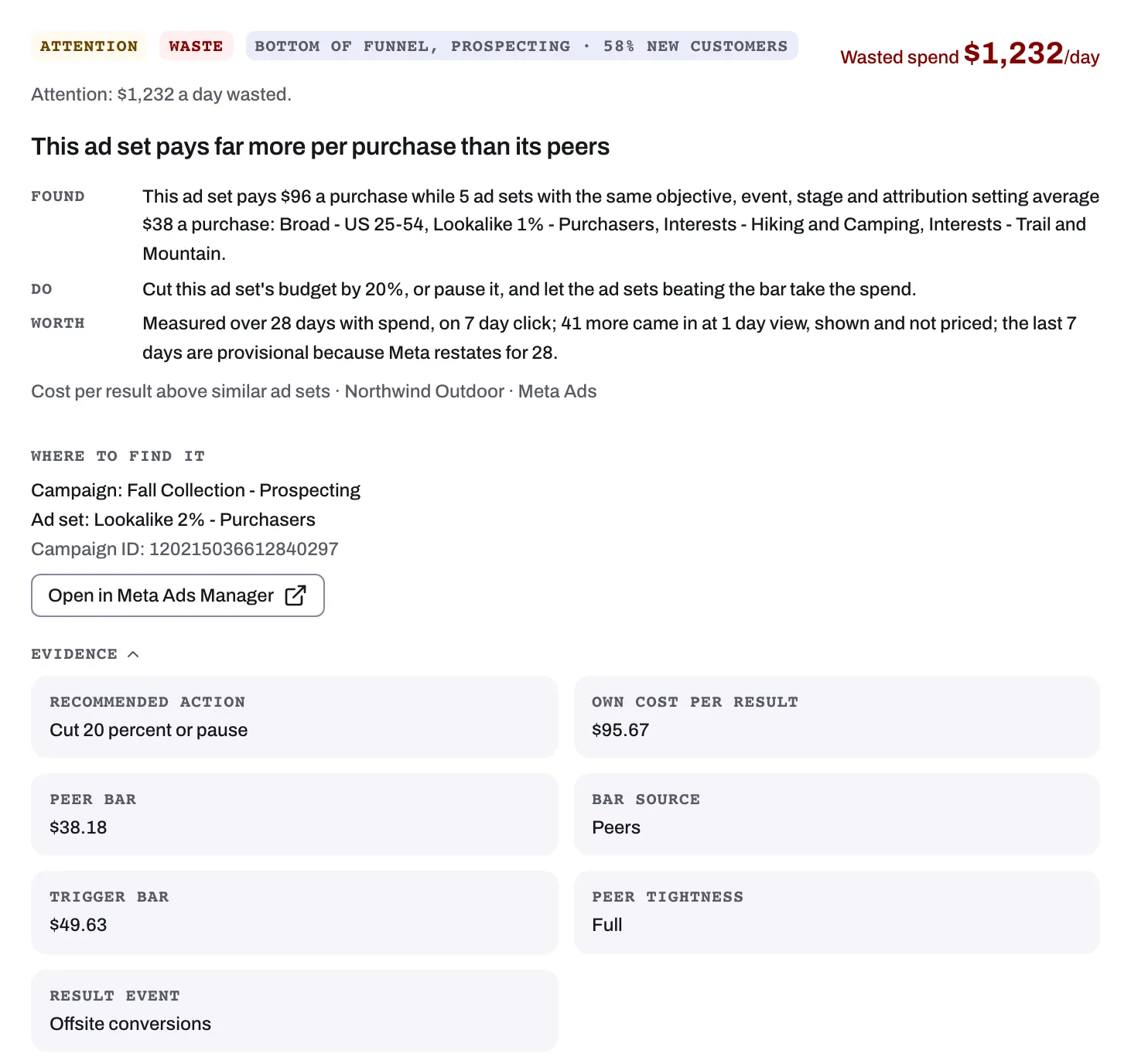
- The title says what was found, for example "Cost per result above similar ad sets".
- The stage shows which funnel stage the ad set is in, and the card names the exact campaign, ad set, ad or placement.
- The money figure. Cards about cost (no results, cost above similar ad sets, return under target) show an estimate of the money involved per day. The other cards show what to fix, without a figure.
- The evidence shows the rule the check applied and the measurements that met it: spend, results, cost per result, the similar ad sets it was compared with, and the time window.
- Open in Meta Ads Manager takes you to the exact item the card is about.
What happens to a card
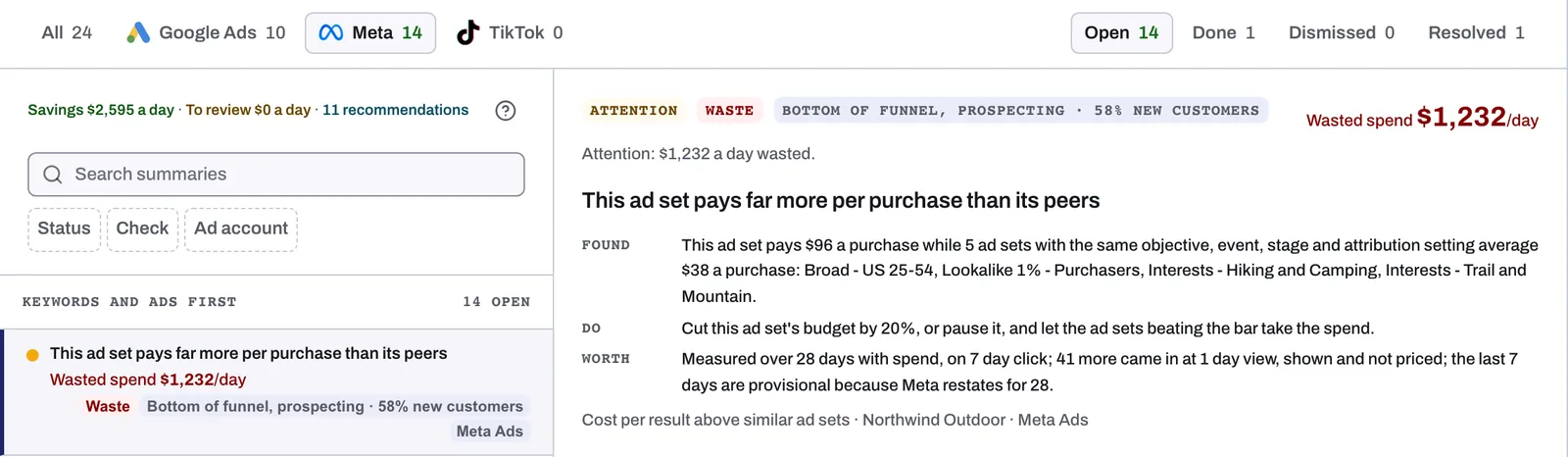
Every card is in one of four states:
- Open: found and waiting for a decision.
- Done: you made the change in Meta Ads Manager and marked the card as done.
- Dismissed: you decided the card is not for this account. Dismissed cards stay in the list.
- Resolved: the problem is no longer there, for example because the ad set changed, the data no longer meets the rule, or the ad set was removed.
Was this helpful?
Related articles
Still need help?
Chat with our team and mention this article.