

Add the ad_id parameter to your Meta ads
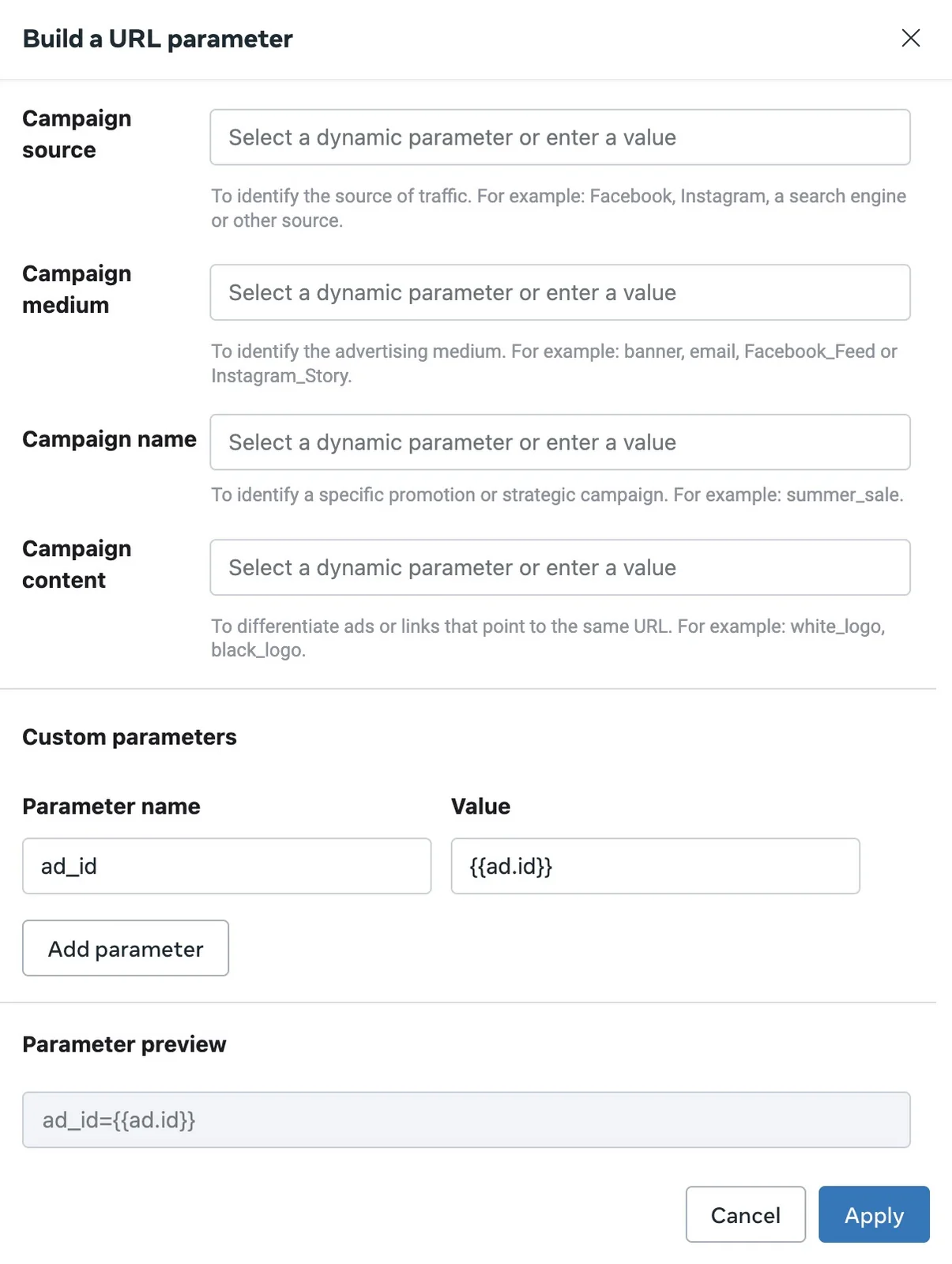
Add the URL parameter ad_id with the value {{ad.id}} to every Meta ad. Meta does not put the ad's ID in your landing-page URL, and Tapper does not add it for you.
Block judges a Meta visitor when the monitoring script sees them land on your page. The ad_id in the URL tells Tapper which ad sent them; without it, Tapper cannot reliably tie the click to the right ad. A Lift-only workspace has no monitoring script, so you can skip this step.
Add it to many ads at once
- In Meta Ads Manager, select the ads you want to set up.
- Click Bulk Edit in the toolbar.
- Scroll to the Tracking section.
- Click Build a URL parameter, then Add parameter.
- Set the parameter name to
ad_idand select{{ad.id}}as the value. - Click Apply.
Add it to one ad
- In Meta Ads Manager, go to the ad and click Edit.
- Scroll to the Tracking section.
- Click Build a URL parameter, then Add parameter.
- Set the parameter name to
ad_idand select{{ad.id}}as the value. - Click Apply.
Review and publish
- Check that the preview reads
ad_id={{ad.id}}on every ad you edited. Type the name exactly asad_id, and pick{{ad.id}}from Meta's list of dynamic values instead of typing an ID. Meta fills in each ad's own ID when it serves the ad. - Publish the changes.
Tapper's public guide has the same steps: URL Parameters for Meta Ads.
TikTok ads need the same parameter, added to the destination URL as ?ad_id=__CID__. See How Block protects TikTok ads.
Related
Was this helpful?
Still need help?
Chat with our team and mention this article.