

What happens when Tapper excludes an IP in Google Ads
On this page
When blocking is on and Tapper Block flags a click on a protected Google Ads campaign, it adds the visitor's IP address to that campaign's IP exclusions through the Google Ads API. Google then stops showing that campaign's ads to the address, so it gets no new impressions or clicks from it. Campaigns without the exclusion are not affected.
IP exclusions go to Search, Display and Shopping campaigns, and to Demand Gen as each click is flagged. Performance Max and Video take none. See Which exclusions Tapper applies to each Google Ads campaign type.
How an exclusion is created
- Automatically. Your detection rules mark a click as invalid and Tapper sends the exclusion. Blocking must be on for the entity and the campaign's Protection switch must be on.
- By hand. You list an IP address or CIDR range on Setup > Excluded IPs. These go to Search, Display and Shopping campaigns, even in monitor-only. See Manually exclude IP addresses and ranges.
Tapper also adds a flagged visitor to its audience exclusion, which does not depend on IP address. See The Invalid Traffic Audience and its retention window.
How long an IP stays excluded
- Automatic exclusions are not on a timer. They stay until the campaign reaches Google's 500 limit, when Tapper ranks and rotates them. See The 500 IP exclusions per campaign limit in Google Ads.
- IPs you added by hand stay until you remove them. They are never rotated out.
- Later analysis can clear a visitor, and Tapper then lifts that visitor's automatic exclusion.
Where to see it
On the Exclusions page
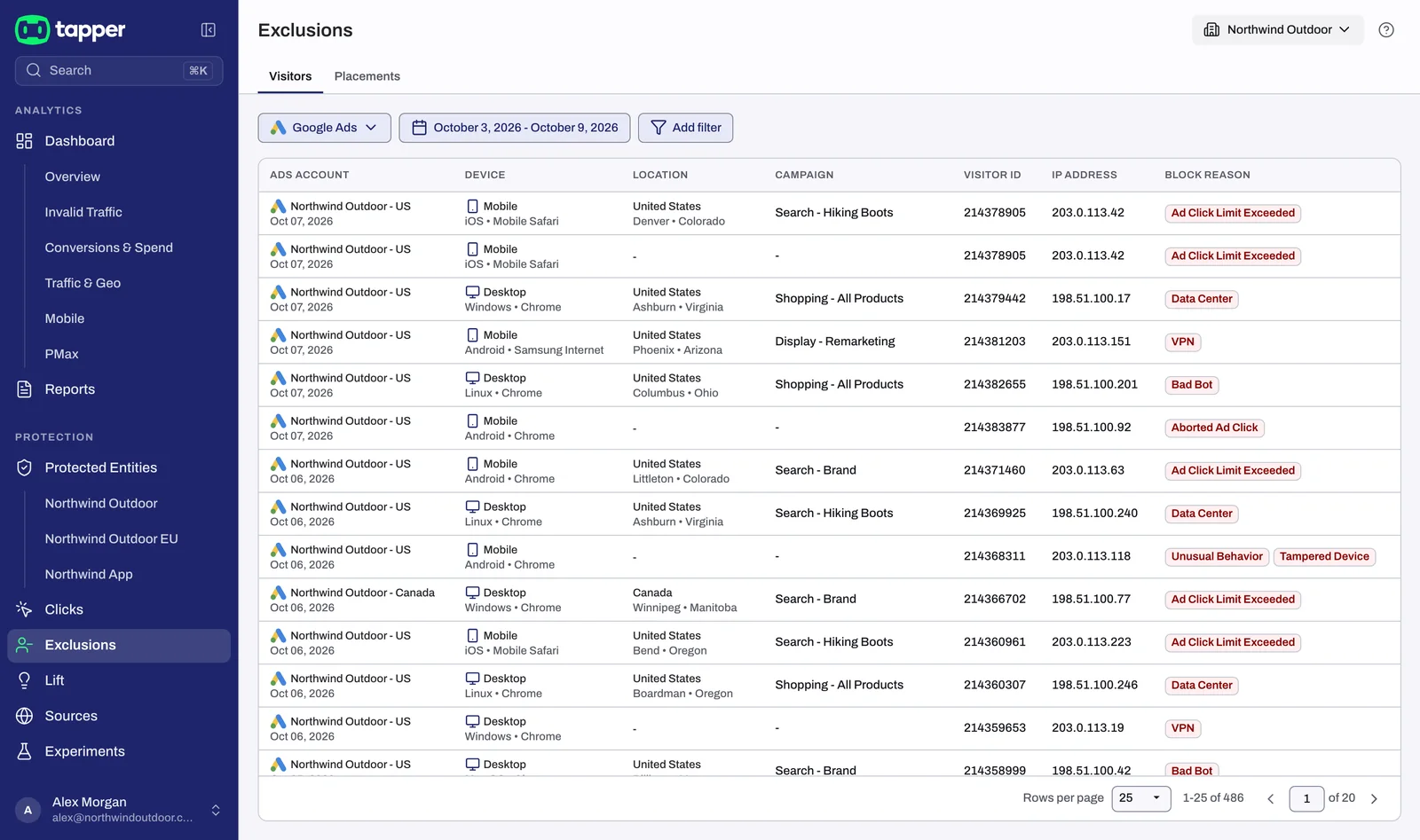
Open Exclusions and pick Google Ads. The Visitors view lists one row per exclusion, with Ads account, Device, Location, Campaign, Visitor id, IP address and Block reason. An IP exclusion is listed once per campaign it was excluded on. Each addition to Tapper's audience gets its own row, where Location and Campaign read -. So a visitor excluded both ways appears more than once, with the same Visitor id.
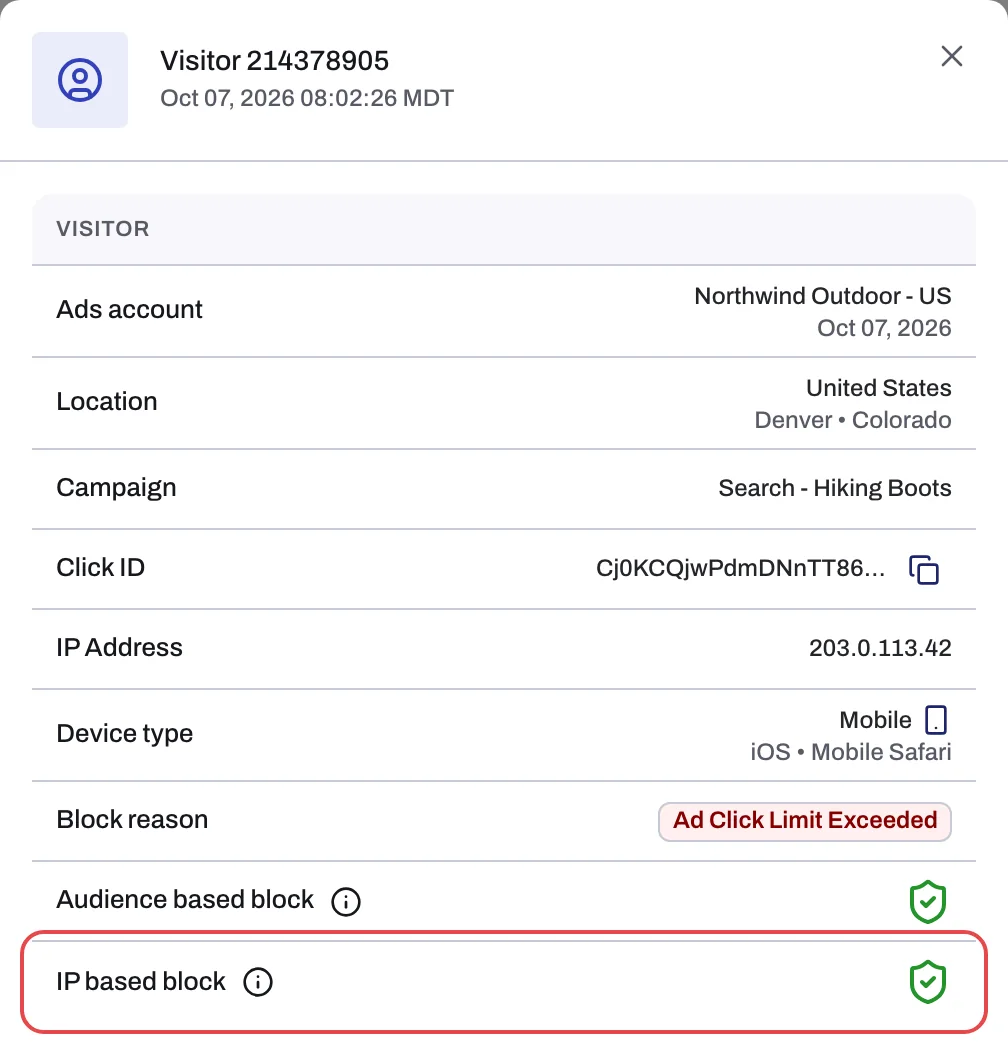
Click a row to open the proof drawer (the same drawer for every row of one visitor). IP based block says whether Tapper excluded one of the visitor's IPs; Audience based block says whether the visitor is in Tapper's audience exclusion.
See The Exclusions page and the proof drawer.
On the dashboard
The Invalid traffic tab has an IP-Blocked Visitors tile, and IP exclusions per campaign shows how full each campaign's list is.
In Google Ads
The campaign's settings list its addresses and ranges under IP exclusions, and the account's Change history logs each change. Tapper connects through your own Google sign-in, not a Tapper manager account, so changes are made with the sign-in that connected the account.
In monitor-only
Every new rule set starts in monitor-only, and it stays on during the free trial. Tapper flags invalid clicks but writes no automatic IP exclusions; only your manual IPs are sent. The Exclusions page is named Flagged traffic and lists the visitors Tapper would have excluded. See Monitor-only: why nothing is blocked yet and what changes when blocking starts.
Removing an exclusion
To release an address you added by hand, click the x on its chip on Setup > Excluded IPs and click Save. If a real customer was excluded automatically, see A real customer was blocked: what you can do.
Related
Was this helpful?
Still need help?
Chat with our team and mention this article.