

The Mobile dashboard tab: installs, sessions and tracking tool metrics
The Mobile tab is the dashboard for your app-install campaigns. Its numbers come from your tracking tool (such as Adjust or AppsFlyer), not the monitoring script: installs, sessions, purchases and revenue for the apps connected to this workspace.
Open Dashboard in the sidebar's Analytics section and pick Mobile.
Before you see data
The tab needs an app connected to one of your protected entities, with Fraud blocking on. Until then it shows No tracking tool connected. Press Connect a tracking tool, add your app under Setup > Mobile app, and follow Connect a mobile app through your tracking tool.
Controls
- An App picker: the tiles and sections follow the app you pick.
- A platform switch: All platforms, Google, Meta and TikTok. The dashboard-wide platform toggle is hidden on this tab.
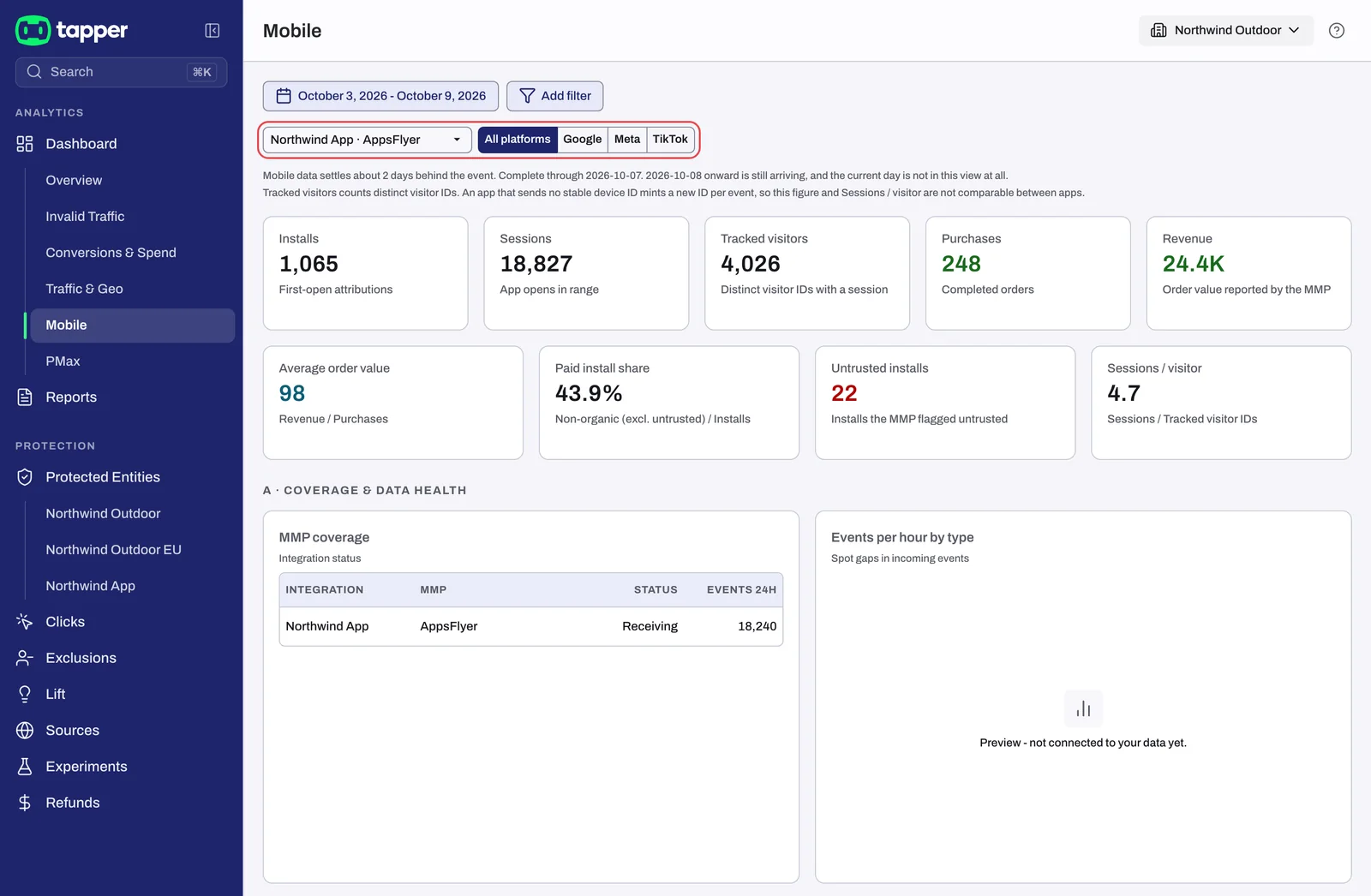
KPI tiles
Each tile's sub-line is its definition:
| Tile | Sub-line |
|---|---|
| Installs | "First-open attributions" |
| Sessions | "App opens in range" |
| Tracked visitors | "Distinct visitor IDs with a session" |
| Purchases | "Completed orders" |
| Revenue | "In your tracking tool's currency" |
| Average order value | "Revenue / Purchases" |
| Paid install share | "Non-organic (excl. untrusted) / Installs" |
| Untrusted installs | "Installs your tracking tool flagged untrusted" |
| Sessions / visitor | "Sessions / Tracked visitor IDs" |
An app that sends no stable device ID gets a new visitor ID per event, so Tracked visitors and Sessions / visitor are not comparable between apps. A note above the tiles says so.
Mobile data settles about 2 days behind the event. When your range reaches into those days, a line above the tiles says "Complete through" a date and that later days are still arriving.
Sections
Up to 14 lettered sections follow; each shows only when it has a panel for the selected app: A · Coverage & data health, B · Acquisition, C · Engagement, D · Funnel & commerce, E · Revenue, F · Signal quality, G · Value-based-bidding readiness, H · Consent & privacy, I · Device & tech, J · Attribution integrity, K · Retention & LTV, L · Product / basket, M · Cross-network & campaign and N · Spend & ROAS.
What is not on this tab
- Blocking controls. Thresholds, CTIT anomaly detection, country rules and monitor-only for your app are on the mobile app rule set (Setup > Rule sets > Mobile apps). See Mobile app rule sets.
- Web traffic. Website and ad platform clicks are on the other tabs, starting with Reading the Invalid traffic tab.
Related
Was this helpful?
Still need help?
Chat with our team and mention this article.