

Detection features: what each switch does
The Detection features section of the Web detection rules tab holds four switches and two number rows. Three of the switches are covered here: Block JavaScript-disabled browsers, VPN blocking and Behavior analysis. Each one turns a signal into a block decision for the rule set you have selected. The other switch, Block IPs by country, and the two number rows, Suspicious Ad Clicks and Minimum Seconds on Site, have their own articles (see Related).
Where the switches are
- Go to Protected Entities.
- Open the entity, then under Website open Detection rules.
- Pick the rule set you want to change in the Rule sets row. Everything below it belongs to that set.
- Scroll to Detection features. Beside each of the three switches this article covers, a chip reads Recommended: On or Recommended: Off. The third row, Block IPs by country, is a switch too but has no chip.
There is no Save button. A switch saves the moment you click it.
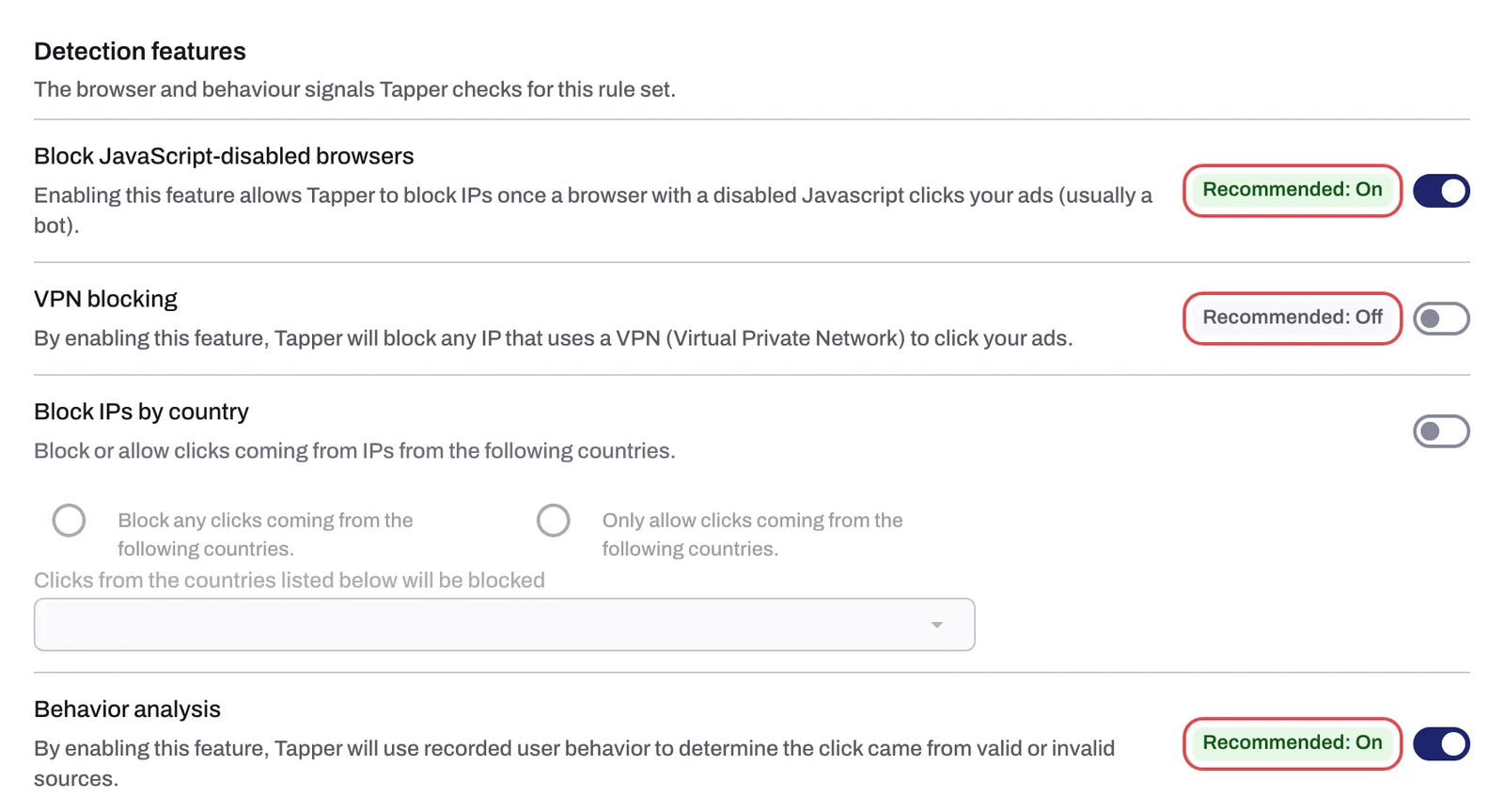
Block JavaScript-disabled browsers
Chip: Recommended: On. A new rule set starts with it on.
JavaScript runs most of what a modern website does. Some automation tools turn it off to save resources, and a visitor with it off usually cannot see much of your page or interact with it. Someone who clicks your ad with JavaScript disabled is therefore very unlikely to be a customer, and the click still costs you money. With the switch on, Tapper excludes the IP after such a click.
Tapper can only tell that JavaScript was off because the monitoring script includes a small fallback image that loads when the script itself cannot run. That is why the script has to be on your pages for this switch to do anything.
On the Exclusions page and in the refund report, these blocks carry the reason JS Disabled.
VPN blocking
Chip: Recommended: Off. A new rule set starts with it off.
Bad actors often click through a VPN to hide where they really are and to get around the location targeting in Google Ads. The switch is still recommended off because many genuine visitors use a VPN too, for privacy or because their company requires one; turning it on excludes all of them. Turn it on when VPN traffic is a measurable problem for you: the Invalid Traffic dashboard tab has a VPN traffic group with VPN Visitors by Country and VPN Conversions by Country that shows how much VPN traffic you get and whether any of it converts.
Blocks from this switch carry the reason VPN.
There is no separate proxy switch. Proxy exists as its own block reason, which you can meet on the Exclusions page and in the refund report's reason tiers, but nothing on the Web detection rules tab is labeled proxy.
Behavior analysis
Chip: Recommended: On. A new rule set starts with it on.
The monitoring script records how a visitor behaves on your page after the ad click: mouse movement, scrolling, clicks, touches and time on the page. Real visitors move in an irregular, human way, pause, scroll back, and click a few things that interest them. Bots and click farm scripts tend to move in straight lines, fire clicks at a steady rhythm, or do nothing at all and leave. With the switch on, Tapper uses these recorded signals to classify the click as valid or invalid, and excludes the IP when the behavior points to an invalid source.

Two things this switch is not:
- It is not a session recording. Tapper keeps behavior signals, not a video of the visit, and there is no playback in the app.
- It is not the same as the two number rows below it. Suspicious Ad Clicks counts clicks that produce no events on your page at all, and Minimum Seconds on Site looks at the length of the visit. Behavior analysis looks at what happens during the visit.
Where to see its results: on the Clicks page, open a Google Ads or Meta Ads row to get the visitor drawer with the visitor's block reason, ad clicks and IP addresses. On the Exclusions page, these blocks carry the reason Unusual Behavior.
What you see in Tapper
| Switch | Chip | Default for a new rule set | Works from | Block reason |
|---|---|---|---|---|
| Block JavaScript-disabled browsers | Recommended: On | On | The monitoring script's fallback image | JS Disabled |
| VPN blocking | Recommended: Off | Off | The visitor's IP address | VPN |
| Behavior analysis | Recommended: On | On | Behavior the monitoring script records | Unusual Behavior |
Related
Was this helpful?
Related articles
Still need help?
Chat with our team and mention this article.