

Cross-platform blocking across Google, Meta and TikTok
Cross-platform blocking is a switch on the Web detection rules tab of a protected entity. With it on, a visitor that Tapper Block flags after a click on one ad platform is blocked on your other protected platforms (Google, Meta and TikTok) as well, not only on the platform where the click happened. It is off by default.
How it works
Without it, a detection stays on the platform that produced it: a visitor flagged after a Google click is excluded in Google Ads, a visitor flagged after a Meta click is excluded in Meta. With it on, the same visitor is excluded on every protected platform of the entity. For example, a visitor flagged after clicking one of your Meta ads is also excluded from your Google Ads campaigns, and the other way round.
Each platform only takes the exclusions it supports: Google Ads takes IP and audience exclusions, while Meta and TikTok take an audience exclusion on the ad sets and ad groups you protect, because neither offers IP exclusions. See How Block protects Meta ads and How Block protects TikTok ads.
A few things to know before you turn it on:
- The switch is always shown, but it only makes a difference when the entity has more than one ad platform connected and protected. On an entity with Google Ads alone there is nothing to cross-block.
- The switch belongs to the rule set you have selected. Everything in the Blocking section applies to the selected set, so an entity with several rule sets can have it on for one set and off for another. See Rule sets: apply different rules to platforms, ad accounts or campaigns.
Turn it on
- Open Protected Entities in the sidebar and pick the entity.
- In the left rail, under Website, click Detection rules. The page title is Web detection rules.
- If the entity has more than one rule set, select the set you want in Rule sets.
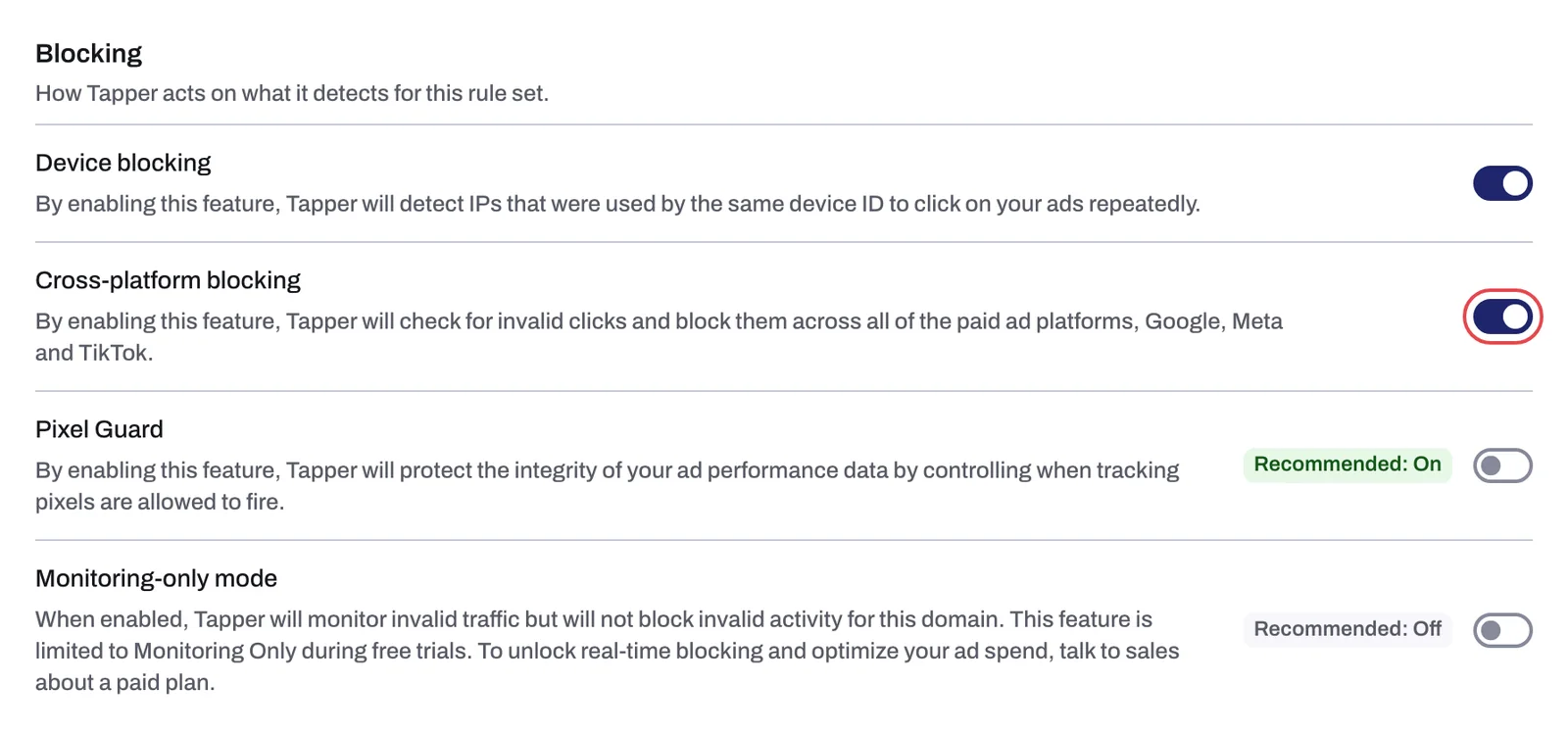
- Scroll to the Blocking section and turn on Cross-platform blocking. The switch saves the moment you click it.
Where cross-platform blocks show up
The Exclusions page in the sidebar lists what Tapper excluded, one list per platform (Google, Meta, TikTok and Microsoft). A visitor that was blocked on a platform because of a detection on another one carries the reason Cross Platform Blocked in that list's Block reason column. So a visitor flagged after a Meta click appears in the Google list with that reason, and the Meta list shows the reason that triggered the original block.
On a monitoring-only workspace the page is titled Invalid Traffic instead, because nothing is excluded yet. See The Exclusions page and the proof drawer and Block reasons explained: what each label means.
Related
Was this helpful?
Related articles
Still need help?
Chat with our team and mention this article.