

Skip to content
Support
Open Tapper
  • Getting started
  • Connect ad accounts
  • Website tracking
  • Block: rules and exclusions
  • Google, Meta and TikTok
  • Dashboard and reports
  • Tapper Lift
  • Tapper Vantage
  • Account, team and billing

    Sign-in, trial and billing

    • Can't sign in: wrong password, lost authenticator, SSO not found
    • Your free trial has ended or a payment failed
    • Sign in to Tapper: password, Google or SSO
    • Reset a forgotten password
    • Turn on two-factor authentication (2FA)
    • Change your password
    • Update your profile, photo, email and theme
    • Your free trial: what it includes and what stays off
    • Billing: your plan, renewal, seats and invoices

    Workspaces, members and SSO

    • Workspaces: create, switch, rename and delete
    • Invite members and set their roles
    • Roles: what Owners, Admins and Editors can do
    • Set up single sign-on (SSO) for your workspace
    • Configure your identity provider for Tapper SSO
    • Create and manage API keys

    Manage Your Account (earlier help center)

    • How to change your password?
    • Two factor authentication (2FA)
    • How to create a workspace
    • How to add teammates to your workspace
    • Teammate permission
  • Security and privacy
  • Refunds and experiments
  • Troubleshooting
  • FAQs
  1. Support
  2. Account, team and billing
  3. Manage Your Account (earlier help center)

How to add teammates to your workspace

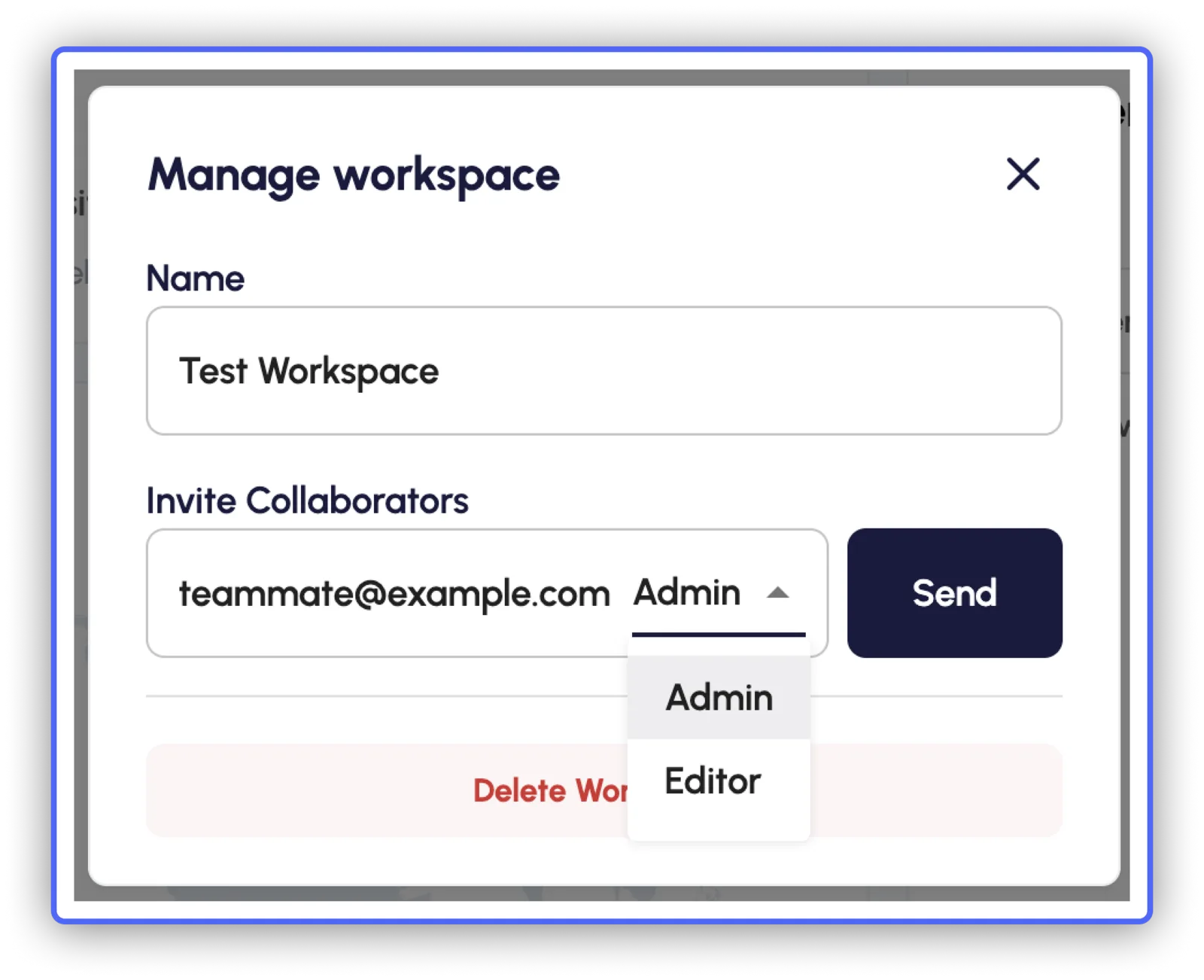
You can add a teammate to your workspace by simply adding their work email on the text box under “Invite Collaborators” and pressing on "Send"
Was this helpful?

Related articles

  • Teammate permission
  • How to create a workspace
  • Two factor authentication (2FA)
  • How to change your password?

Still need help?

Chat with our team and mention this article.

Still stuck?

Support homeDocstapper.aiPrivacy policyTerms of service

© 2026 Tapper