

Your free trial: what it includes and what stays off
Every new Tapper account starts on a free trial. There is no credit card to enter and nothing is charged. During the trial Tapper detects and reports invalid traffic in full, but Block does not block what it detects until you move to a paid plan.
Using Lift only? Your free trial starts and ends the same way. It covers Lift's recommendations, which start once Tapper has set your workspace up; the monitoring script, detection rules and blocking below are part of Block + Lift.
How the trial starts
- The trial starts on its own when you sign up.
- The trial belongs to the person who signed up. A workspace runs on its owner's newest live subscription, so every workspace you own uses your trial, and the people you invite work under it too.
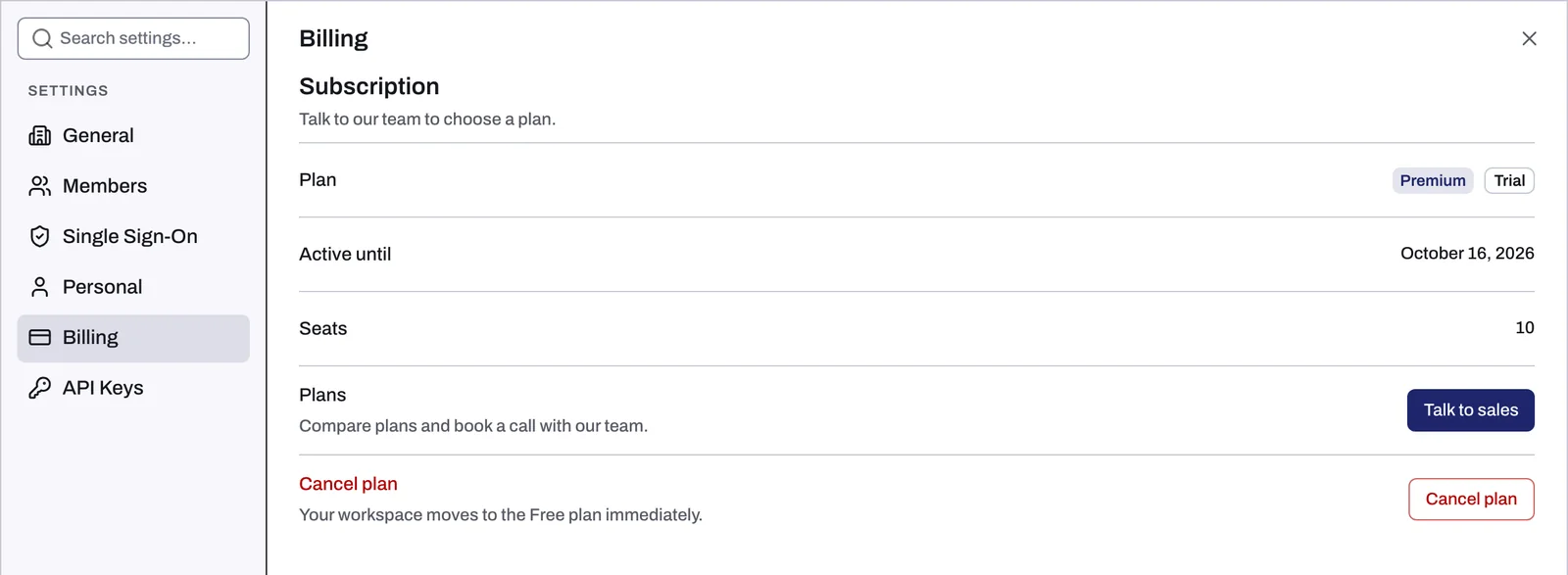
- To see your trial, open Settings and choose Billing: the Plan row carries a Trial chip. While the trial runs, the Active until row shows a date that is not the day your trial ends. To confirm your end date, write to support@tapper.ai. The Terms of Service at <https://tapper.ai/terms-of-service> set out how trials work.
What the trial includes
Everything Tapper needs to show you your invalid traffic:
- Connecting your ad accounts and, on a Block + Lift workspace, installing the monitoring script on your site.
- On Block + Lift, detection rules for each protected entity, so you can tune thresholds and features before blocking starts.
- On Block + Lift, the dashboard, the Clicks page and the Invalid Traffic page. They fill up as they would with blocking on, with labels adapted to monitoring-only mode.
- Lift's recommendations for your Google Ads, Meta Ads and TikTok Ads accounts on the Lift page, once Tapper has set your workspace up.
- The seats shown in the Seats row of Billing, for the people you invite.
What stays off: blocking
The trial runs in monitoring-only mode. Every rule set starts with Monitoring-only mode switched on, and during the trial it stays on.
On a Block + Lift workspace, once an ad account is connected, a Monitor-only notice sits at the top of every page and cannot be closed. A Lift only workspace has no blocking to switch on, during the trial or after it. Monitoring-only mode: why nothing is blocked yet and what changes when blocking starts explains exactly what is and is not written to your ad accounts in this mode.
Move to a paid plan
- Open Settings and choose Billing.
- Click Talk to sales. The Plans page opens.
- Use the Enterprise and Startup/SME toggle to compare what each plan covers.
- Click Book a call and pick a time with Tapper's team.
There is no checkout in the app and no card form on the Plans page, so the call is the way to a paid plan from inside Tapper. For public pricing, see <https://tapper.ai/pricing>.
Once your paid plan is active, Billing shows it, and an Owner or Admin can turn Monitoring-only mode off for each rule set to start blocking.
When the trial ends
If the trial ends before you move to a paid plan, Tapper shows a page titled Your free trial has ended in place of the app. Your data is kept. What the page says and how to get back in are in Your free trial has ended or a payment failed.
Related
Was this helpful?
Related articles
Still need help?
Chat with our team and mention this article.