

Connection failed, Sign-in cancelled or Connection status unknown
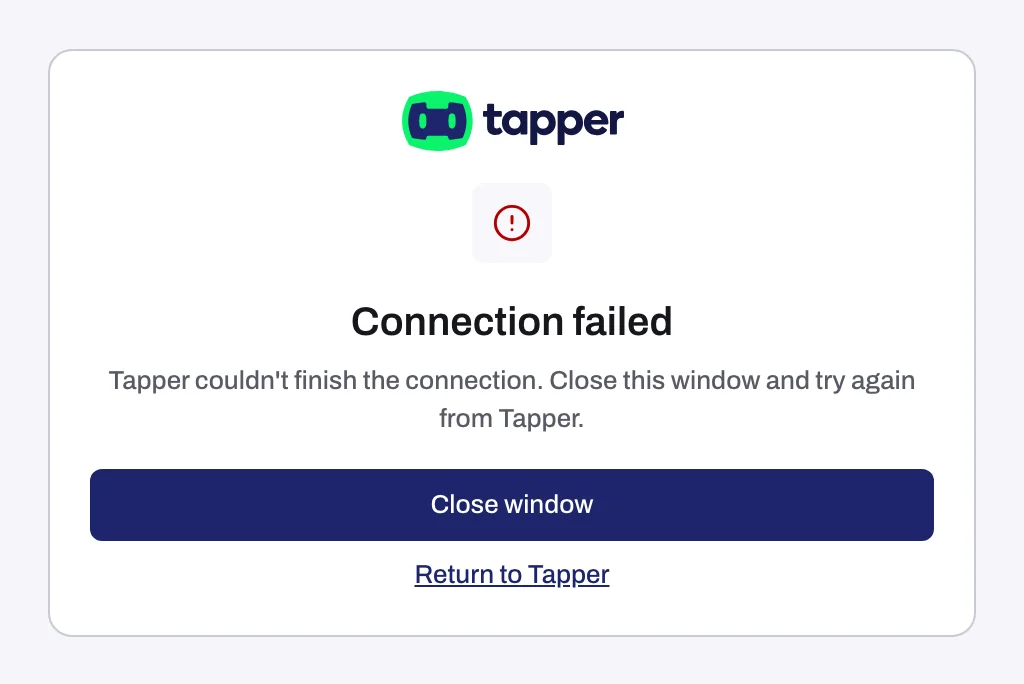
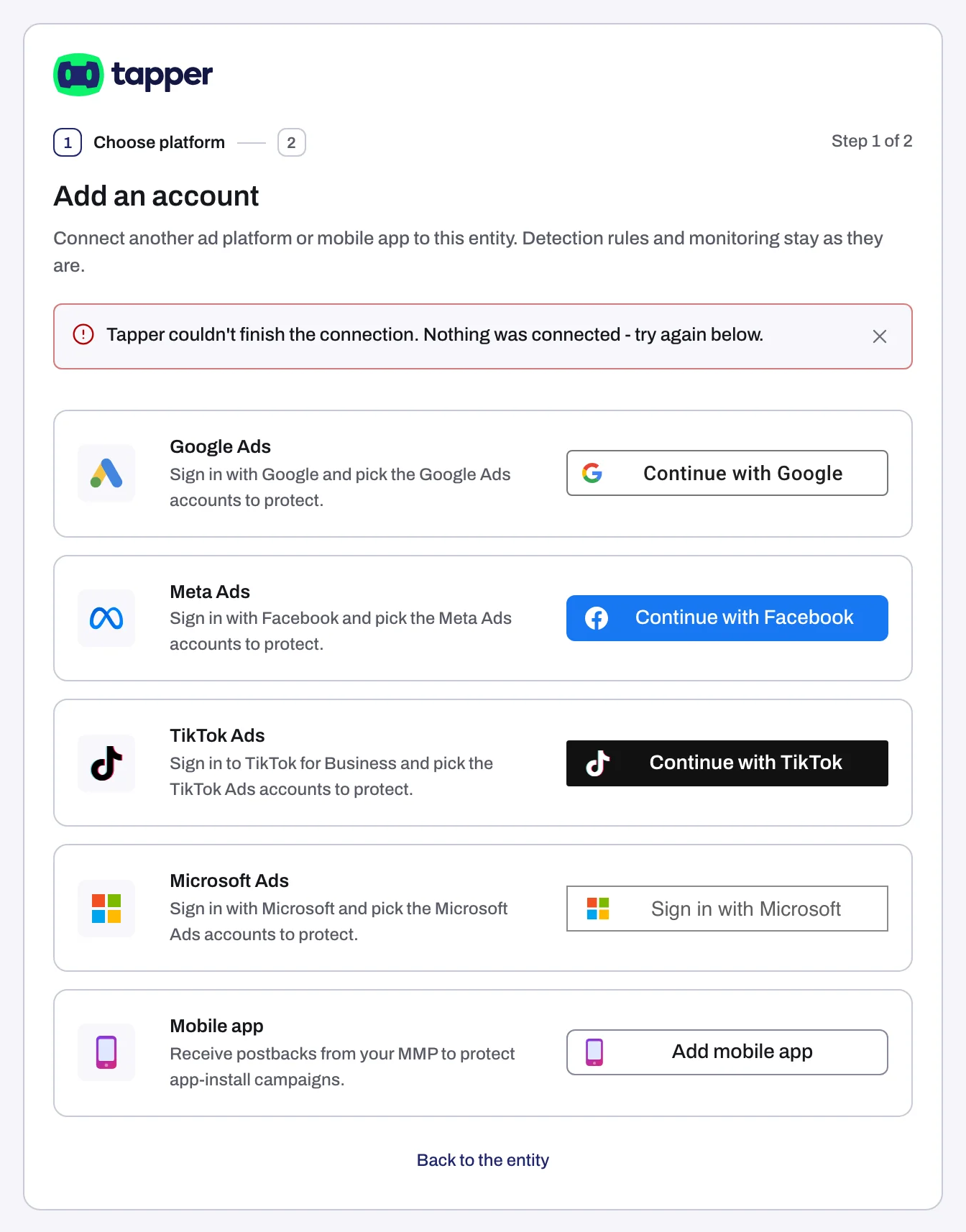
When you click Continue with Google, Continue with Facebook, Continue with TikTok or Sign in with Microsoft, Tapper opens a popup for the platform's sign-in. If the sign-in does not finish, the popup shows Connection failed, Sign-in cancelled or Connection status unknown, followed by the reason and what to do next, usually "Close this window and try again from Tapper." Back on the Tapper page, an alert above the platform list repeats what happened.
Why it happens
| Popup title | Alert on the Tapper page | What it means |
|---|---|---|
| Connection failed | A reason such as "Tapper couldn't finish the connection." or "The platform did not authorize the connection.", then a note that nothing was connected and you can try again below | The sign-in did not complete, including when you cancel or decline on the platform's own screen. Nothing was connected. |
| Sign-in cancelled | "You cancelled the sign-in. Nothing was connected. Try again below." | The sign-in was canceled before it finished. You rarely see this title: canceling on the platform's own screen shows Connection failed. Nothing was connected. |
| Connection status unknown | "Tapper couldn't tell whether the connection finished. Check whether it connected before you try again." | The sign-in may or may not have finished. |
If you cancel or decline on Google's, Facebook's, TikTok's or Microsoft's own screen, the popup shows Connection failed with "Tapper couldn't finish the connection. Close this window and try again from Tapper." If you sign in to Google but leave the box that lets Tapper manage your Google Ads unticked, the reason reads "On Google's screen, tick the box that lets Tapper manage your Google Ads, then connect again."
The popup has a Close window button and a Return to Tapper link. If you close the popup yourself before the sign-in finishes, Tapper shows no message: click the platform's button again. If your browser blocked the popup, the sign-in ran in the same tab instead, and you see Try again and Return to Tapper.
Some messages appear before the sign-in even starts:
- "Your Tapper session ended. Sign in to Tapper again, then connect the account." Your Tapper login timed out.
- "Only a workspace owner or admin can connect an account. Ask one of them to connect it for you." See Only a workspace owner or admin can connect an account.
- "Tapper could not start the sign-in because this setup has no entity yet. Go back to Protected Entities and press Finish setup." The setup has no entity to connect the account to yet.
Fix it
Connection failed or Sign-in cancelled
- Click Close window. If the sign-in ran in the same tab instead of a popup, click Try again and go to step 3.
- On the Tapper page, click the platform's button again.
- Complete the sign-in and accept what the platform asks for. Tapper needs that access to list and use your accounts.
Connection status unknown
- Close the popup.
- Open the entity's platform tab, for example Google protection, and look for the account's card.
- If the card is there with the chip Connected, you are done. If it is not, connect the account again.
Your Tapper session ended
- Sign in to Tapper again.
- Go back to the entity (or the setup step) and click the platform's button again.
No entity yet
- Open Protected Entities in the sidebar.
- Under Finish setting up this workspace, click Finish setup to pick up the setup where it stopped, then connect from there.
Messages after the sign-in, while accounts link
Once you pick accounts and click Continue or Finish, Tapper links them in the background for up to 90 seconds.
- This is taking longer than usual: not an error. Click Keep waiting, or carry on and check the entity's platform tab later.
- Couldn't connect this Google Ads account (or Couldn't connect your Google Ads accounts for several): for one account the reason follows the title; for several, each account is listed with its reason. The title names your platform.
- 1 account connected, 1 did not (with your own counts): the accounts that worked are connected; the others are listed with their reasons.
Pick the button that matches the reason:
- Retry the failed accounts (or Retry) tries again with the same sign-in. Use it when the reason says to try again, for example "Google Ads is limiting requests right now, so ... wasn't connected. Try again in a few minutes."
- Reconnect Google Ads (or the platform's name) starts over with a fresh sign-in. Use it when the reason says the platform signed Tapper out or the login has no access, or when you spent more than 30 minutes on the account list: Tapper holds the sign-in for 30 minutes while you pick.
If it still happens
- "Tapper couldn't finish connecting this account. Try again; if it fails twice, contact support." (or "Tapper couldn't finish connecting these accounts." with the same advice): try once more. If it fails a second time, write to support@tapper.ai with the platform, the account ID and the exact message.
- The platform buttons do nothing: they stay disabled until the workspace has finished loading. Wait a moment, or reload the page.
- For platform-specific reasons, see Google Ads says your sign-in has no access to the account, No Google Ads accounts found, or the list did not load and Meta Ads account could not be connected.
Related
Was this helpful?
Related articles
Still need help?
Chat with our team and mention this article.