

Only a workspace owner or admin can connect an account
If you click Continue with Google (or the button for another platform) and see "Only a workspace owner or admin can connect an account. Ask one of them to connect it for you.", your role in this workspace is Editor. Connecting an ad account is a change to the workspace, and only Owners and Admins can make changes.
Why it happens
Every member of a workspace has one of three roles, set by an Owner or Admin when they invite you:
| Role | What it allows |
|---|---|
| Owner | Every change, including deleting the workspace. Each workspace has exactly one owner. |
| Admin | Every change except deleting the workspace: connecting ad accounts, changing products, Lift, API keys, SSO setup and more. |
| Editor | Viewing, including Reports and Refunds. An Editor member changes nothing. |
Fix it
- Ask an Owner or Admin of the workspace to connect the account for you. If you are not sure who that is, the person who invited you was an Owner or Admin when they did: only Owners and Admins can invite members.
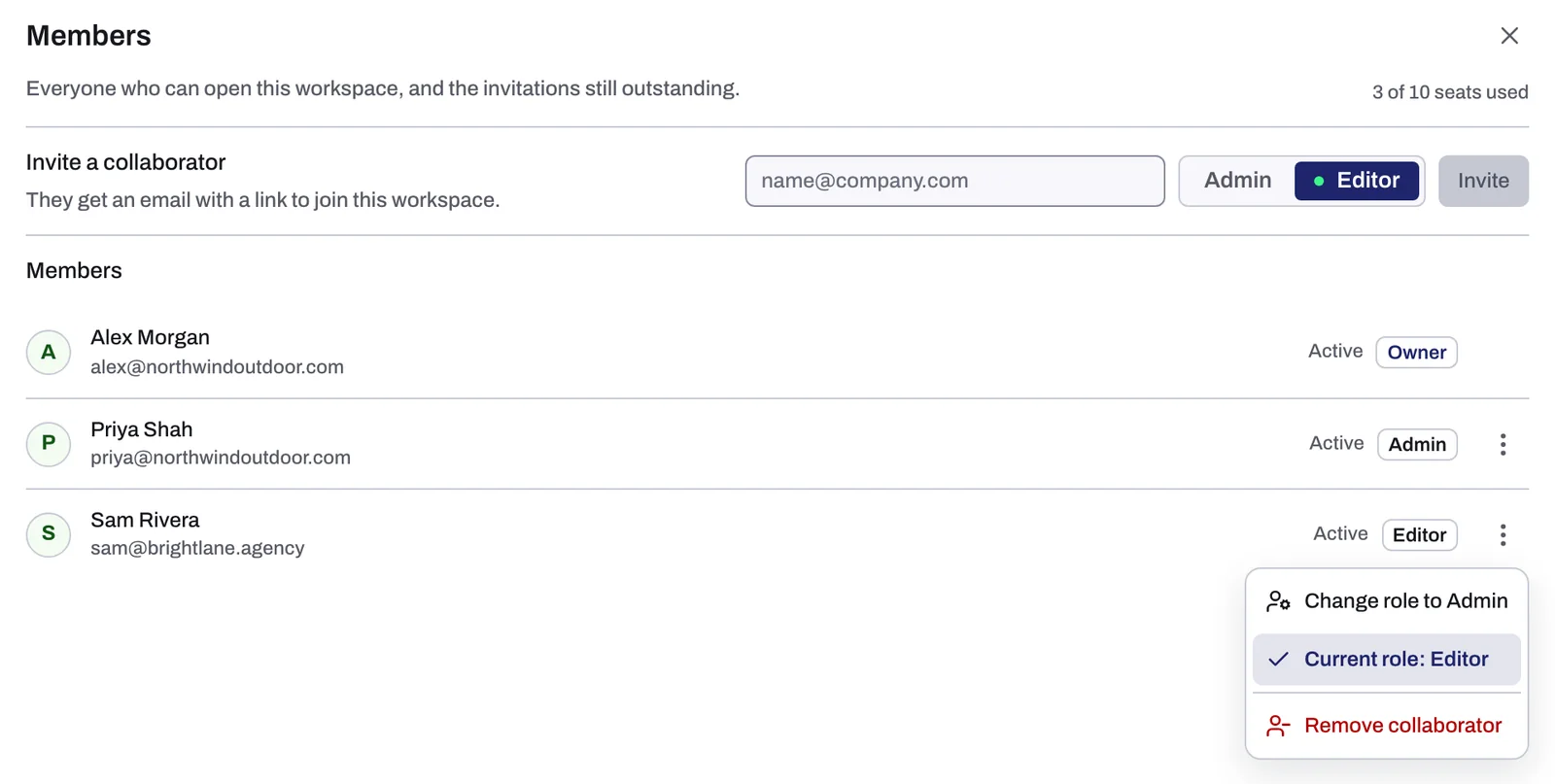
- Or ask them to make you an Admin. In Settings, under Members, they open the menu on your row and choose Change role to Admin.
- Once your role is Admin, go back to the entity and connect the account.
If it still happens
- You were just made Admin but still see the message: reload the page, then try again.
- Ownership cannot be handed over from Settings. To move the Owner role to someone else, write to support@tapper.ai.
Related
Was this helpful?
Related articles
Still need help?
Chat with our team and mention this article.