

No Google Ads accounts found, or the list did not load
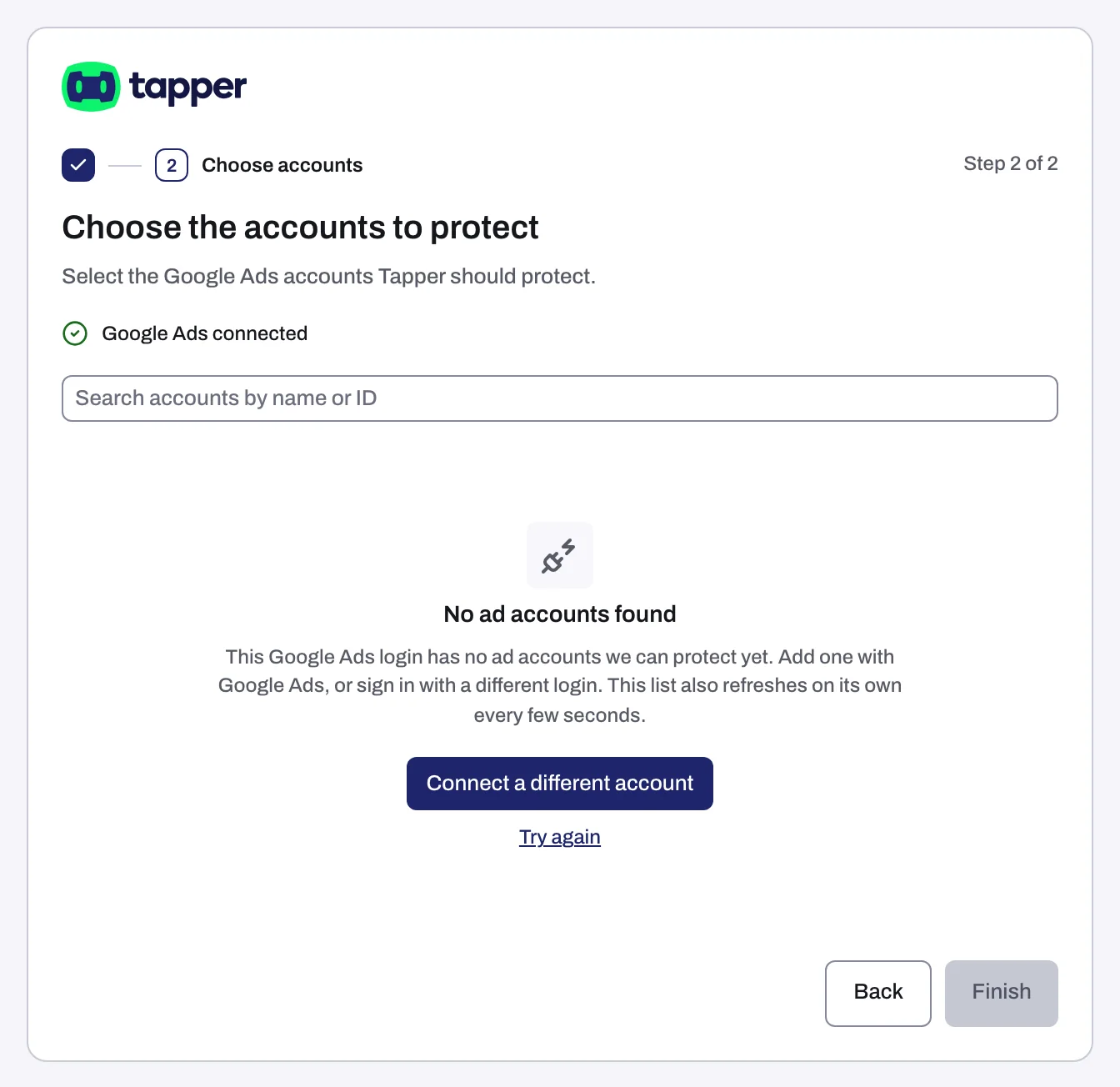
After you sign in with Google, Tapper shows Choose the accounts to protect (on a Lift-only workspace, Choose the accounts to connect) with every Google Ads account your Google login can reach.
No ad accounts found
The page shows No ad accounts found.
Why it happens
The list holds every Google Ads account the login can open, directly or through a manager account (MCC). Manager accounts are expanded into their client accounts and are never listed themselves. So the list is empty when:
- you signed in with a different Google login from the one that has access to your Google Ads accounts, or
- the login has no Google Ads account yet, or only a manager account with no client accounts under it.
Fix it
- If you used the wrong Google login, click Connect a different account and sign in with the right one.
- If your login needs access to the account, have someone add it in Google Ads and accept the invitation (see Google Ads says your sign-in has no access to the account). If you have no Google Ads account yet, create one in Google Ads.
- Stay on the page: the list checks again on its own, so the account appears without a new sign-in. You can also click Try again.
No accounts match your search
If you typed in Search accounts by name or ID, the page may read No accounts match your search. Click Clear search, then search by the account name or its ID.
Couldn't load your Google Ads accounts
The page shows Couldn't load your Google Ads accounts with a reason.
- If the reason is "Your Google Ads sign-in has ended. Sign in with Google Ads again.", click Connect again and sign in.
- Otherwise click Retry. If the list still does not load, click Connect again for a fresh sign-in.
If the page sat open for a long time before you picked, start with Connect again: Tapper holds your Google sign-in for 30 minutes while you pick accounts.
Google Ads is limiting requests
After you click Continue or Finish, an account can fail with "Google Ads is limiting requests right now, so ... wasn't connected. Try again in a few minutes." Wait a few minutes, then click Retry the failed accounts (or Retry).
An account you picked is refused
- This Google Ads account is already connected: the account is already on this entity. Open the entity's Google protection tab to find its card.
- On a Lift-only workspace: "This account is connected in another Tapper workspace. Disconnect it there first." An Owner or Admin of the other workspace disconnects it there (see Disconnect an ad account), then you connect it here.
If it still happens
- Some accounts show but one is missing: the login cannot reach that account, or it is a manager account, which is never listed (pick its client accounts instead). Sign in with a login that has access, or get yours added in Google Ads.
- The list keeps failing after Connect again: write to support@tapper.ai with the Google login you used and the exact message.
Related
Was this helpful?
Related articles
Still need help?
Chat with our team and mention this article.