

How to connect Meta (new user registration flow)
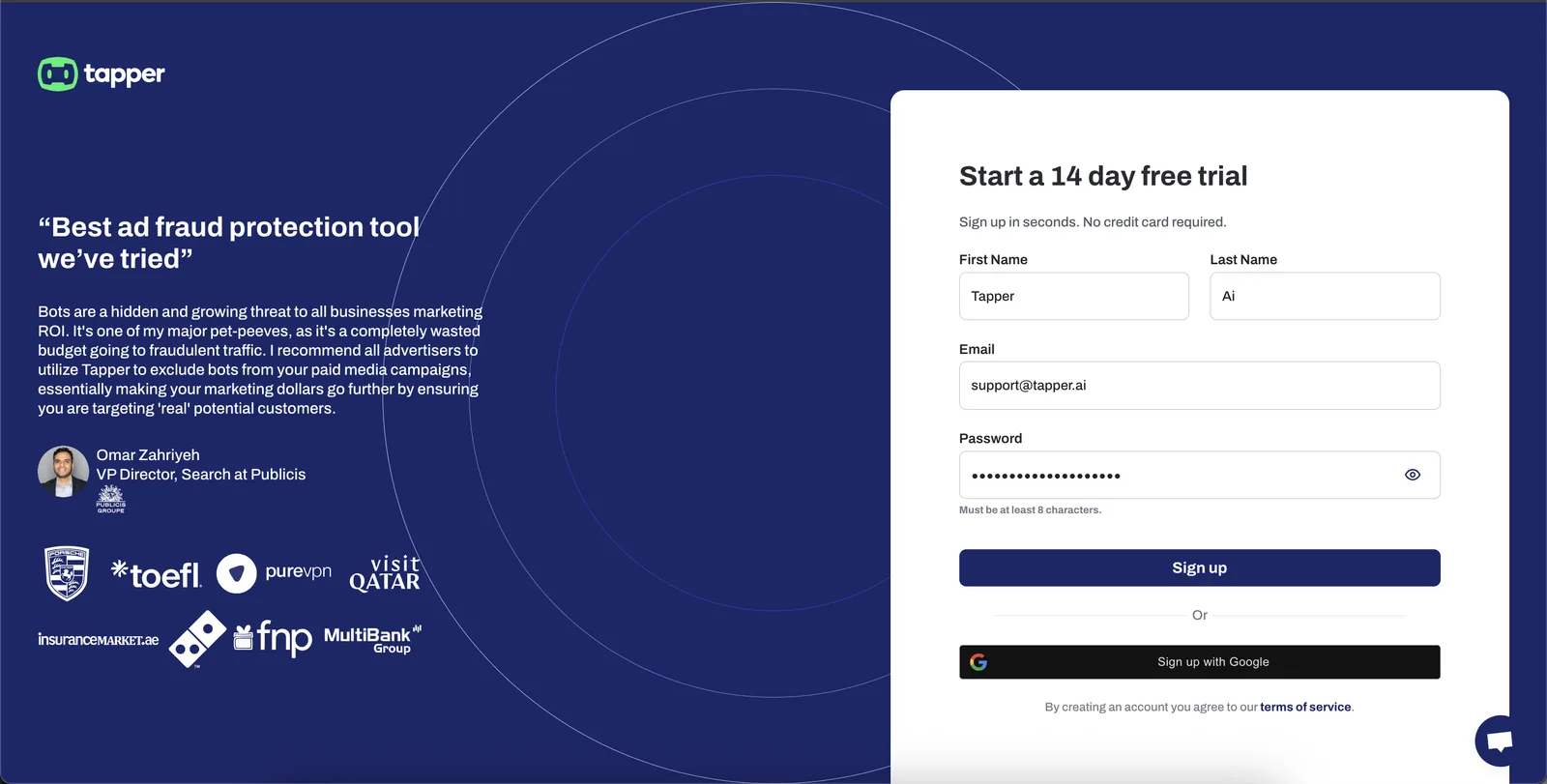
1. Sign up for Tapper
Head to the Tapper registration page and create your account.
- Enter your first name, last name, email, and password.
- Or sign up directly with your Google account for a faster start.
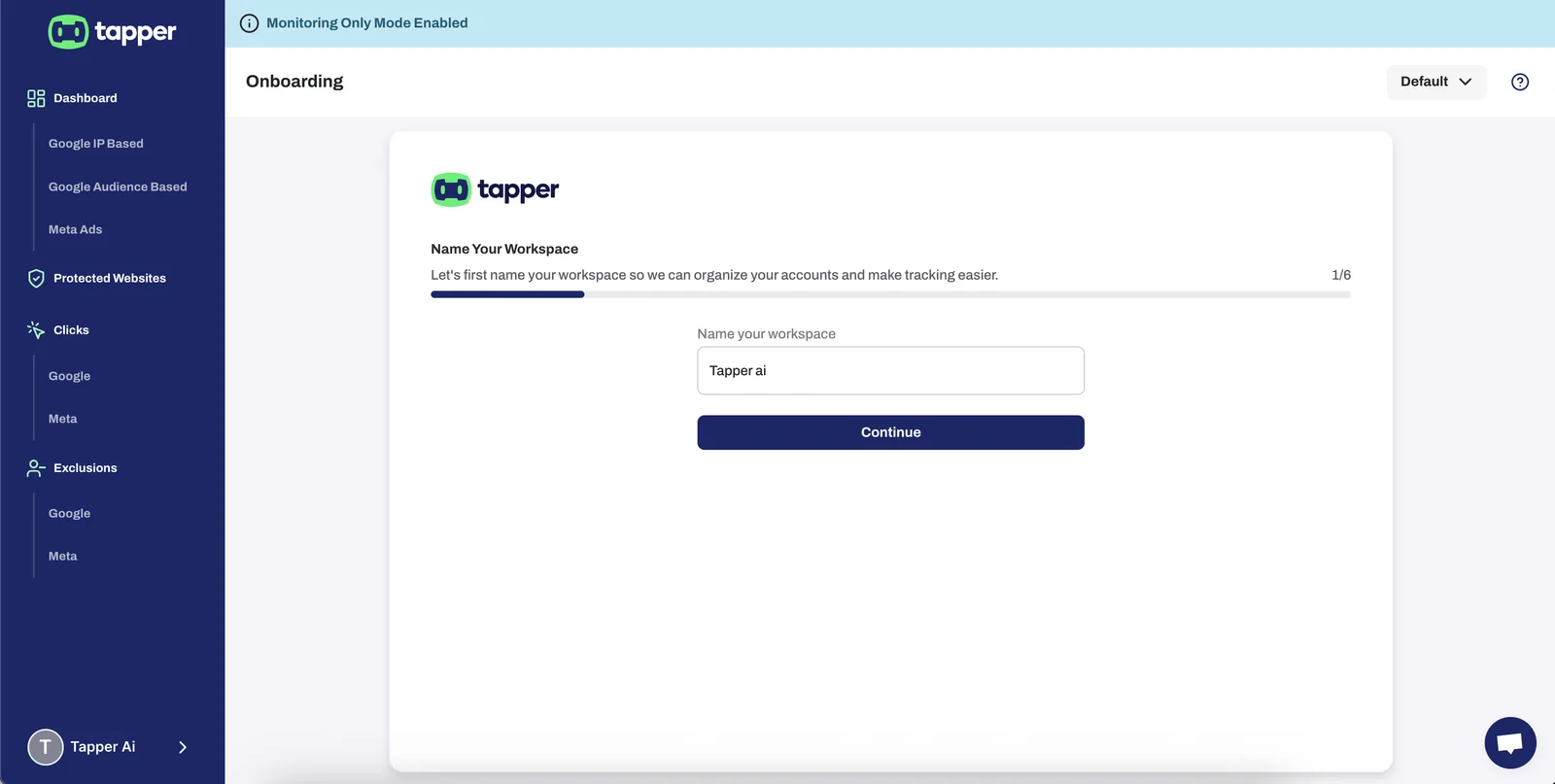
2. Name your workspace
After registering, set a workspace name. This helps you keep accounts organised and makes tracking simple.
3. Connect Meta
Once your workspace is created, you’ll be prompted to connect your Meta account.
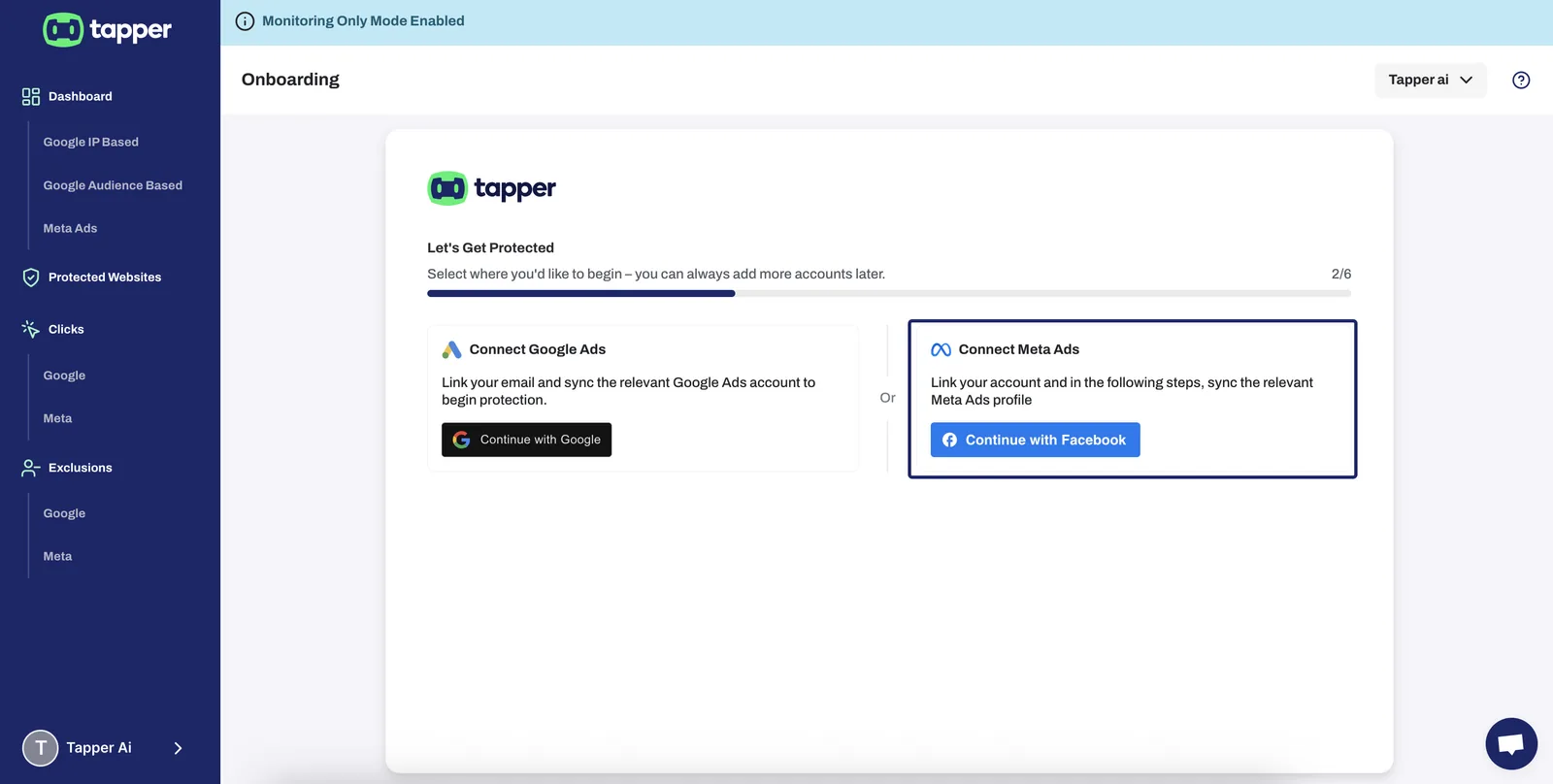
Important: Meta Requires Page Ownership to Connect
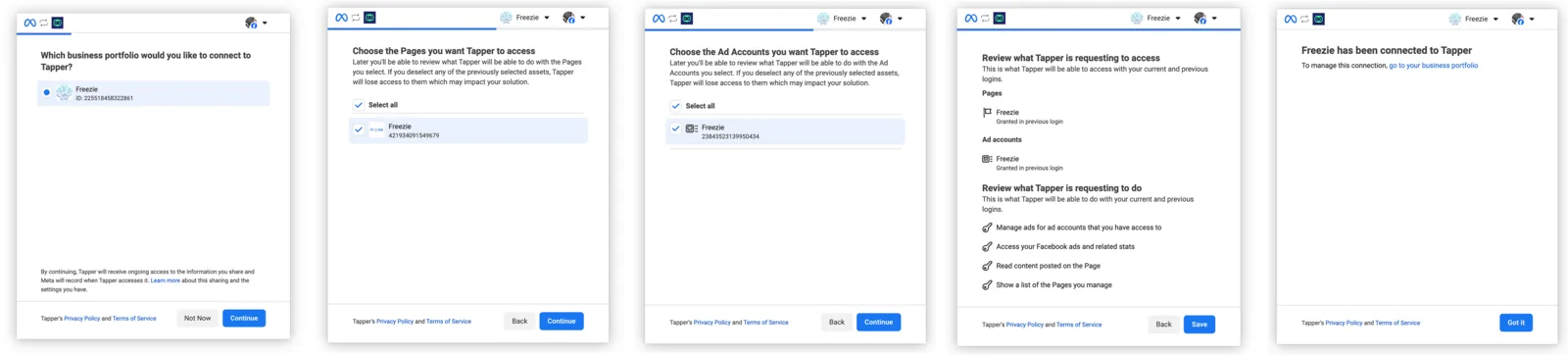
6. Authorise the connection (Facebook Flow)
Follow these steps in the popup window:
- Select your business portfolio
- Choose the Pages to give Tapper access
- Choose the Ad Accounts
- Review and accept the permissions
- Hit Save Once done, you’ll see: “[Your Business] has been connected to Tapper”
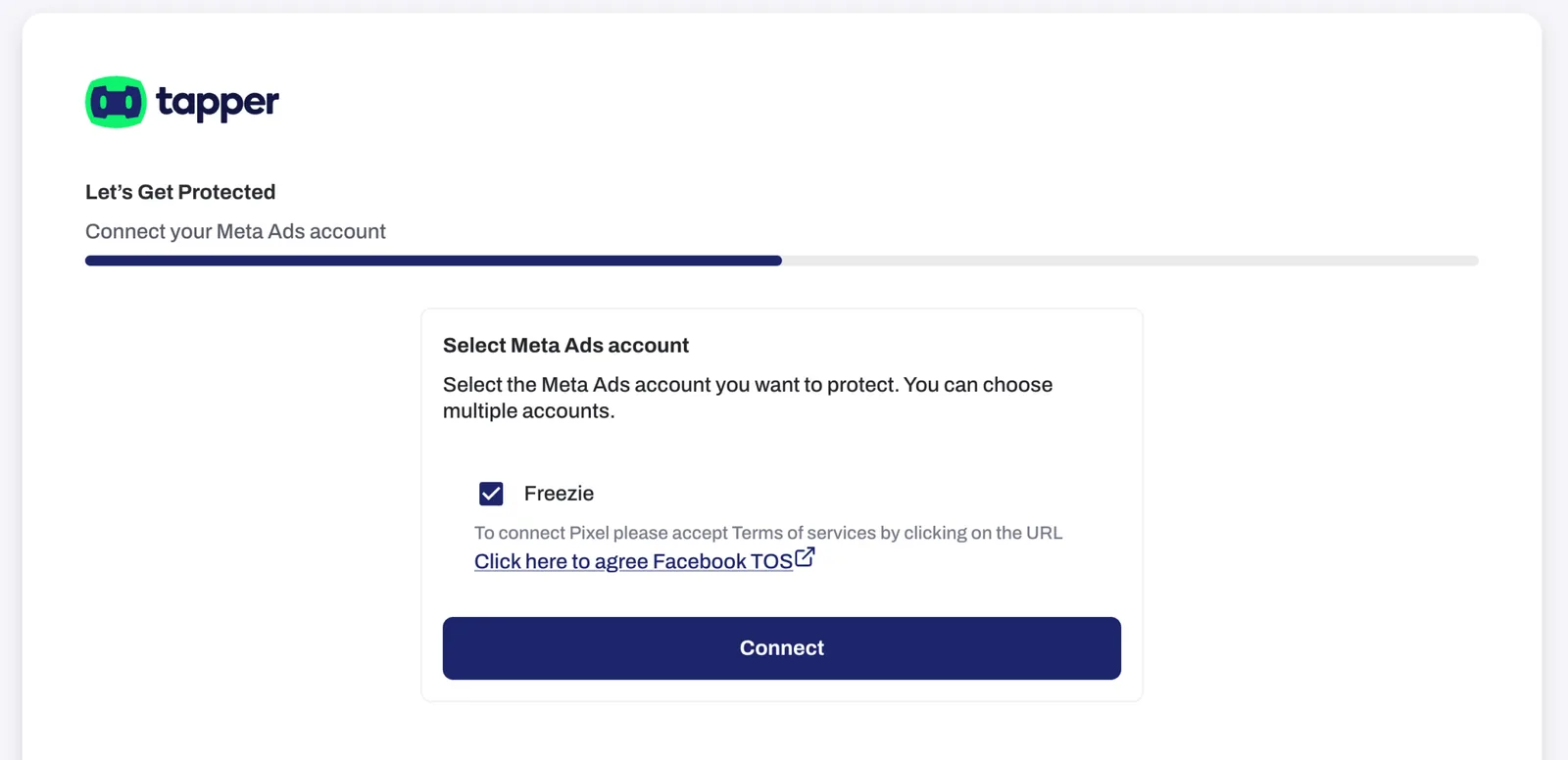
Final step: confirm connection & accept pixel terms
You'll land on the Tapper screen prompting you to:
- Select the Meta Ads account(s) you want Tapper to protect
- Agree to Facebook’s Terms of Service for Pixel use
- Then click Connect
| (This step is essential for Tapper to activate pixel-based detection and protection for your Meta Ads.)
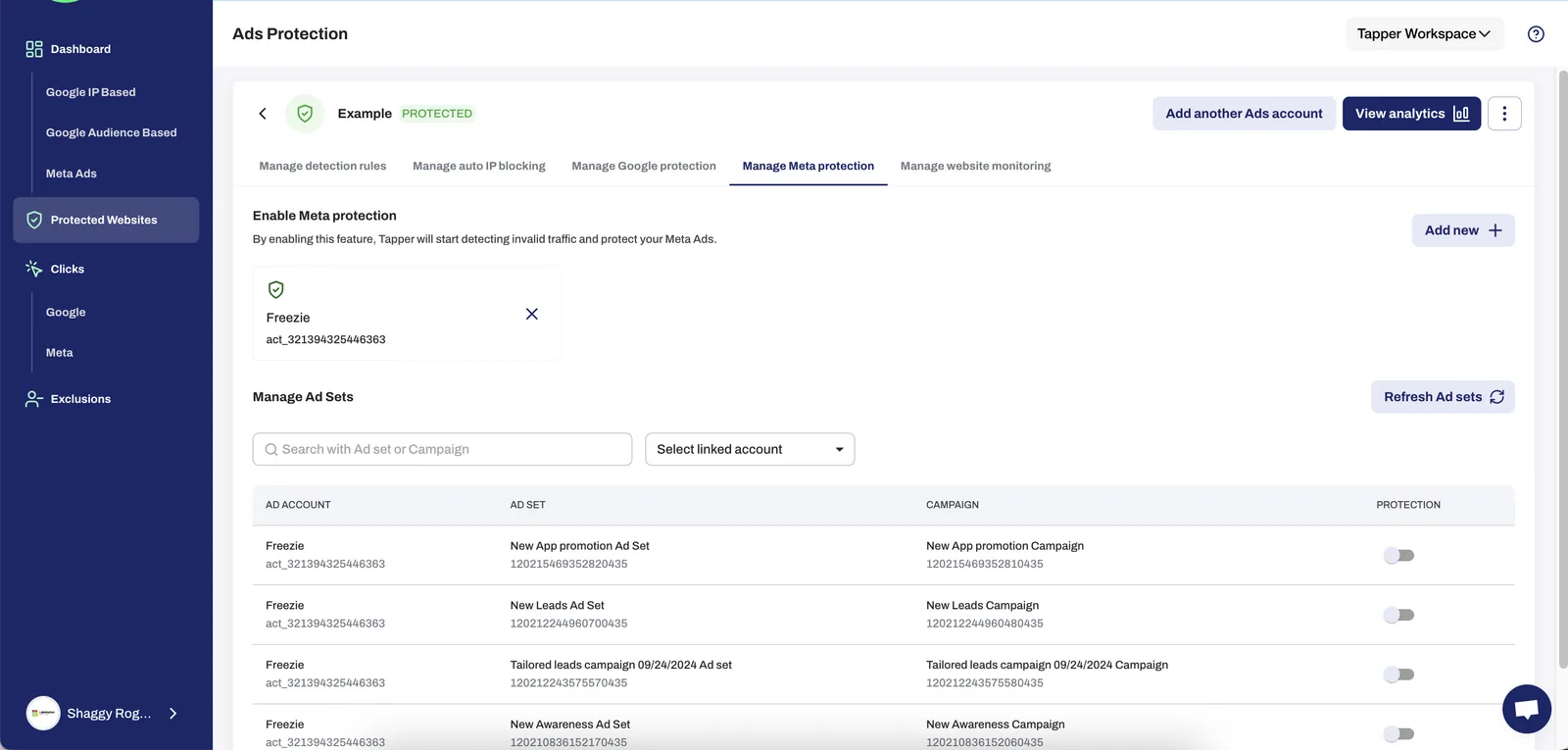
8. See your connected account in Tapper
You’ll now see your Meta Ad account listed inside Tapper.
- You can search and manage Ad Sets or campaigns
- Tapper begins detecting and filtering invalid traffic in real time
Was this helpful?
Related articles
Still need help?
Chat with our team and mention this article.