

Connect DV360 to Tapper
On this page
Give Tapper read only access to your Display & Video 360 advertisers. It takes about five minutes in DV360, and nothing in your campaigns changes.
- Who does it: a DV360 Admin on your partner. Only Admins can add users. At an agency this is usually the DV360 or programmatic team.
- What you need: Tapper's address and the list of advertisers to connect. Your Tapper contact sends you the address.
- Time: about five minutes. Tapper checks the access the next morning.
Steps
The pictures are simplified. The labels match DV360, but your screen looks different.
1. Open User management
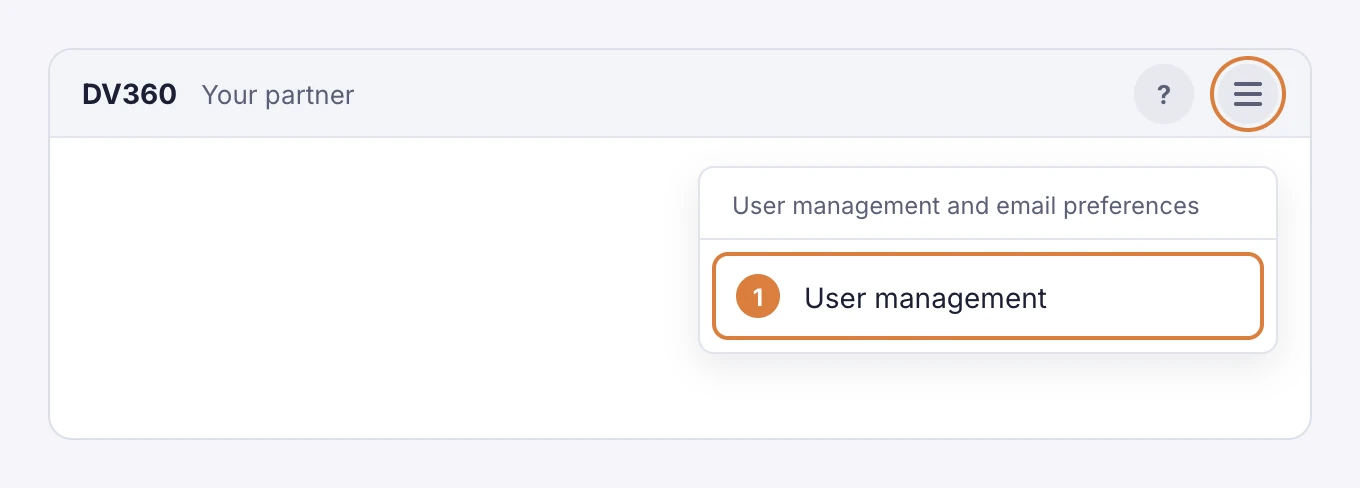
In the upper right corner of DV360, open User management and email preferences, then choose User management.
2. Add Tapper as a new user
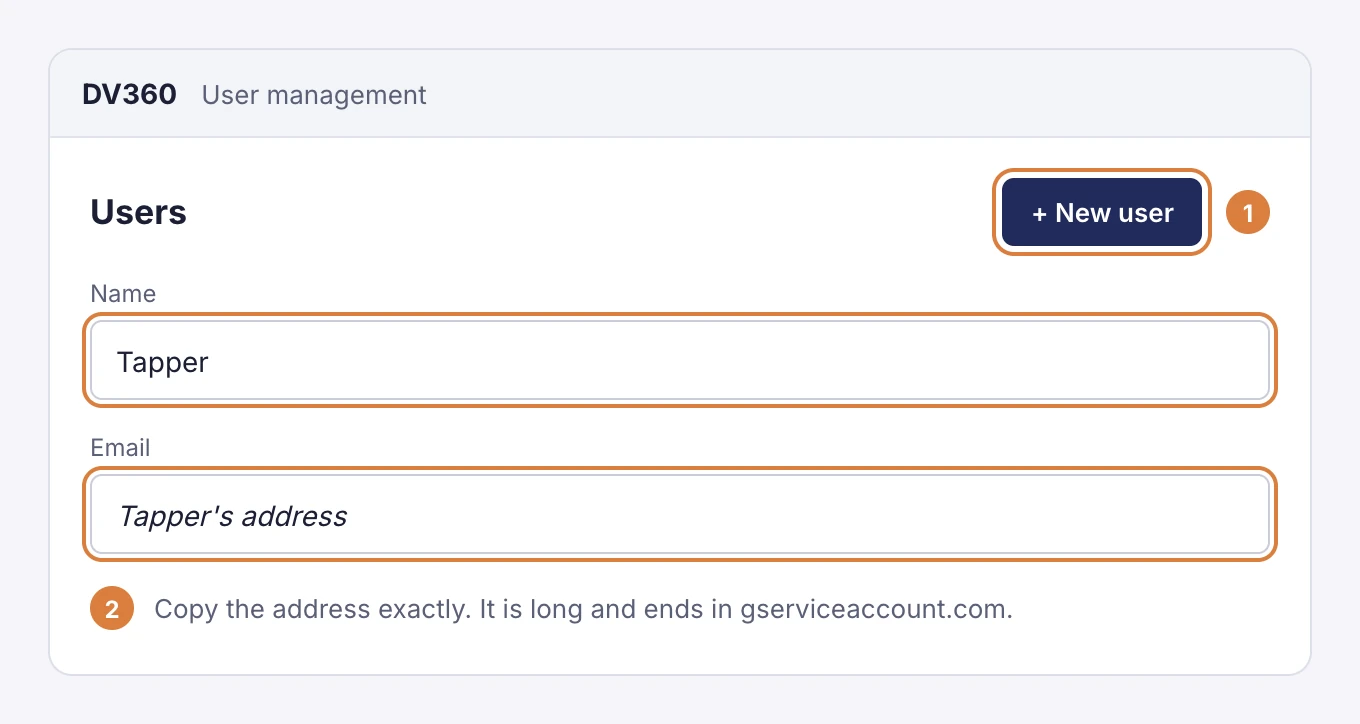
Click New user. Enter Tapper as the name and Tapper's address as the email. Copy the address exactly: it is long and ends in gserviceaccount.com.
3. Give it Read only on each advertiser
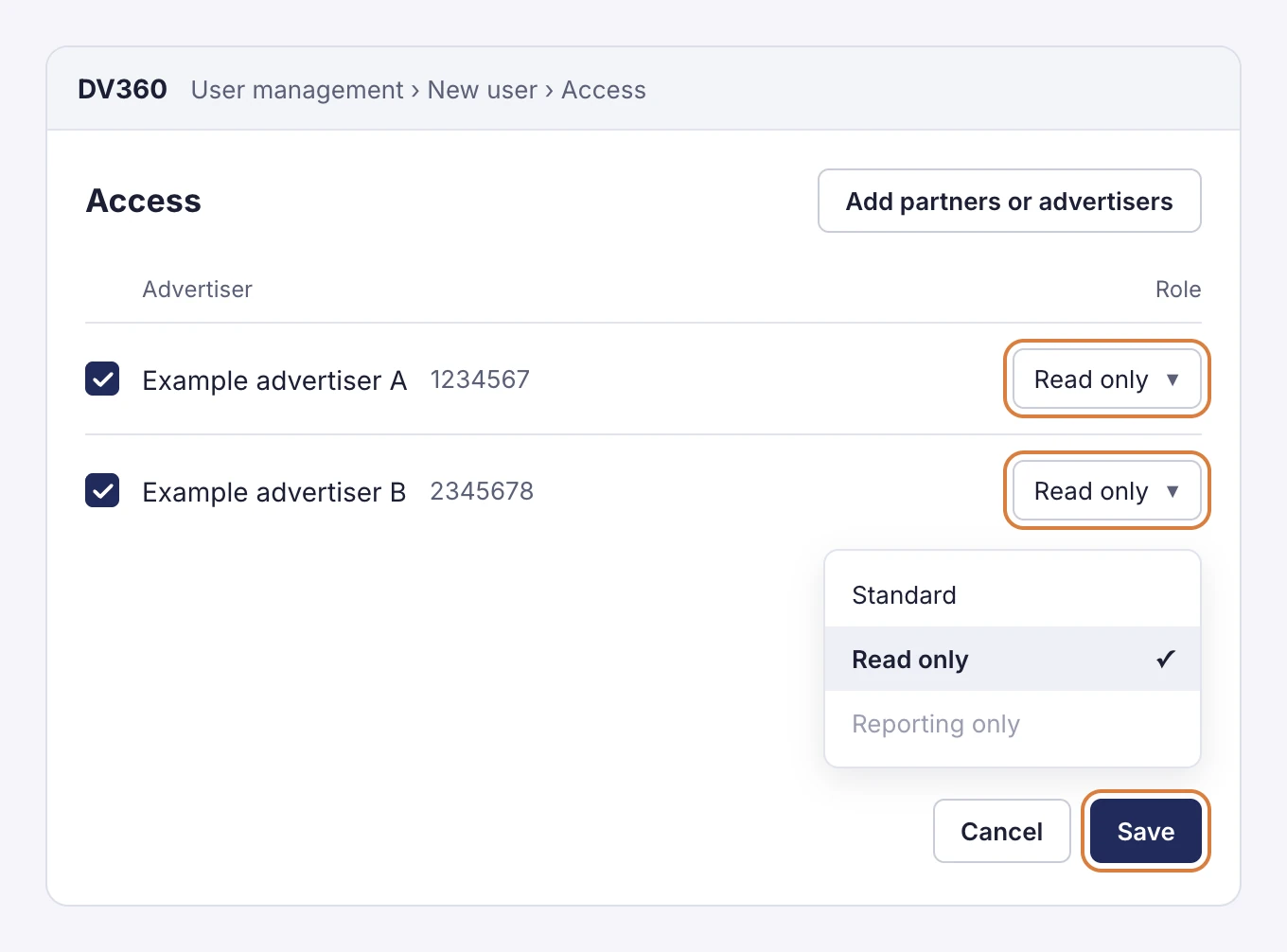
- Click Add partners or advertisers, tick every advertiser Tapper should see, and click Select.
- For each advertiser, set Role to Read only.
- Click Save.
4. Send us the advertiser IDs
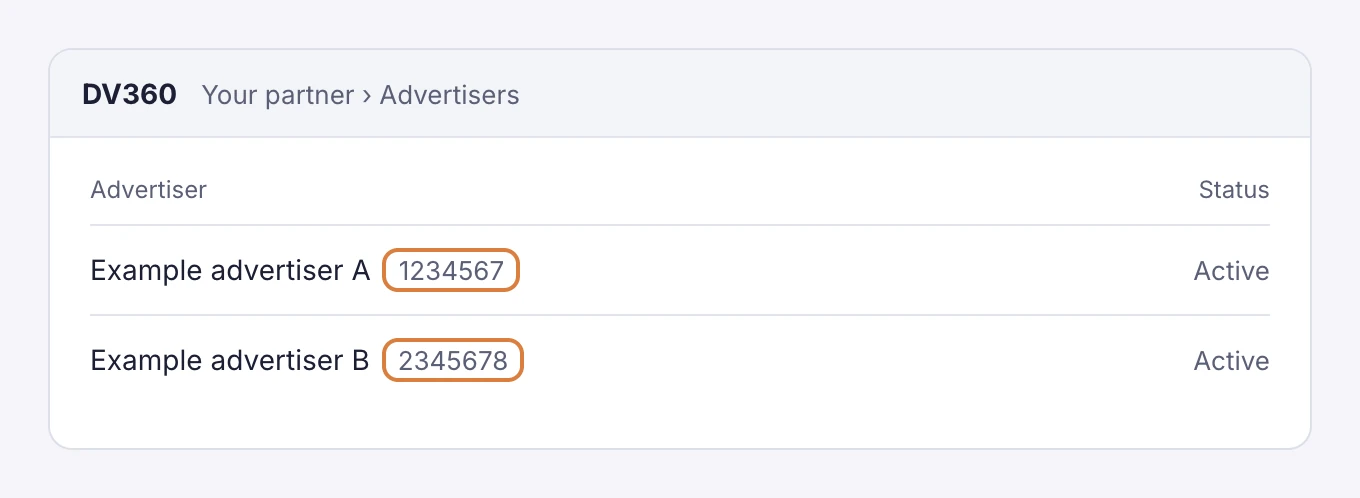
The advertiser ID is the number DV360 shows next to the advertiser's name. Send the IDs to your Tapper contact. If you are an agency, say which client each advertiser belongs to.
If you work in a partner app
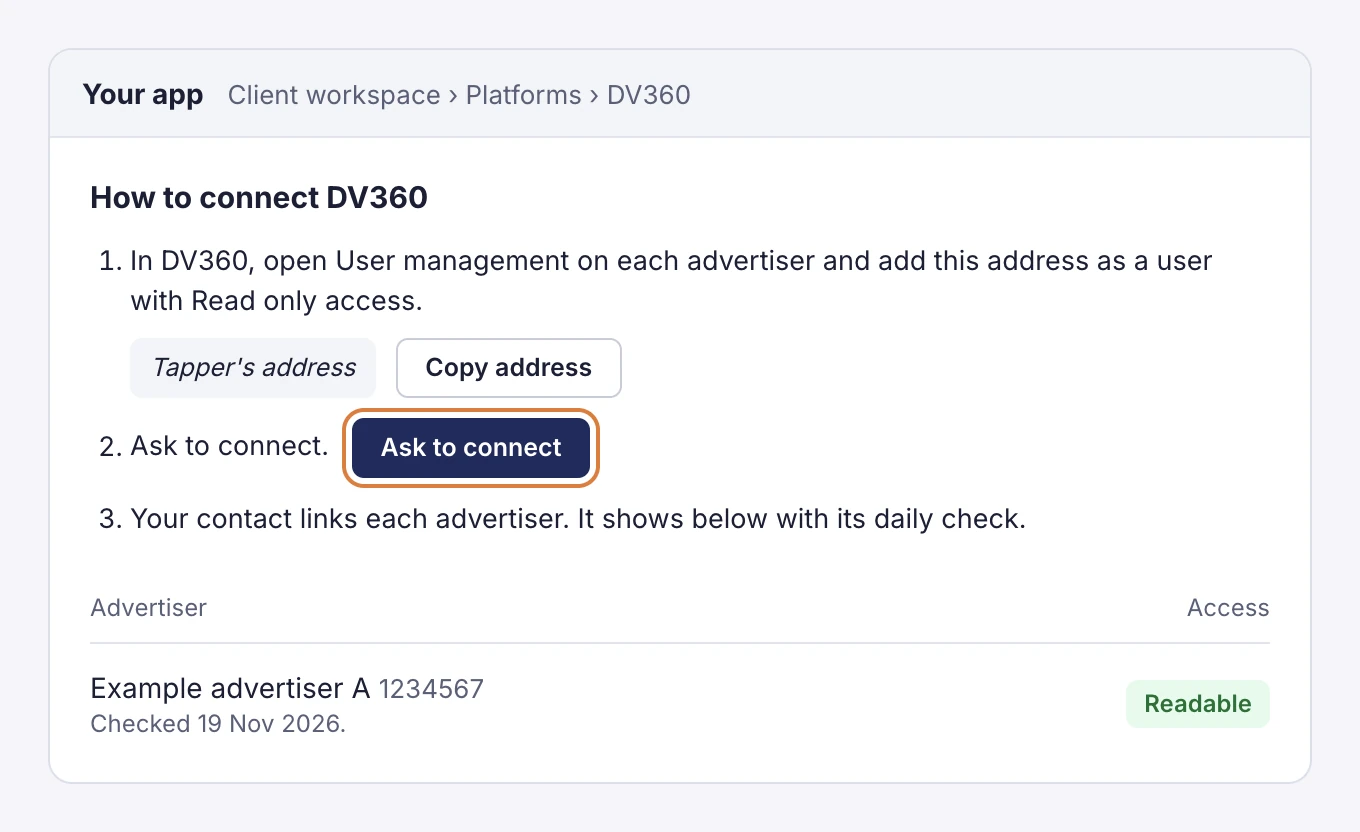
Agencies that run Tapper under their own name have the same steps in their app. Open the client's workspace, go to Platforms, then DV360.
- Copy the address the panel shows, and do steps 1 to 3 above in DV360.
- Press Ask to connect, and send the advertiser IDs to your contact.
- Each advertiser then appears in the panel with its daily check.
What the access status means
| Status | What it means | What to do |
|---|---|---|
| Not checked | No daily check has run on this advertiser. | Nothing. The check runs every morning at 09:15 Dubai time. |
| Readable | Tapper can read the advertiser. | Nothing. |
| Access removed | DV360 refused Tapper's address. The user was deleted or its role was taken away. | Add the address again as a Read only user on this advertiser. |
What read only means
Tapper can:
- Read campaigns, insertion orders and line items.
- Read delivery reports.
Tapper cannot:
- Change a campaign, a budget or a bid.
- Add or remove users.
To stop the access, go to User management, find Tapper, tick the box next to it, then click Action and Delete.
The address is a Google service account, added as a DV360 user the way Google recommends. No password or key is shared.
If something doesn't work
I can't see User management
Only Admins on the partner can add users. Ask your DV360 Admin to do the steps.
An advertiser isn't in the list when I add access
You can only give access to advertisers you can see yourself. Ask an Admin who has access to that advertiser.
DV360 won't accept the address
Check it was copied in full, with no space at either end. If DV360 still refuses it, send your Tapper contact a screenshot of the message.
I picked the wrong role
Open the user in User management, change the role to Read only on each advertiser, and save.
Was this helpful?
Related articles
Still need help?
Chat with our team and mention this article.