

Add another ad account to an entity
Add a second Google Ads account, another platform or a mobile app to an entity at any time. The entity's detection rules and website monitoring stay as they are. You need to be a workspace Owner or Admin (why), with a sign-in that can open the accounts.
Where to start
Pick the entity in the switcher under the workspace name, then go to Setup > Ad accounts. Any of these opens the add flow:
- Add ad account at the top right. It adds to the entity you are on; a new entity comes from Add protected entity, the last row of Setup.
- Connect Google Ads (or another platform's name) on a platform page with no account yet, or on the dashboard banner for a platform with no connected account.
Steps
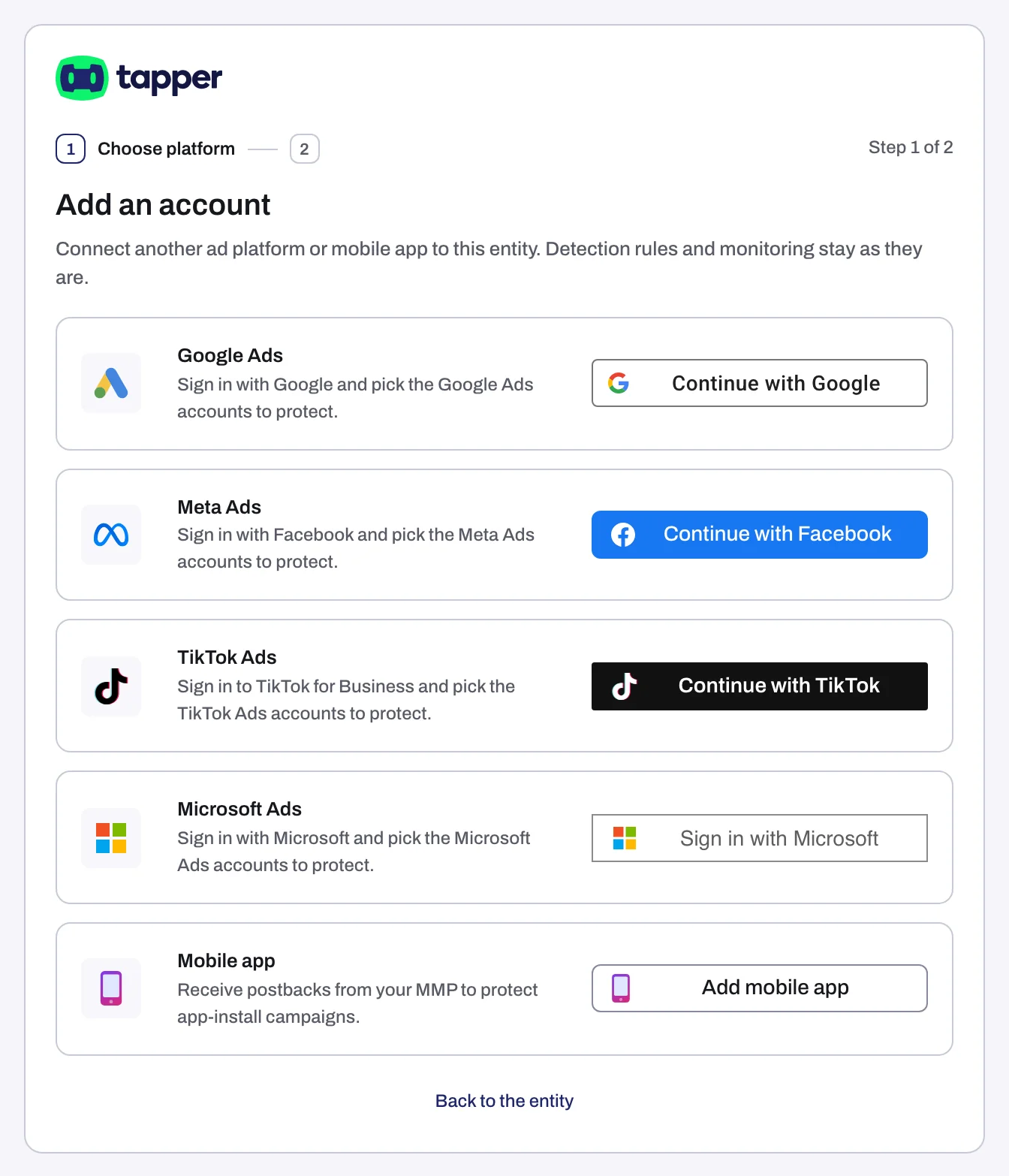
- Click the platform's button: Continue with Google, Continue with Facebook, Continue with TikTok, Sign in with Microsoft, Sign in with LinkedIn, Connect Snapchat or Connect Apple Ads. For an app, click Add mobile app (not on Lift-only workspaces; see Connect a mobile app through your tracking tool). Back to the entity leaves without adding anything.
- Sign in in the popup, or the same tab if popups are blocked.
- On Choose the accounts to protect (Lift only: Choose the accounts to connect), tick each account. Your sign-in is held for 30 minutes.
- Click Finish, then Done to go back to the entity.
What happens next
The account appears on the entity's platform tab with Connected (what each chip means). With Block:
- Google Ads: Tapper sets its tracking template and creates its lists and audiences, and every eligible campaign starts with Protection on (what Tapper creates).
- Meta: no ad set is protected until you turn it on from the Ad sets tab (Protect Meta ad sets).
- A Meta account already on another entity of your workspace moves to this one with its history and settings. Relay keeps sending only if both entities use the same Meta dataset; otherwise sending is off until your Tapper team turns it on again.
- TikTok: Tapper records invalid traffic and your ad groups stay as they are (Protect TikTok ad groups).
Microsoft Ads syncs your campaigns and spend. For LinkedIn Ads, Snapchat Ads and Apple Ads, Tapper reads the accounts.
If something goes wrong
- This Google Ads account is already connected: open its platform tab.
- 1 account connected, 1 did not: click Retry the failed accounts or Reconnect Google Ads (or your platform), whichever shows, or Done with the connected accounts and retry later from Setup > Ad accounts.
- On a Lift-only workspace, an account live in another Tapper workspace is refused. Disconnect it there first.
- This is taking longer than usual: click Keep waiting, or carry on; the accounts appear when ready.
- Popup messages: Connection failed, Sign-in cancelled or Connection status unknown.
Was this helpful?
Related articles
Still need help?
Chat with our team and mention this article.