

Tapper Lift for online stores
On this page
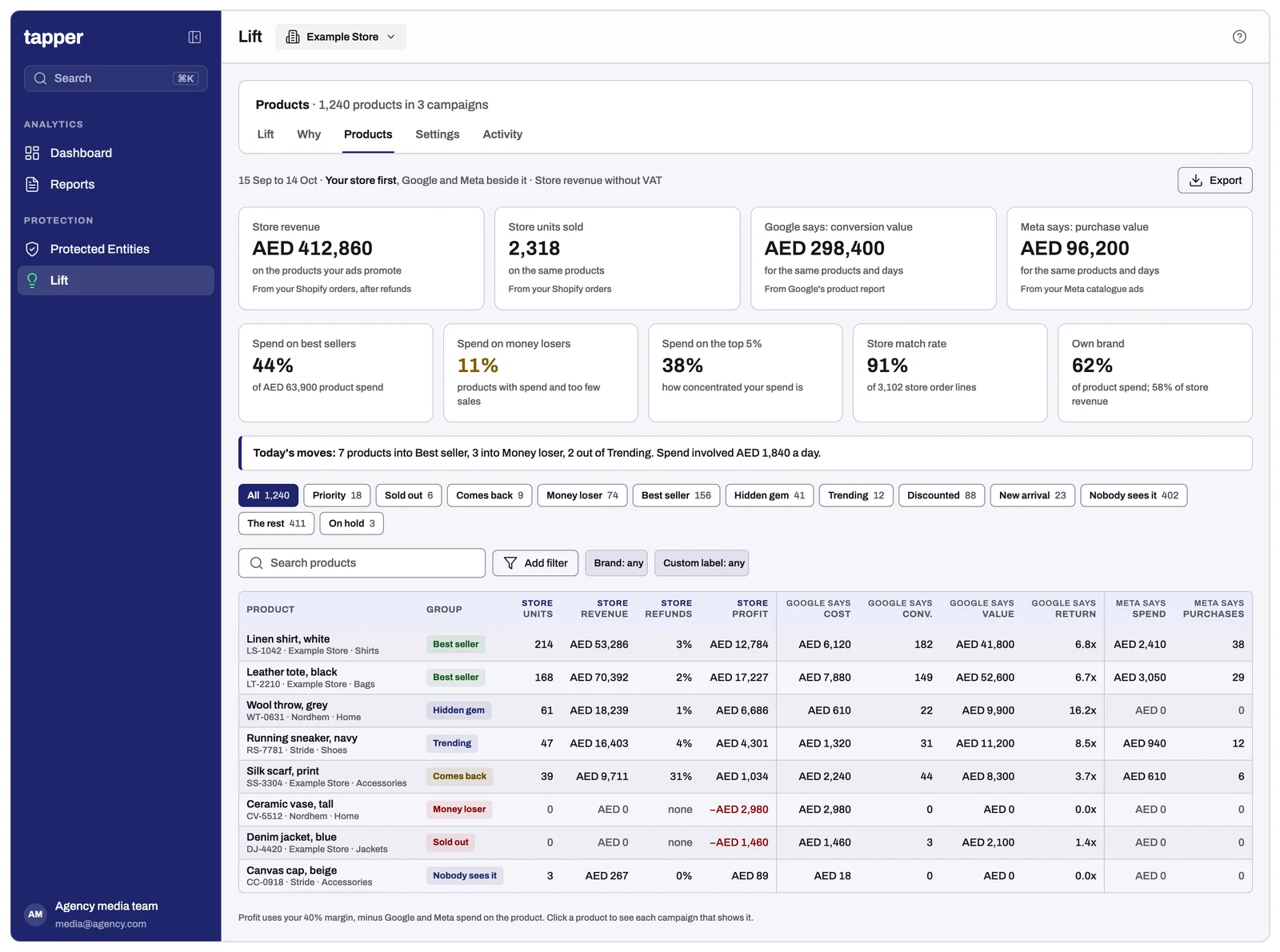
Lift's Products page puts each product your Google Shopping and Performance Max campaigns spend on into a group, says what to do with it, and shows your store's own sales in place of Google's count. Every part is described in The Products page: your products, grouped.
Which accounts get it
Every Google Ads account whose product read finds products with spend in the last 30 days, and every account whose business type (Business details > General > Business type) is Online store (you sell products from a catalogue or product feed). The page is in the Tapper app; the white-label partner app has no Products page.
Where the numbers come from
- Google's product report: spend (without VAT), clicks, impressions, conversions and value per product, over every campaign that showed it.
- Your sales source, Shopify: units sold, revenue net of discounts and refunds, and refunds per product, where the product matches Google's. With a store connected, the table's Purchases and Purchase value are your store's; Google's are in each product's panel. See Install Tapper on a Shopify store and Setup > Data sources.
- Meta's catalogue ads: one Meta ad account's spend, purchases and purchase value per product, on the Meta tab.
- One currency per page: the ad account's. Store figures in another currency are converted at the month's rate, with the store's amount beside them. Google's and Meta's figures are never added.
The Products page
Google Ads and Meta tabs; Your store against Google; four cards (No sales, Best sellers, Hidden gems, Under target); the Product spend and Store match tiles; the product table; and a panel per product with Keep and watch, Exclude and Always keep it in.
Product groups, merchandising list and label feed
- Groups. Every product is in one group, updated after each daily scan: The product groups.
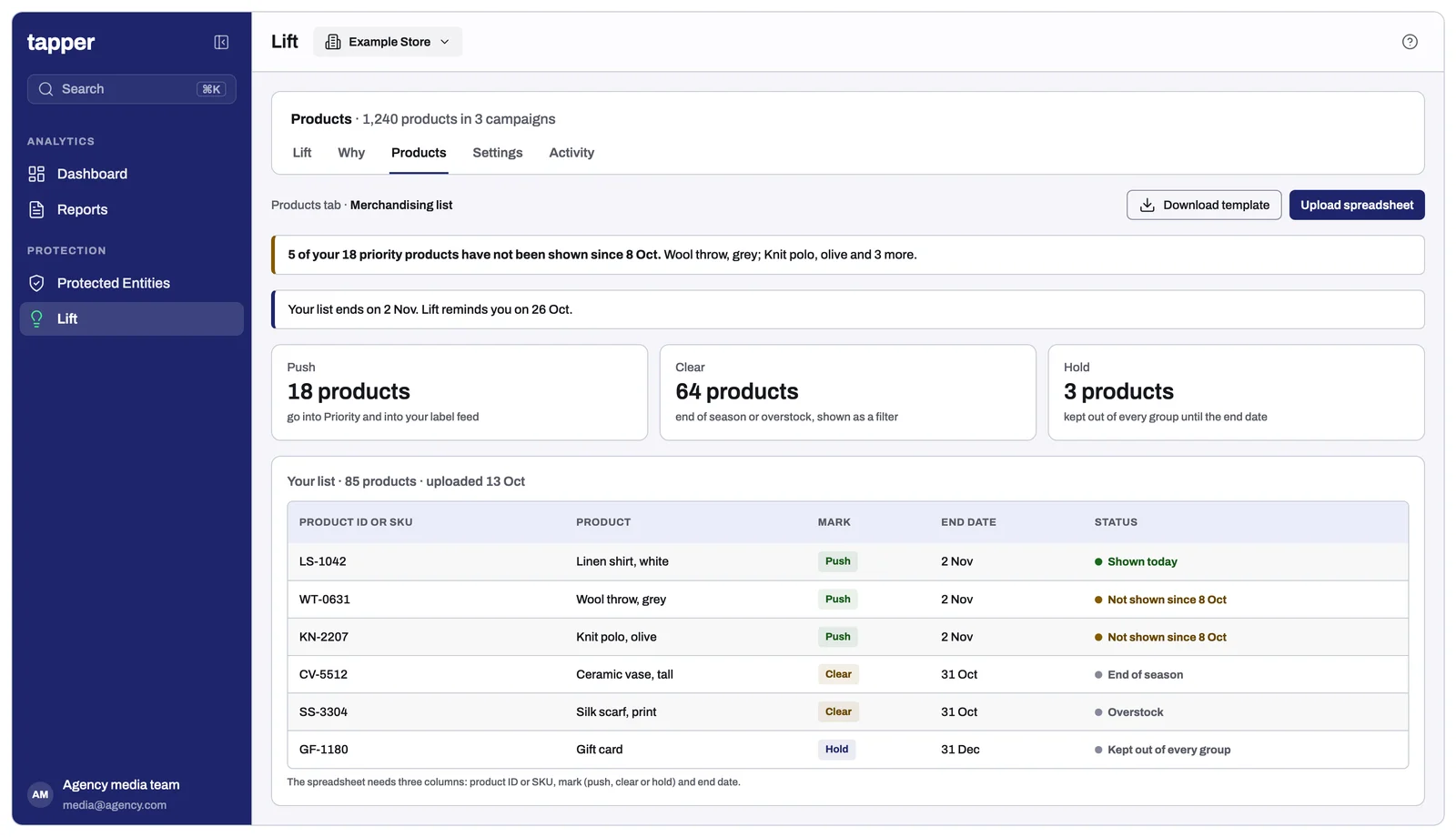
- Merchandising list. Under Lift > Products > Merchandising list, mark products Push, On hold or Clearance until an end date: The merchandising list.
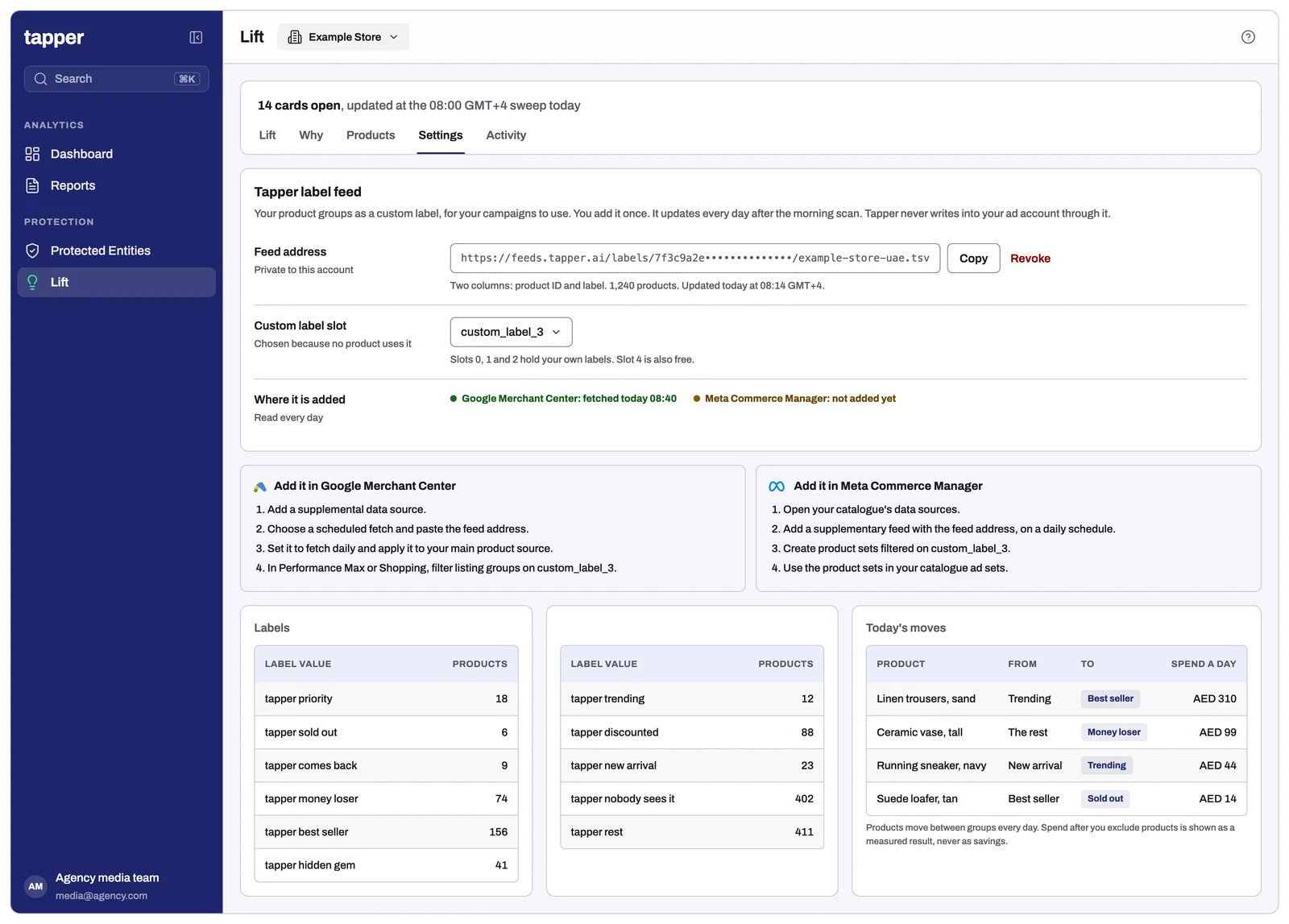
- Label feed. Under Lift > Products > Label feed, Lift writes each product's group into one free custom label in Merchant Center, such as "tapper best seller", so campaigns can include or exclude a group. Merchant Center need not be linked to Lift: you add the feed's address there yourself. See Set up the label feed.
Settings that matter for a store
| Setting | Where | What it does |
|---|---|---|
| Business type | Business details > General | Online store (you sell products from a catalogue or product feed) gives the account the Products page and the groups, whatever its spend. |
| Contribution margin | Business details > Google Ads > Judging | Roughly the share of an order left after product and delivery costs. Each product's panel then shows its Profit. |
| Margin by custom label | Business details > Google Ads > Judging | Optional: a different margin for products with one custom label value. Product group cards for that label use it. |
| Brand terms | Business details > Google Ads > Brand terms | Add filter offers Own brand, and each panel says Own brand, Third party or No brand. |
Product and conversion tracking checks raise cards in Recommendations: see Products and feed and Conversion tracking in The checks Lift runs on Google Ads.
Questions
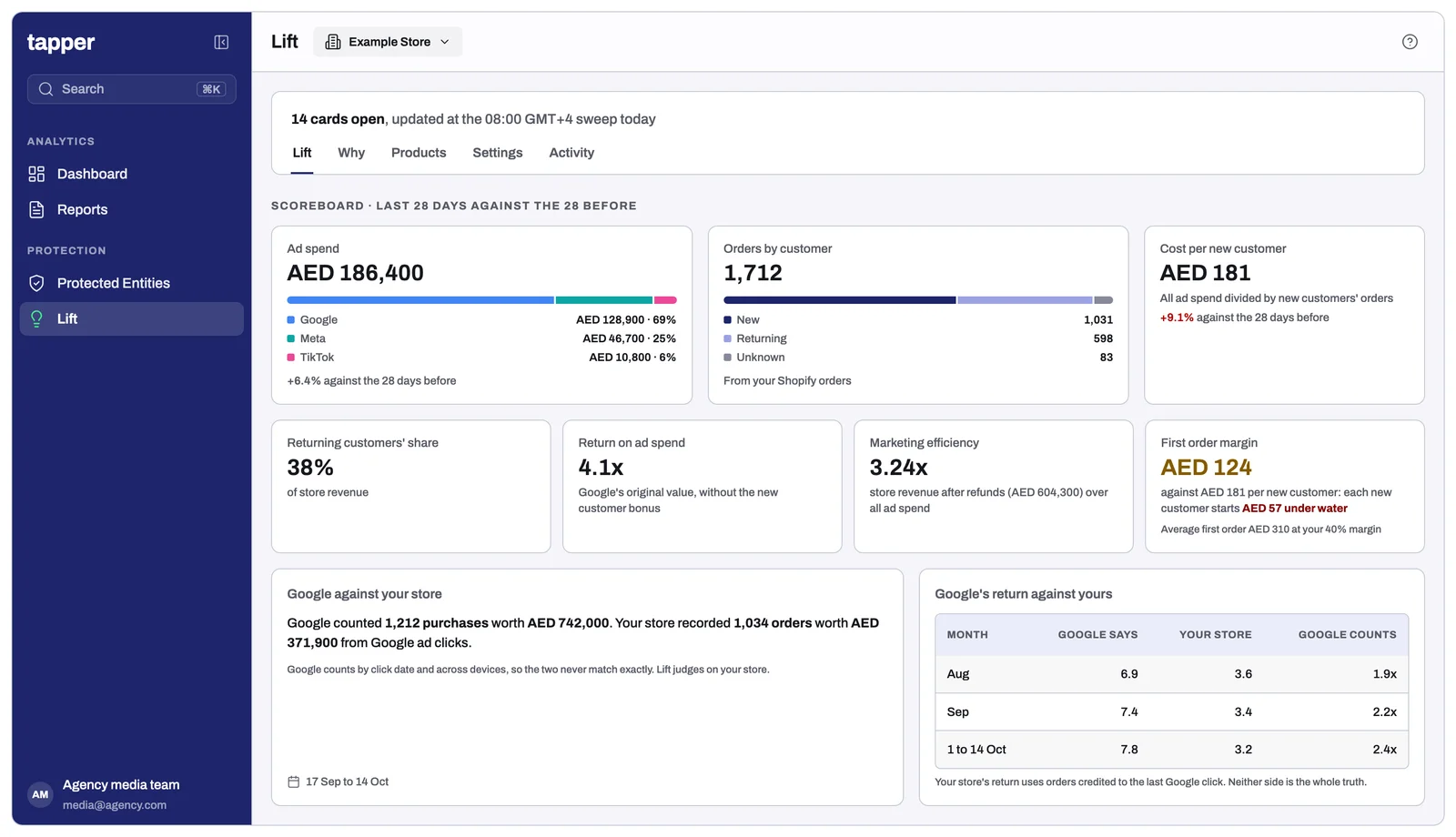
Why do my store figures differ from Google's? Google counts conversions as your account is set up to, which can include steps before a purchase, with its own attribution. Your store counts orders, net of discounts and refunds. Each column says whose figure it is.
Why is a product missing store figures? Its feed ID does not match a store product, or it did not sell in the period. Store match shows how much matches.
How often does it update? Groups change after Lift's daily scan. Merchant Center reads the label feed once a day.
Related
Was this helpful?
Still need help?
Chat with our team and mention this article.