

Export a Lift report as PDF
On this page
The Lift report is a PDF of every Lift finding on a protected entity's ad accounts (Google Ads, Meta Ads and TikTok Ads) for a period you choose, with waste by priority and by campaign type or objective. Use it to show a customer or manager where an account loses money and what was done about it.
Before you start
- You need the Owner, Admin or Manager role.
- The entity needs a connected ad account: see Connect or reconnect Google Ads for Lift, Connect Meta Ads for Lift or Connect TikTok Ads for Lift.
Prepare the report
- Under Lift in the sidebar, select Recommendations. With several protected entities, pick one in the switcher under the workspace name.
- Press Export report, at the top right of the page, beside the count of open recommendations.
- The Export Lift report dialog opens. Under Period, choose Last 7 days, Last 30 days (the default), Last month or Last quarter, or press Custom, pick the first and last day and press Apply.
- Under Google Ads accounts (or Ad accounts with several platforms), leave the field empty to cover every account of this entity: it reads All {N} Google Ads accounts (or All {N} ad accounts). To narrow it, press accounts in the list. With several platforms, a button per platform, such as All Meta Ads (5), picks or clears that platform's accounts.
- Press Prepare PDF. Preparing your Lift report usually takes under a minute. You can Close and come back: it waits under Recent exports.
- At Your Lift report is ready, press Download PDF, or Open to read it as a web page in a new tab.
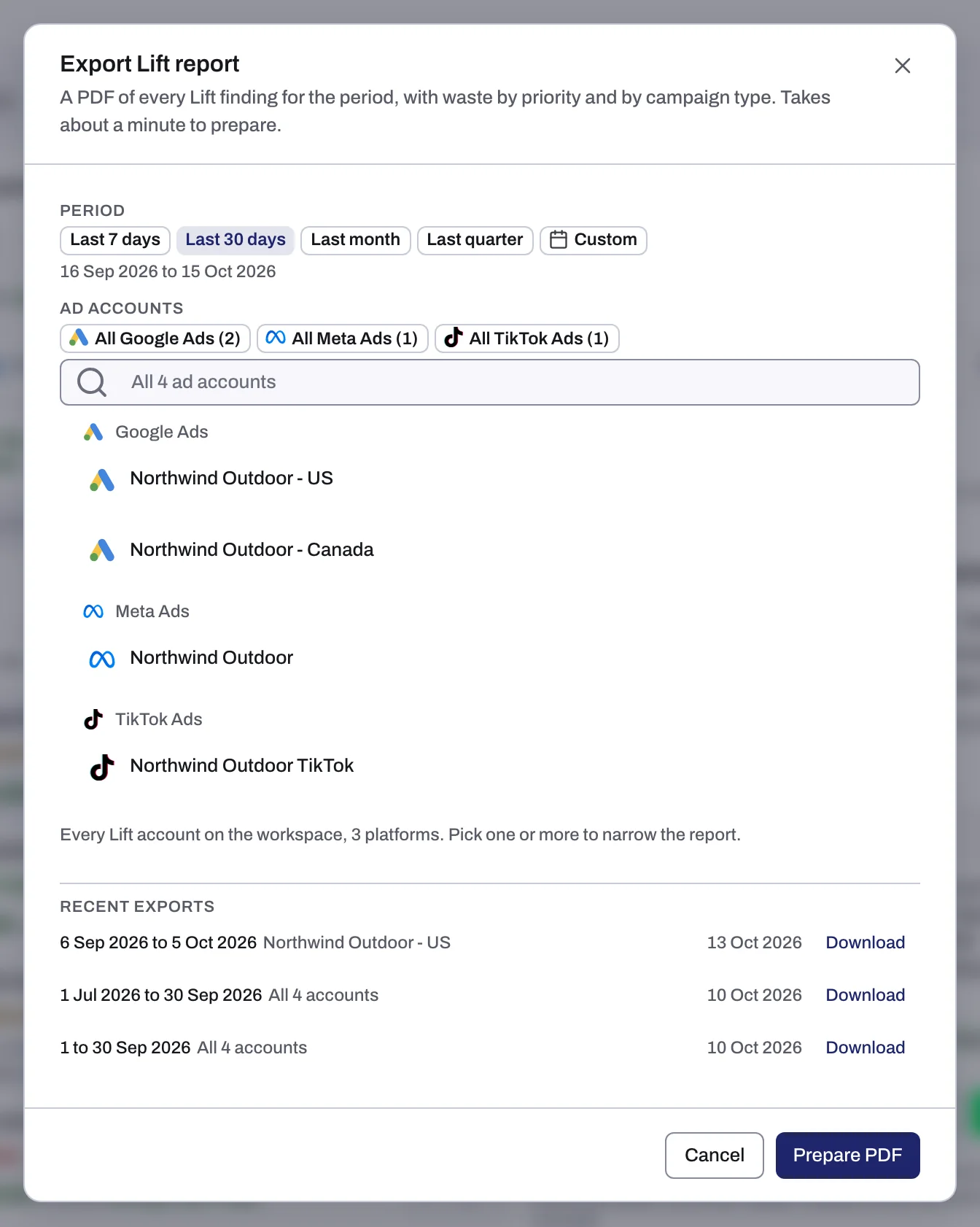
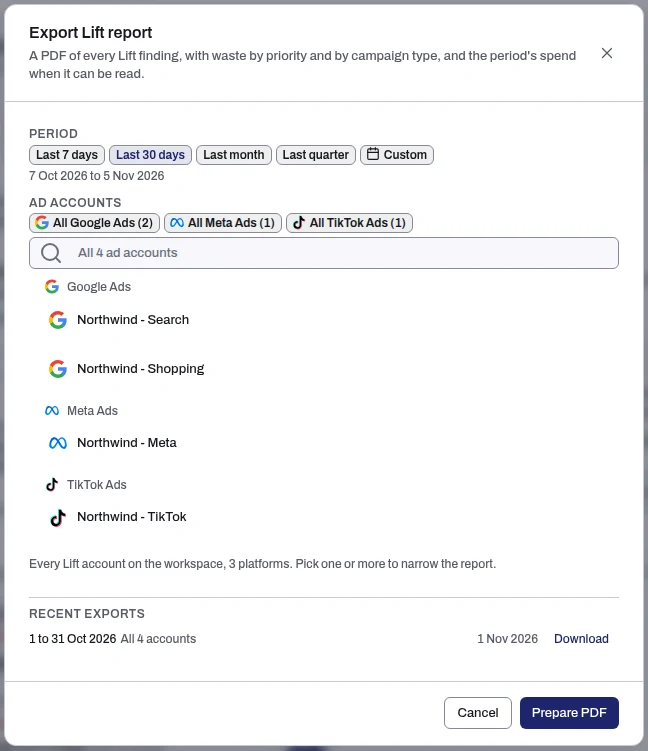
Last 7 days and Last 30 days end today. Last month and Last quarter are the previous whole calendar month and quarter. The chosen range shows under the choices, such as "7 Oct 2026 to 5 Nov 2026", in your workspace's time zone.
Get a report again
Recent exports lists the entity's latest reports, up to eight, with their period, accounts and the day each was made. Press Download to get one again. Preparing means still being built; Failed means it failed. A finished report stays listed for 7 days.
Links behind Open and Download PDF work for 15 minutes, so share the file, not the link. The ready message mentions 7 days: that is how long the report stays in Recent exports. Download fetches a fresh link each time.
What the report contains
It opens with the workspace (or account), the accounts, the period and its time zone. With several platforms, Across platforms comes first: the four figures for all platforms, never adding currencies, and a By platform table. Each platform then has a section starting with Savings a day (split into ready to act on and to check first), Open items, Actioned in period and Est. recovered in period. Then:
- Open waste by priority: Critical, Attention and Low impact, with Ready to act on a day, Check first a day and savings over 30 days. Upside, recommendations and settings have rows of their own, never added to waste.
- All findings by priority: open now, and actioned, resolved or dismissed in the period.
- What's inside: why money is to check first (Check first because), money by kind of fix, and the campaigns with the most open waste.
- By campaign type on Google Ads (Search, Performance Max, Demand Gen, Video and others), By objective on Meta Ads and TikTok Ads (such as Sales or Leads): open, actioned, resolved and dismissed counts, money ready to act on and to check first a day, and spend estimated recovered. Meta adds By funnel stage.
- Actioned and Estimated recovered: what was acted on, resolved or dismissed in the period, and the spend fixes are estimated to have recovered, from savings only. It is an estimate, not a measured saving.
- Spend: what the accounts spent in the period, by platform, when it can be read.
- All findings: every finding live in the period, open first, with campaign, priority, estimate a day and status, up to 1,000 rows.
Before you send it:
- Ready to act on plus check first is the savings. A finding's money is a daily estimate made when Lift found it, in the account's own currency. Currencies are never added.
- Actioned means fixed from Tapper or marked as done. Resolved means Lift closed the card, for example because it no longer finds the issue.
- Open items are as of the day you prepared the report and stay fixed in the file. The period decides what counts as actioned, resolved, dismissed or recovered.
The report is for reading; act on findings in Recommendations. There is no CSV version.
Lift in your monthly report
With Lift, a connected Google Ads account and something to show, the monthly report on Reports opens with Tapper Lift: Impact (savings a day and a month, split as above), then up to four reasons with their fixes, or the largest savings by check. See Monthly reports: what is in your report and how to download it.
If something goes wrong
- The report could not be prepared: the reason shows under it. Press Try again, then Prepare PDF. A report not finished after 15 minutes fails with "The report did not finish. Try again."
- "A report covers at most 366 days.": choose a shorter Custom period.
- "{N} reports are still being prepared for this workspace. Wait for one to finish, then try again.": a workspace prepares up to three at a time.
- "Rendered as a web page", with Download PDF grayed out: the PDF could not be made. Open still works; prepare it again for a PDF.
- "There is nothing to report.": Lift found nothing on those accounts in that period, and no earlier fix was still recovering spend. If Recommendations is empty too, see No Lift recommendations yet.
If a report keeps failing, write to support@tapper.ai with the entity, period and accounts: see How to get help from Tapper.
Related
Was this helpful?
Still need help?
Chat with our team and mention this article.