

Get started with Block
On this page
Lower CPA by removing fraudulent traffic, not only bots. Tapper Block screens every ad click on your website, and once blocking is on it writes exclusions into your ad accounts so fraudulent visitors stop seeing your ads. Block comes with Vantage + Block + Lift; Start here: set up Vantage + Block + Lift in five steps walks through the whole setup wizard.
Where Block is in the app
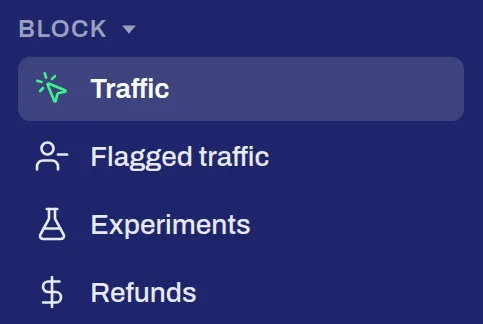
Block has its own section in the sidebar:
- Traffic: every ad click Tapper recorded, with its verdict, on the tabs Clicks and Sources.
- Exclusions: what Tapper excludes in your ad accounts. It reads Flagged traffic while your workspace is in monitor-only.
- Experiments: tests of what Block does for your campaigns.
- Refunds: the invalid clicks you can claim back from Google Ads.
Step 1: connect an ad account
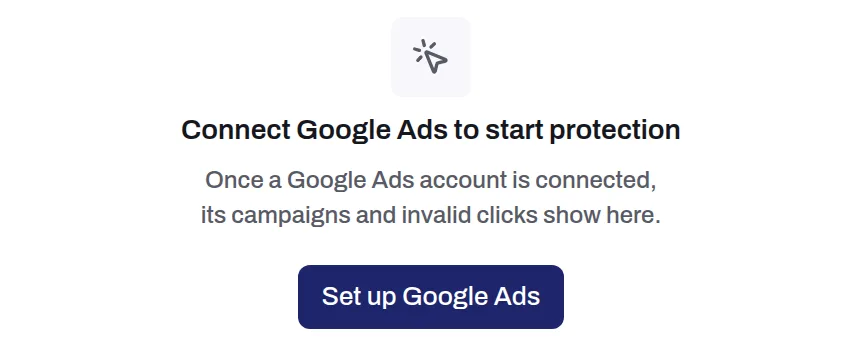
Until an ad account is connected, Traffic reads Connect Google Ads to start protection. Press Set up Google Ads, or connect any ad account on Setup > Ad accounts. Block blocks on Google Ads, Meta Ads, Microsoft Ads, LinkedIn Ads, Snapchat Ads and Apple Ads, and records invalid traffic on TikTok Ads. See Connect Google Ads and What Tapper creates in your Google Ads account.
Step 2: install the monitoring script
Tapper's monitoring script watches each visit from an ad to your website. Install it on every page of your protected domains, by pasting it into the page or through Google Tag Manager. You find it on Setup > Website > Monitoring. See The monitoring script: what it does and where to find it.
Step 3: set your detection rules
Your detection rules decide what counts as invalid traffic. Set them per protected entity on Setup > Rule sets: ad click limits, switches such as VPN blocking and Device blocking, and a country rule. Suggest limits adds the presets for your industry. See Rule sets: every setting, tab by tab.
Step 4: switch blocking on
A new workspace starts in monitor-only: Tapper records invalid traffic and reports it, and blocks nothing yet. When the numbers look right to you, switch blocking on and Tapper starts writing exclusions to your ad accounts. See Switch blocking on or off: what changes in your ad accounts and Monitor-only: why nothing is blocked yet.
Screen, part of Block
Screen keeps fake leads out of your CRM: it checks every form submission for bots, fake emails and junk entries. See Screen, part of Tapper Block.
Related
Was this helpful?
Related articles
Still need help?
Chat with our team and mention this article.