

Salesforce Commerce Cloud on Data sources
The Commerce Cloud row sits in the Sales group of Setup > Data sources, under your Shopify stores. Its line says what it is for: "Read the orders of your Commerce Cloud store." The connection is read-only, and the row says so: "Read-only: Tapper never changes anything in Commerce Cloud."
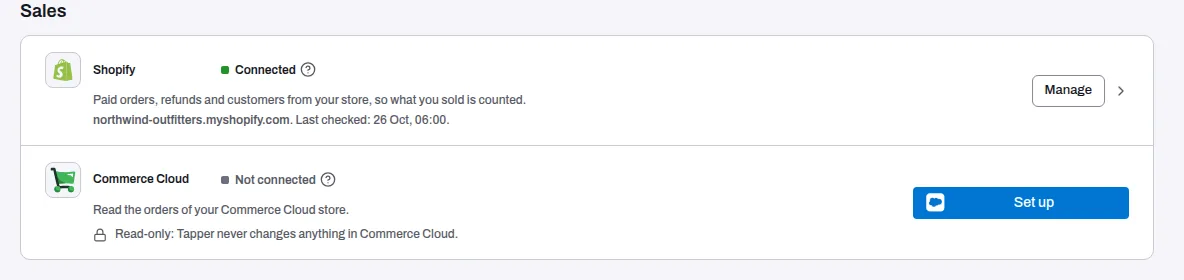
Where Commerce Cloud stands
Commerce Cloud connections are not open. A store cannot be connected from this row, so the row reads Not connected, and Lift, Vantage and Block read no Commerce Cloud orders.
Set up still opens the row's form. If you fill it in and press Connect, Tapper refuses the connection and nothing is stored. The form shows "Commerce Cloud was not saved" with the reason "Commerce Cloud connections are not open yet."
To talk about connecting your Commerce Cloud store, write to support@tapper.ai.
What the row shows
- What you need. The ? next to the status names what a connection takes: "An API client your Commerce Cloud admin creates in Account Manager, with one permission: the orders read scope (sfcc.orders)."
- The form. API client ID, API client secret, Tenant ID, Short code, Organisation ID and Site IDs, each with a line on where Commerce Cloud shows it.
- Who can use it. Only a workspace Owner or Admin sees the Set up button. Anyone else reads "Only a workspace owner or admin can connect or change Commerce Cloud. Ask one of them to do it."
Related
Was this helpful?
Related articles
Still need help?
Chat with our team and mention this article.