

Value rule exclusion
On this page
A conversion value rule tells Google's bidding to value flagged visitors less. Tapper adds one to your Search, Display and Shopping campaigns, but not to Performance Max. Adding one there is optional, since Tapper's audience exclusion already keeps flagged visitors out of Performance Max. Other campaign types that support value rules use the same steps. See Value rules and shadow campaigns.
Tapper created the "Tapper - Invalid Traffic List" segment when you connected, so there is nothing to upload.
Create the value rule
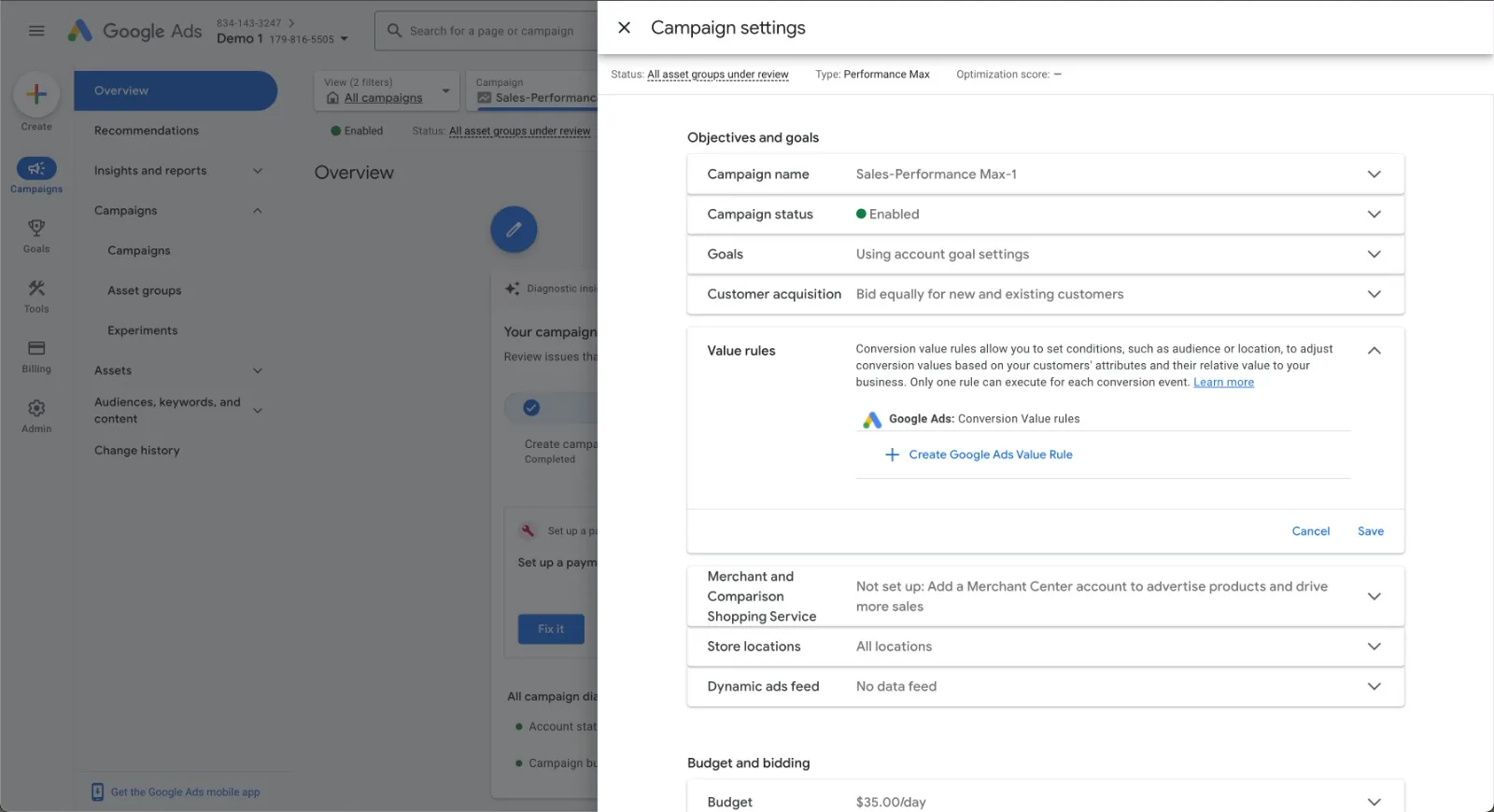
- In Google Ads, open the Performance Max campaign and go to its Settings.
- Find Value rules and click Create Google Ads Value Rule +.
Choose the audience segment
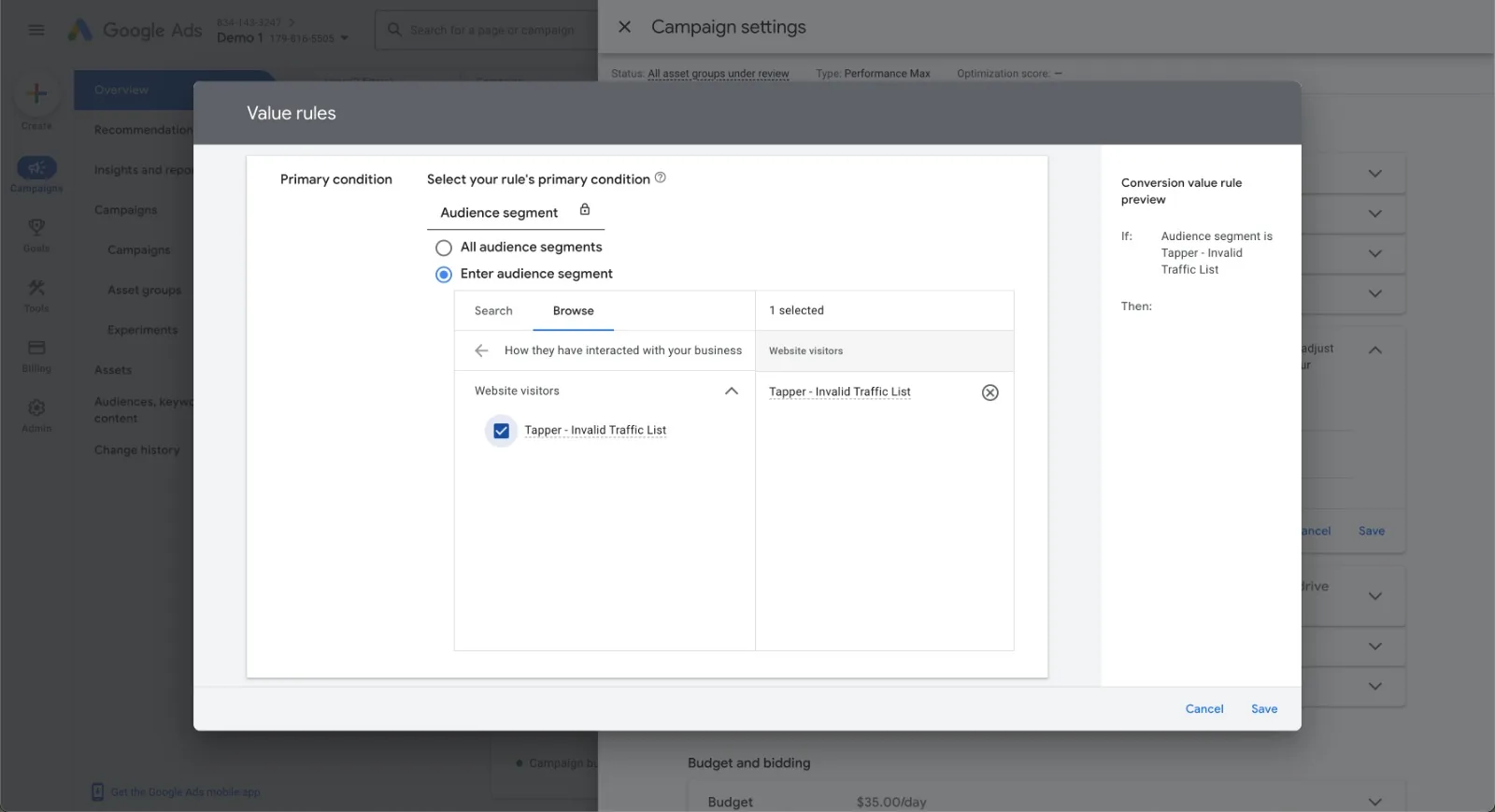
- Click Browse to define the segment.
- Select How they have interacted with your business.
- Choose the custom data segment "Tapper - Invalid Traffic List". It filters for visitors Tapper identified as invalid.
Set the value adjustment
- Under Value adjustment, choose Multiply.
- Enter
0.5, which halves the value of their conversions, a -50% adjustment.
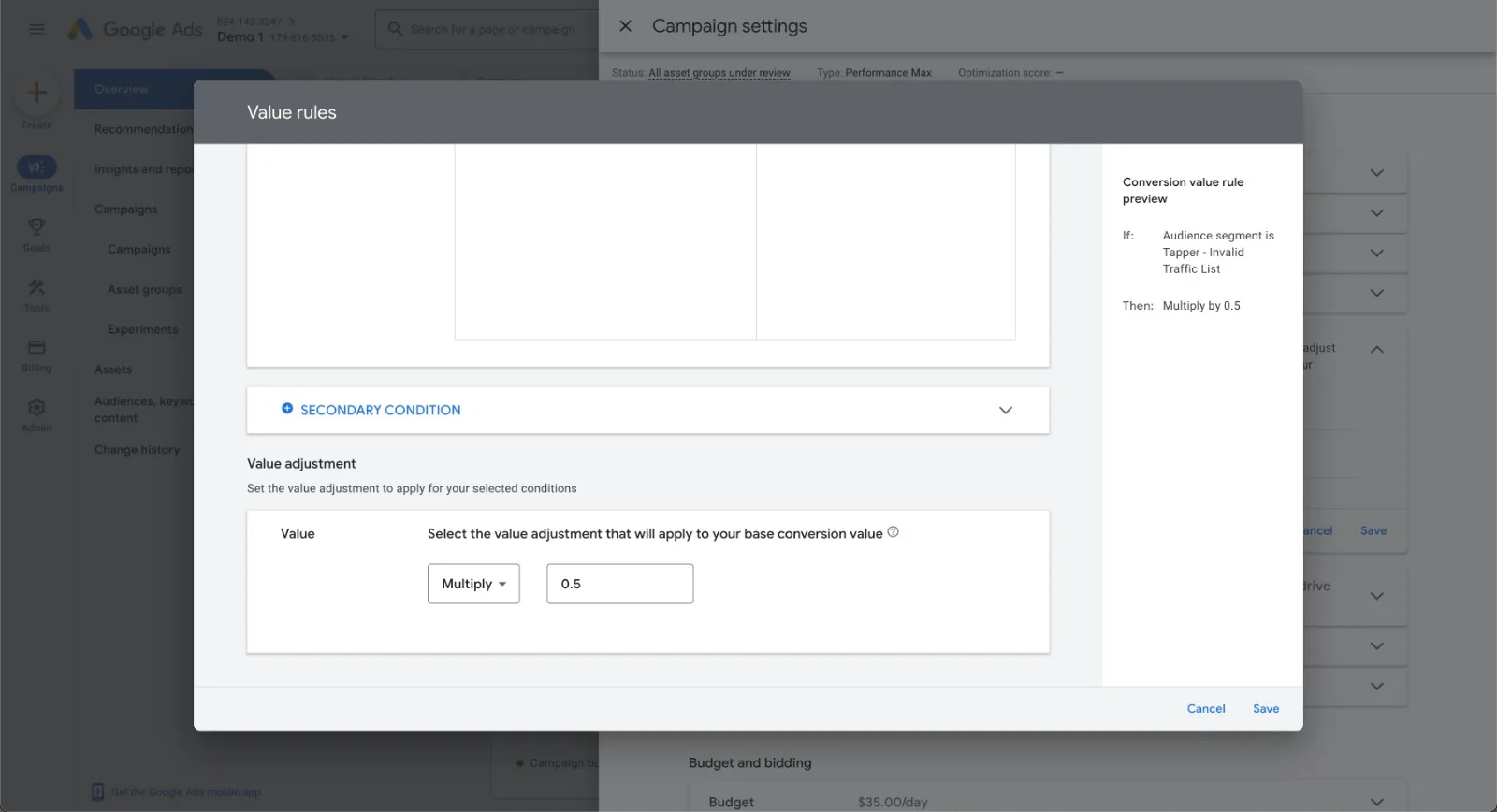
-50% is the lowest Google Ads allows. It does not stop these visitors seeing your ads, but makes it much less likely.
- Click Save.
If the segment does not appear
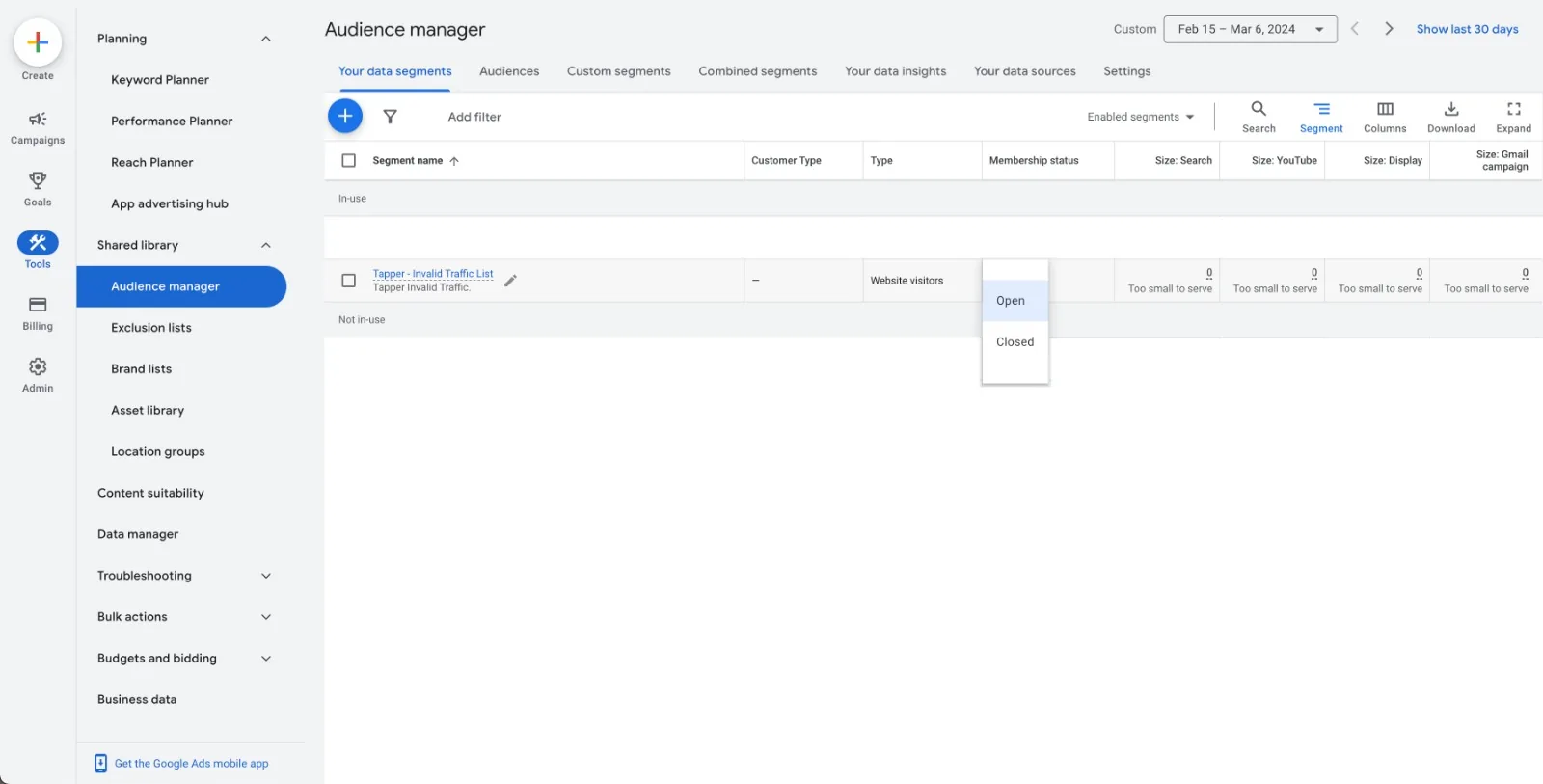
Check that its membership status is Open in the Audience Manager in Google Ads.
Was this helpful?
Related articles
Still need help?
Chat with our team and mention this article.