

How to manually install Tapper's monitoring script in Shopify
On this page
In Shopify, the monitoring script goes in your theme. On Shopify Plus, ask your Merchant Success Manager how to install it during checkout.
First copy your script from Setup > Website > Monitoring in Tapper (each protected entity has its own), then log in to your Shopify store.
Step 1: visit your store
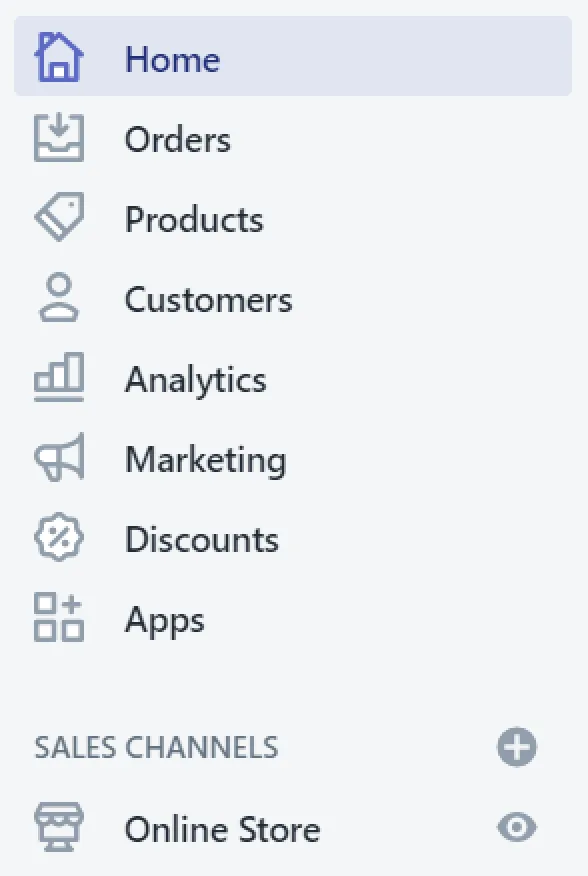
In the Shopify admin, click Online Store.
Step 2: edit your theme
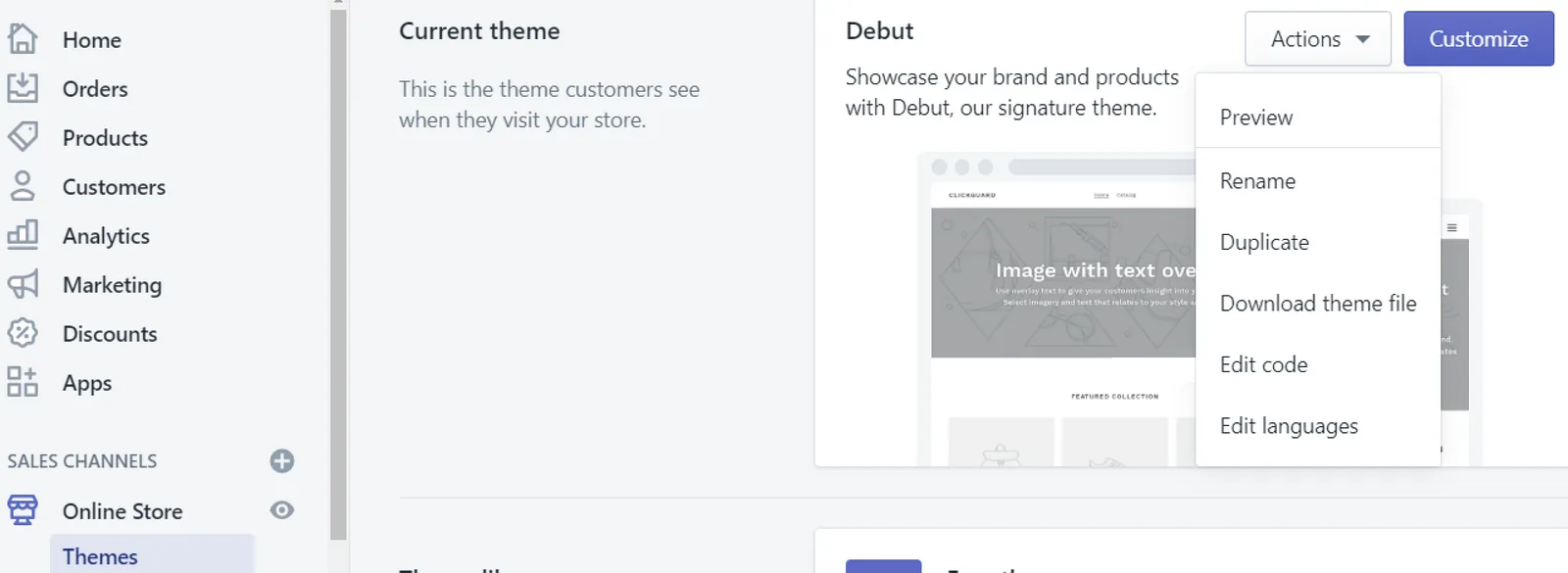
Click Themes, then the Actions button at the top right, and choose Edit code.
Step 3: find the end of the body tag
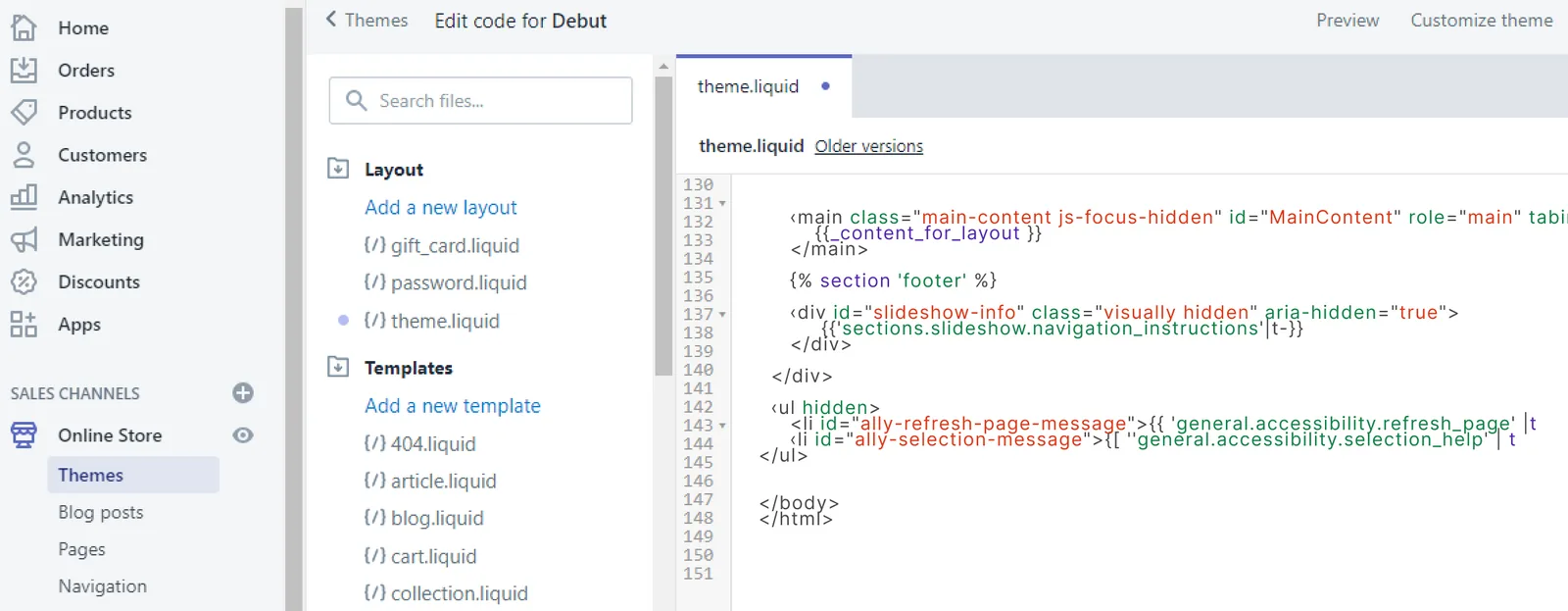
Under Layout, select theme.liquid and scroll down to the closing </body> tag.
Step 4: paste the protection script
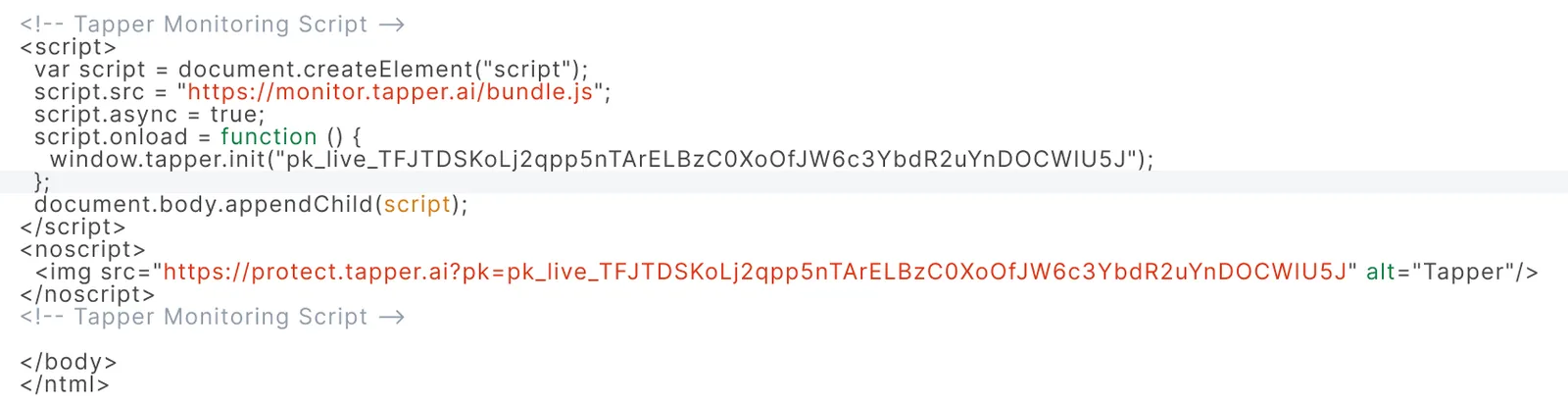
Paste your monitoring script just before the closing </body> tag.
Step 5: save and publish
Click Save and publish your theme to apply the changes.
See also Install Tapper on a Shopify store.
Was this helpful?
Related articles
Still need help?
Chat with our team and mention this article.