

Device blocking: catch repeat offenders who change IP
On this page
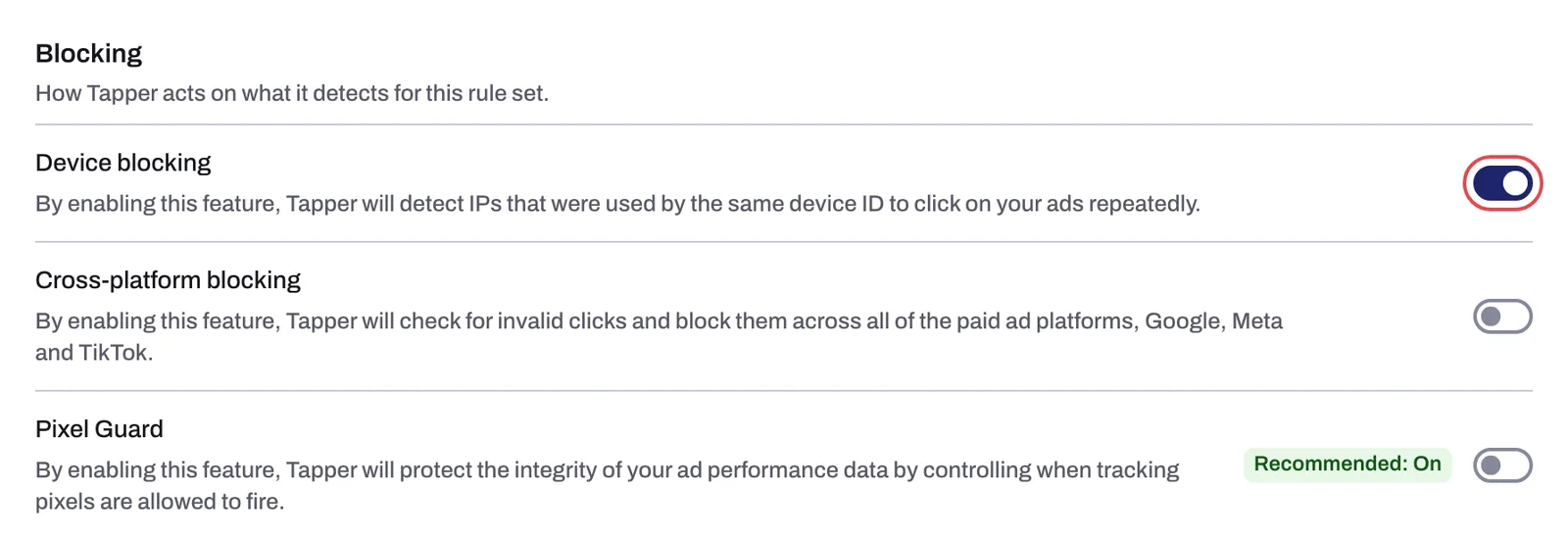
People who click your ads on purpose switch networks or rotate proxies, so each visit looks like a new person. With Block repeat clicks from one device on, Tapper recognizes the device behind the clicks and blocks every IP address it used, not just the first.
How it works
Ad platforms accept IP and audience exclusions, not device IDs, so Tapper works one level up:
- The monitoring script on your landing page collects device and browser attributes (for example brand, model, screen size and installed fonts) and derives a device ID.
- Every ad click is tied to that device ID and the IP address it came from.
- When the same device ID clicks your ads repeatedly, Tapper flags it and blocks the IP addresses it used. In Google Ads, those addresses are excluded from your campaigns.
The device ID is derived, not stored like a cookie, so clearing cookies does not reset it, and for a normal visitor it stays stable between sessions. It is not permanent or guaranteed unique: bots and spoofing tools change or fake attributes between visits. Tapper treats that as a signal of its own, which is why a tampered fingerprint can carry the block reason Tampered device.
In Monitor-only, Tapper detects and reports the repeat device but writes no exclusions. See Monitor-only.
The signals behind the device ID
Tapper combines these browser checks into one decision per visitor, not a score:
- Consistency. On a real device the browser, platform, screen size and languages agree.
- Automation markers. Headless browsers, automation frameworks and click farms leave signs real browsers do not.
- Stability over time. Frequent, unexplained changes between sessions count against a device.
- Geography. The browser's time zone and language are compared with the IP's location.
- Behavior. With Block suspicious click behavior on, how the visitor scrolls, clicks and pauses feeds the same decision. See Detection features: what each switch does.
You see the outcome as block reasons such as Fake user agent, Tampered device, Suspicious screen resolution and Location mismatch (Block reasons explained).
What you see in Tapper
The switch is on the Detection features tab of a rule set (Setup > Rule sets, pick the set under Ad campaigns).
| Setting | Helper text | New rule set |
|---|---|---|
| Block repeat clicks from one device | "Detects IPs used by the same device ID to click your ads repeatedly." | On |
It saves as soon as you click it. It belongs to the selected rule set, so check it on each set you use.
To see the result, open Clicks. View details opens the visitor drawer, which ends with an IP Addresses list showing every IP the visitor came back from.
Before it can work
- The monitoring script must be on the landing pages your ads point to. Without it there is no device ID. See The monitoring script: what it does and where to find it.
- If your site sends a Content-Security-Policy header, it must allow
https://fingerprint.tapper.aiunderconnect-srcwith the other Tapper sources. See Allow Tapper in your Content Security Policy.
Related
Was this helpful?
Still need help?
Chat with our team and mention this article.