

Suspicious ad clicks and minimum seconds on site
On this page
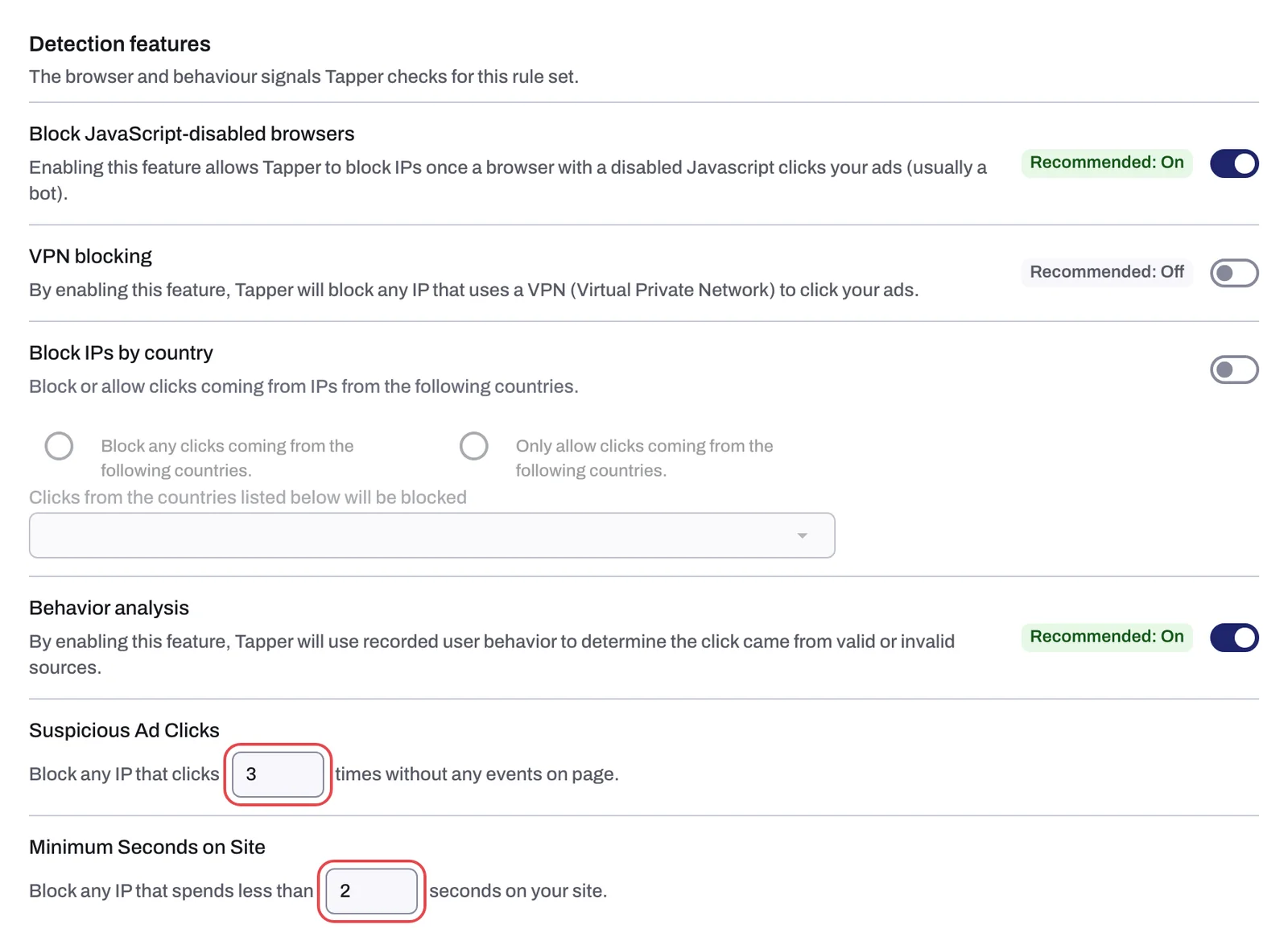
Two number rows on the Detection features tab of a rule set (Setup > Rule sets) exclude an IP for what did not happen on your page after an ad click. Both apply to the selected rule set and need the monitoring script on your landing pages, because they read what it records.
Suspicious ad clicks
Help text: Block any IP that clicks this many times without any events on page. A click counts when it reaches your site, the monitoring script loads, and no event is recorded during the visit. When one IP reaches N such clicks, Tapper blocks it. A new entity starts with 3. There is no time window: N is the number of empty visits you accept from one IP.
Minimum seconds on site
Help text: Block any IP that spends less than this many seconds on your site. A shorter visit counts as a bounce, and its IP is blocked. A new entity starts with 2 seconds, which catches visits that end before the page could be read. Keep it low: real visitors in a hurry also leave quickly.
In Monitor-only, Tapper records the reason and excludes nothing. See Monitor-only.
Change the values
You need the Owner, Admin or Manager role.
- If your workspace has more than one protected entity, pick it in the switcher at the top of the sidebar.
- In the sidebar, under Setup, click Rule sets. Pick the set under Ad campaigns and open its Detection features tab. The two rows follow Block suspicious click behavior.
- In Suspicious ad clicks, type the number of clicks with no events you allow from one IP.
- In Minimum seconds on site, type the seconds a visit must last to count as real.
A field saves itself about half a second after you stop typing. A custom set can carry different numbers from the default set (Rule sets: apply different rules to platforms, ad accounts or campaigns). The onboarding step Set your detection rules shows the same two rows for the default rule set.
Where the blocks show up
These rows leave the block reasons Suspicious ad click and Instant bounce, shown wherever block reasons appear (Block reasons explained). On the Refunds page, Instant bounce is under Tier 3 - Weak signals, and Suspicious ad click sits in Tier 2 although that tier's label does not name it. Neither tier is checked by default for a Google refund report.
When real visitors show up as suspicious
A real visit produces events. If visitors you know are real keep getting Suspicious ad click, check the monitoring script before you raise the number:
- It is missing from some landing pages. It belongs right after the opening
<body>tag on every page an ad can land on, or in a Google Tag Manager tag that fires on all pages. - Your Content-Security-Policy header does not allow Tapper's sources, so browsers block the script (Allow Tapper in your Content Security Policy).
- On the dashboard Overview, the Clicks & failed script load % card ("Failed load rate {x}% of Google Ads clicks") is high: that many ad clicks never loaded the script.
Check that the monitoring script is working on your site walks through the check. Clicks where the page never loaded at all are covered by Aborted ad clicks.
Related
Was this helpful?
Still need help?
Chat with our team and mention this article.