

Audience exclusion
Tapper keeps the visitors it flags in the Google Ads list "Tapper - Invalid Traffic List" and excludes it from your protected campaigns itself. Video campaigns get no automatic exclusion, so add the list there by hand. The same steps work for any campaign where you manage audiences yourself. See The Invalid Traffic Audience and its retention window.
Exclude the list on a campaign
- In Google Ads, open the campaign and go to its Audiences page.
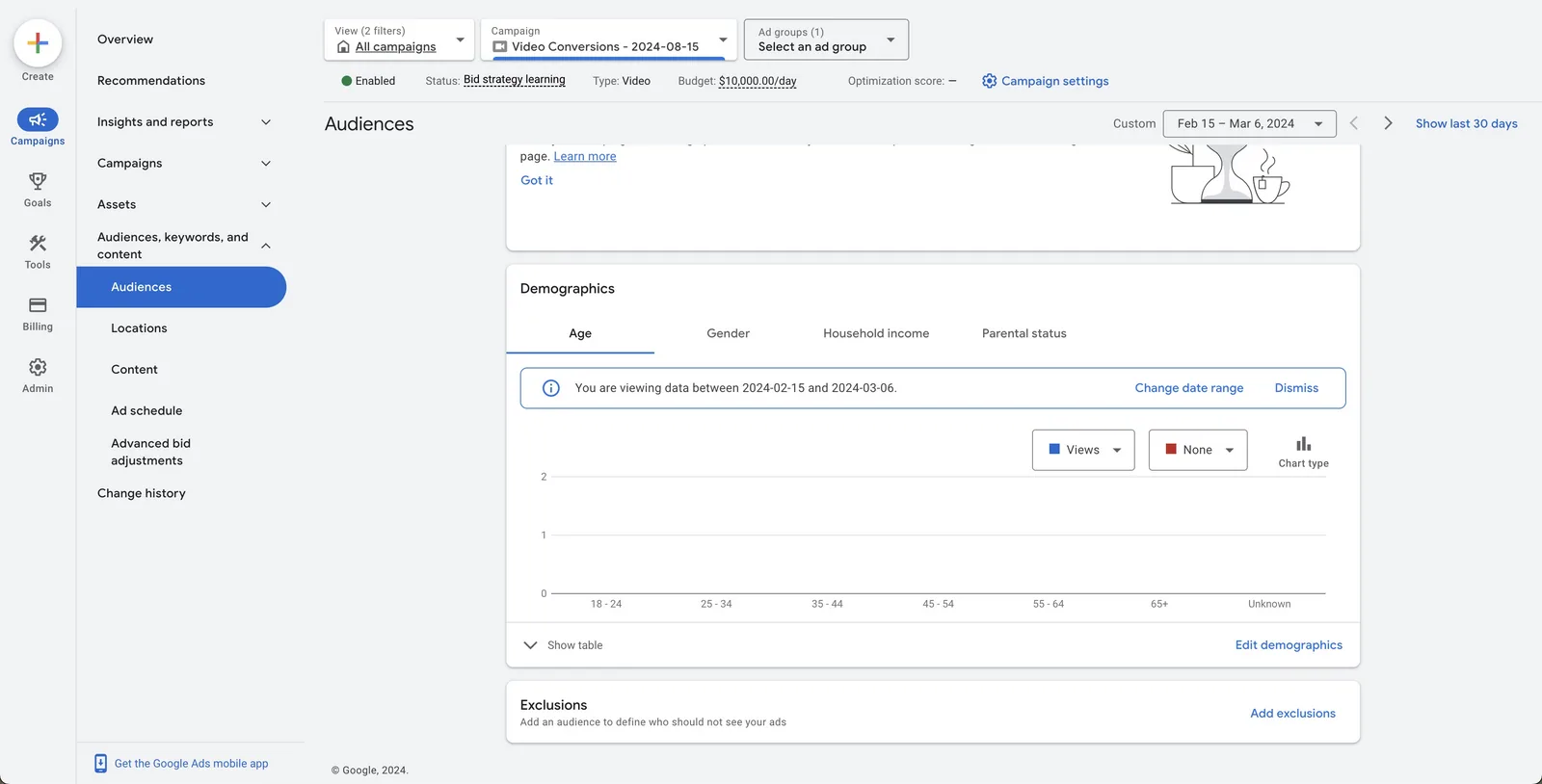
- In Exclusions, click Add exclusions and choose the ad group. Exclusions are set per ad group.
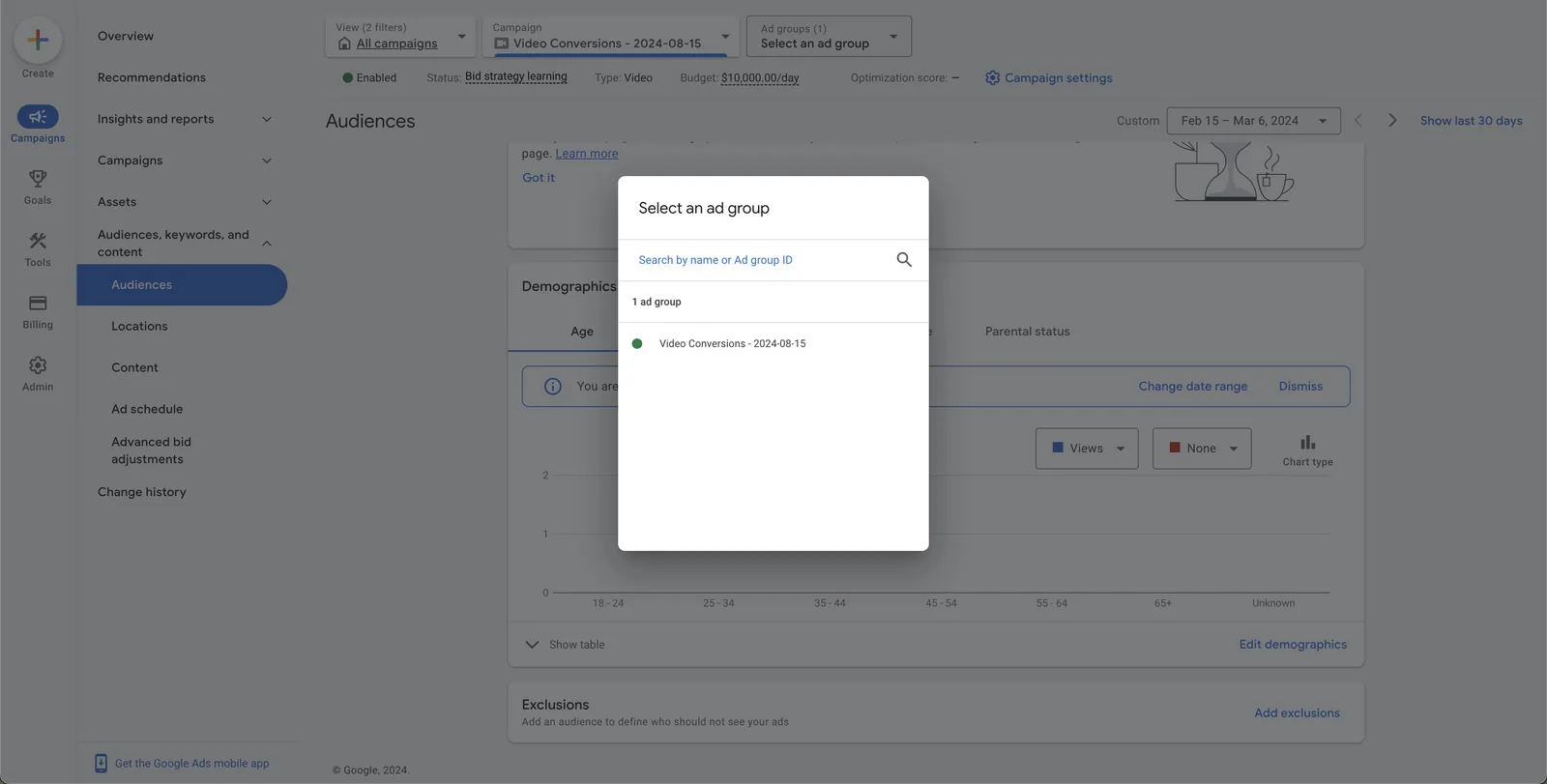
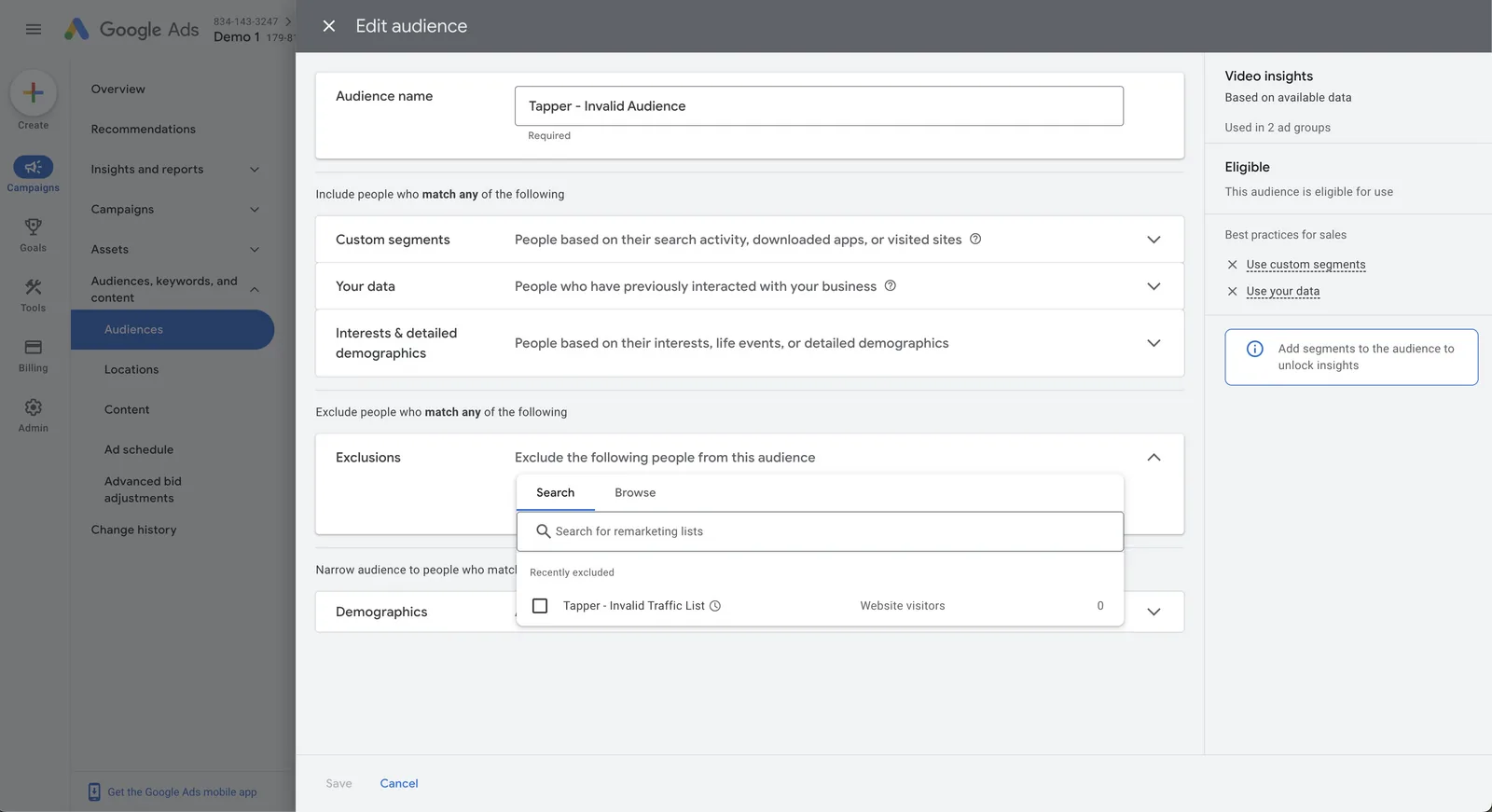
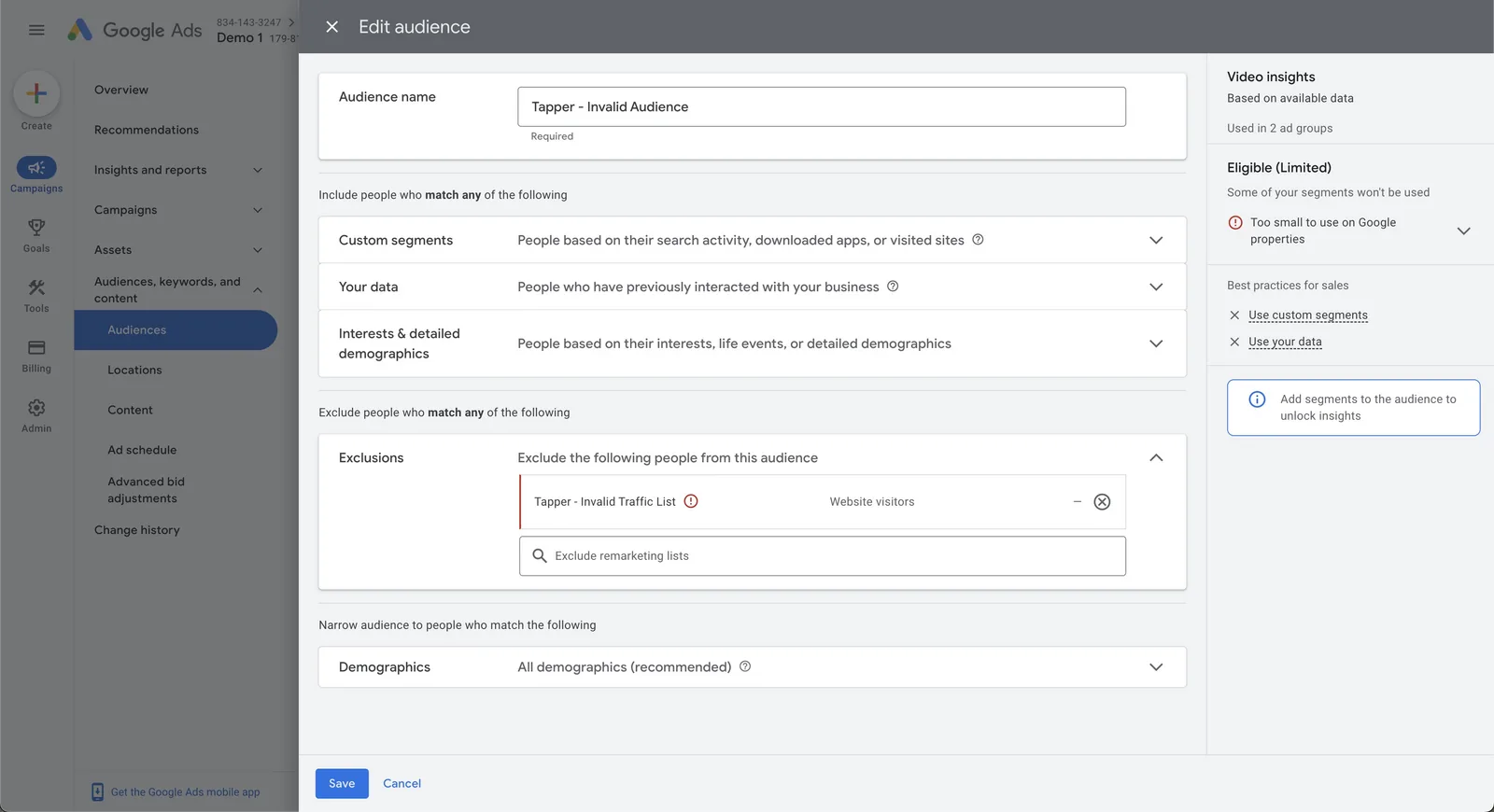
- If the ad group has no audience yet, create one: name it "Tapper - Invalid Audience" and, under Exclusions, select "Tapper - Invalid Traffic List". If you created it before, pick it in Select an audience or click + New audience.
- Click Save to attach the audience to the ad group.
If the list does not appear
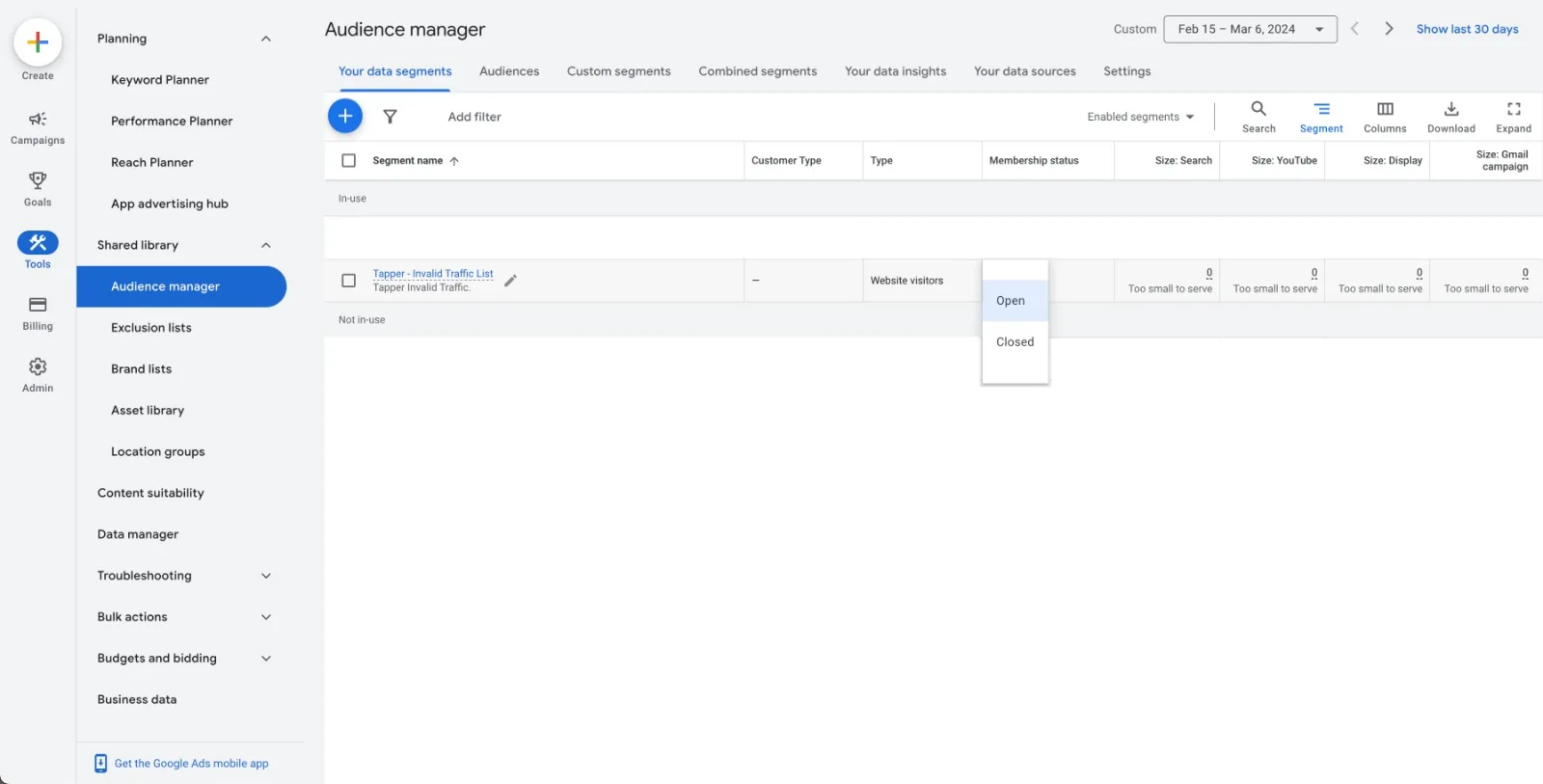
Check that its membership status is Open in the Audience Manager in Google Ads.
Was this helpful?
Related articles
Still need help?
Chat with our team and mention this article.