

Affiliates, part of Tapper Block: find the commissions you don't owe
On this page
Some affiliates buy Google ads on your brand name. A shopper who was already looking for you clicks the affiliate's ad and buys, and your network pays the affiliate a commission on a sale that was already yours. Affiliates finds these orders in your store and shows you which commissions you don't owe.
How it works
Each day, Tapper reads your store's orders that came through an affiliate network's link and began with a click on a Google ad. It looks for each click among the clicks on your own Google ads in the 90 days before the order. When the click is not one of yours, someone else paid for the ad, and Affiliates marks the order Not owed.
Open Affiliates
In the sidebar, under Block, click Affiliates. It has two tabs:
- Orders: the orders credited to your networks, each with whether its commission is owed. See Affiliate orders: what each result means.
- Networks: the networks you work with, the commission you pay each and whether their terms allow brand bidding. See Add your affiliate networks.
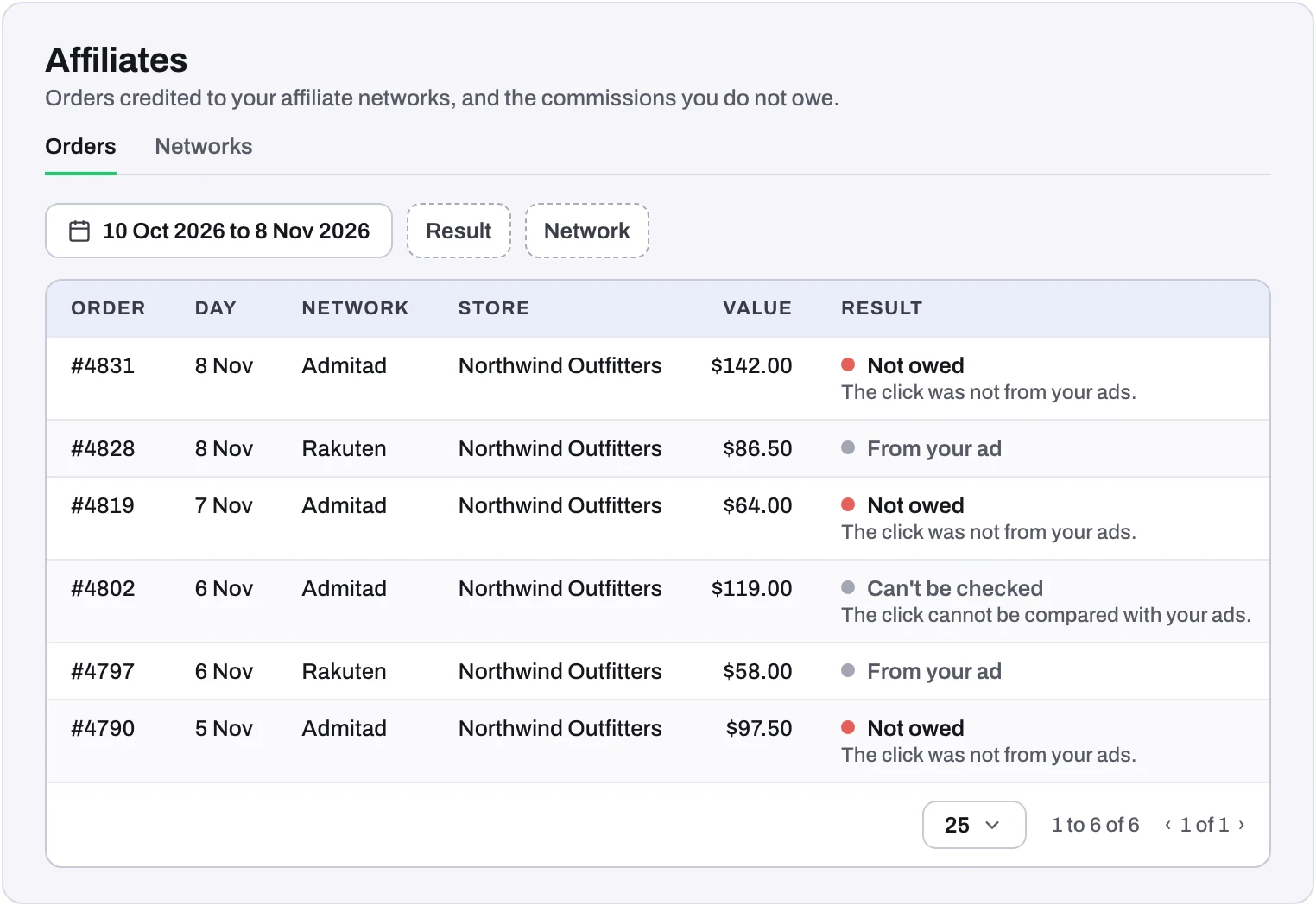 Example: drawn with made-up orders and figures.
Tapper's team switches Affiliates on for your workspace and sets it up with you.
Who sees what
- Owners, Admins and Managers see the orders, and add and change networks.
- Viewers see the networks.
To get access, ask your workspace's owner or an admin to invite you as a Manager or above. The invitation comes by email with an Accept invitation button: see Accept a workspace invitation.
Get an email when affiliate orders rise
When your workspace also has Lift, Tapper tells its Owners, Admins and Managers when a network sends more orders from Google ads than before: for example, several in one day after a quiet week, or twice as many in a week as in the week before. The notice comes by email and in the app's notifications, at most once a day for each Google Ads account.
The email names the networks and counts their orders and value over the last 30 days. Open the card opens the Brand affiliates card in Lift, where Download evidence pack gives you the order lists to send to each network: see Report affiliates who buy Google ads on your brand.
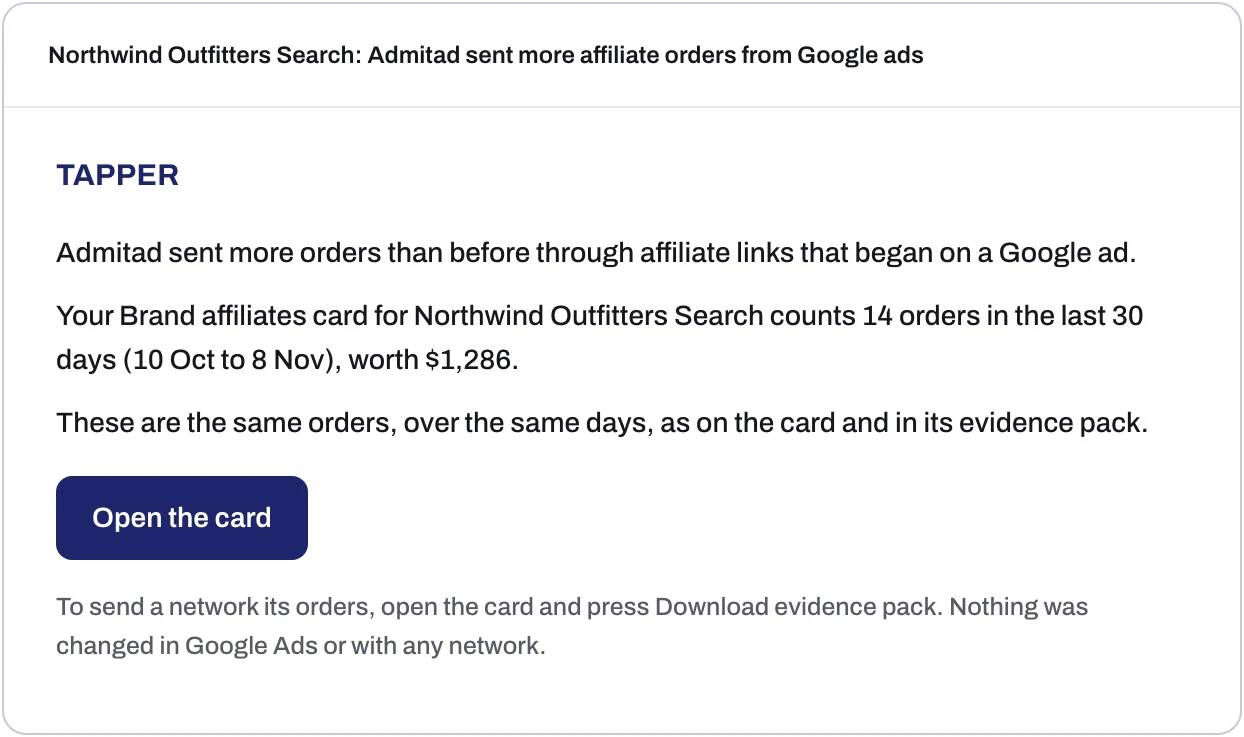 Example: drawn with made-up figures. The email also lists each network's orders and the days they cover.
Frequently asked questions
Does Tapper decline the orders for me?
No. Affiliates shows you which orders to decline. You decline them with your network, from your own account.
Which orders does Affiliates check?
Orders that came through an affiliate network's link and began with a click on a Google ad. An affiliate order with no Google click is not on the list.
Was this helpful?
Related articles
Still need help?
Chat with our team and mention this article.